CHAPTER 8 PAPER DECK
8-28
COPYRIGHT
©
1999 CANON INC. CANON 405/335 REV.0 JAN. 1999 PRINTED IN JAPAN (IMPRIME AU JAPON)
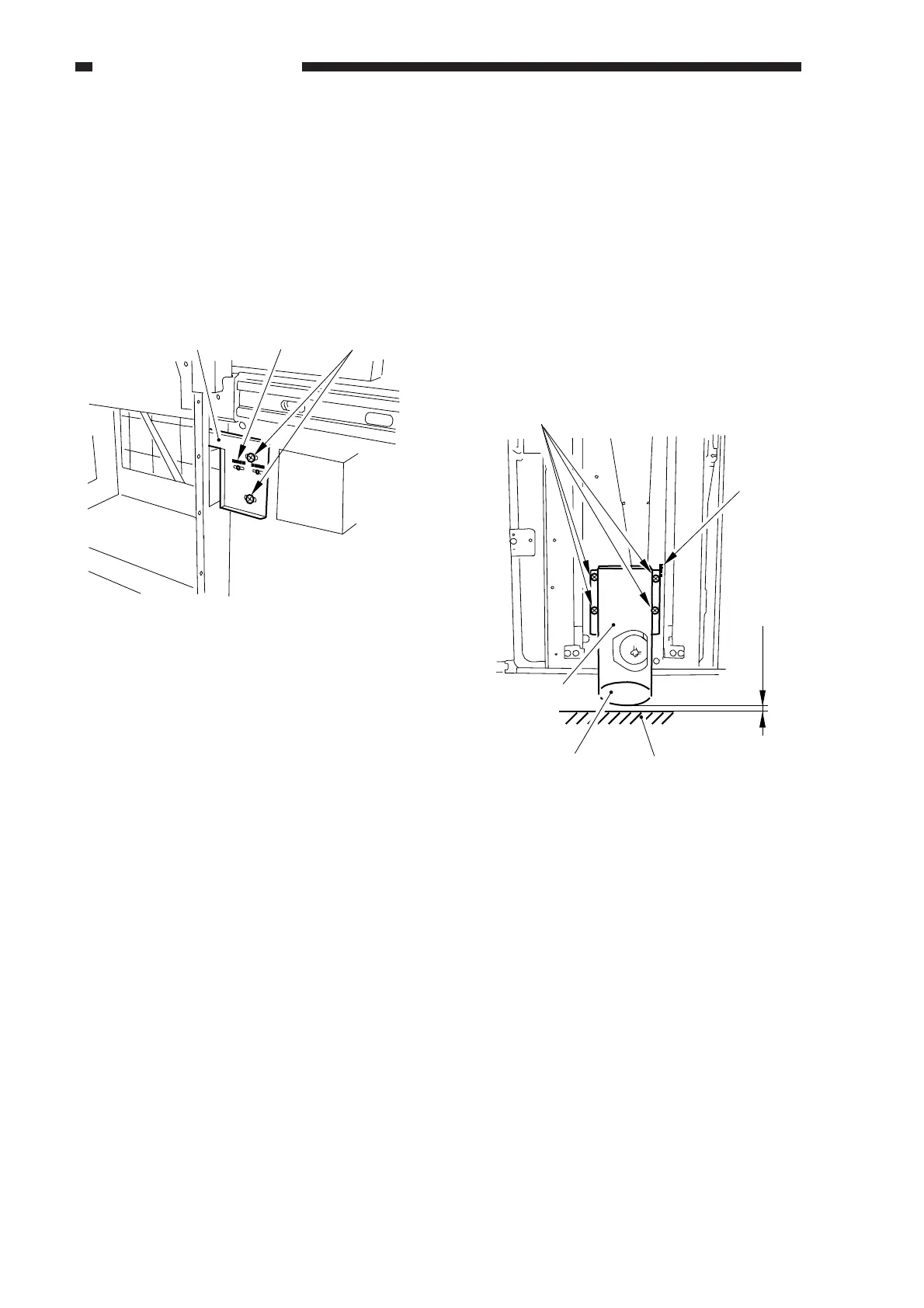
4. Adjusting the Deck Registration
If the left/right registration (0 ±1.5 mm,
standard) is necessary, perform the following:
1) Slide out the compartment, and adjust the
position of the latch plate [1] of the deck
open solenoid (SL102) by turning the two
screws [2]. (At this time, use scale [3] of
the latch plate as a point of reference.)
Figure 8-321
5. Adjusting the Position of the Roll
If the compartment cannot be opened/
closed smoothly, requiring adjustment of the
roll at the front of the deck, perform the
following:
1) Remove the front cover. (See p. 8-21.)
2) With the compartment fully slid out, turn
the four mounting screws [4] on the roll
support plate [3] so that the roll [1] is
about 3 mm from the floor. (At this time,
use scale [5] on the front plate as a point of
reference.)
Figure 8-322
(rear left of the compartment)
[1] [3] [2]
3mm (approx.)
[4]
[5]
[2][1]
[3]



 To Next Page