COPYRIGHT
©
1999 CANON INC. CANON 405/335 REV.0 JAN. 1999 PRINTED IN JAPAN (IMPRIME AU JAPON)
14-7
CHAPTER 14 TROUBLESHOOTING
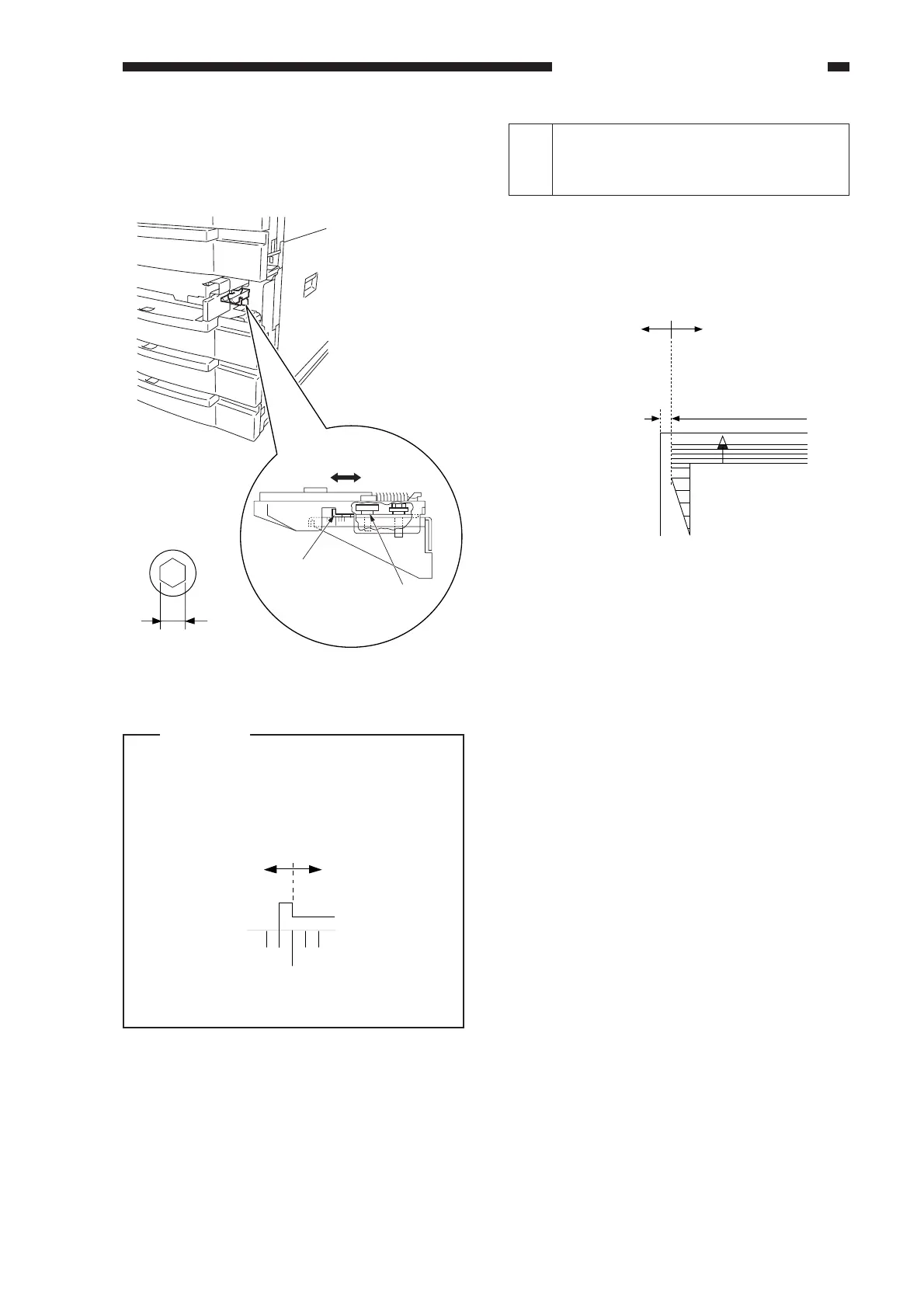
3) Loosen the hex screw, and move the
horizontal registration plate to the front/
rear to make adjustments.
Figure 14-204
Caution:
When making adjustments, match the
inside of the L angle of the horizontal
registration plate with the appropriate
graduation of the scale.
Figure 14-205
b. Pick-Up from the Multifeeder
Loosen the screw, and move the tray so
that it is 2.5 ±1.5 mm in Direct mode.
4mm
Hex screw diameter
(front) (rear)
Horizontal
registration plate
Hex screw
+
-
3
Left/Right Registration for the 2nd
Side of a Double-Sided/Overlay
Copy (rear/front direction)
Check to see if the image on the 2nd side
of a double-sided/overlay copy is as indicated.
• Standard: 2.5 mm ±2.0 mm
Figure 14-206
If it is not as indicated, make adjustments
using the following in service mode:
COPIER>ADJUST>FEED-ADJ
>ADJ-REFE
2.5mm ±2.0
Decrease ADJ-REFE.
(A decrease of 23
causes a change of
1 mm.)
Increase ADJ-REFE.
(An increase of 23
causes a change of
1 mm.)



 To Next Page