COPYRIGHT
©
1999 CANON INC. CANON 405/335 REV.0 JAN. 1999 PRINTED IN JAPAN (IMPRIME AU JAPON)
3-17
CHAPTER 3 EXPOSURE SYSTEM
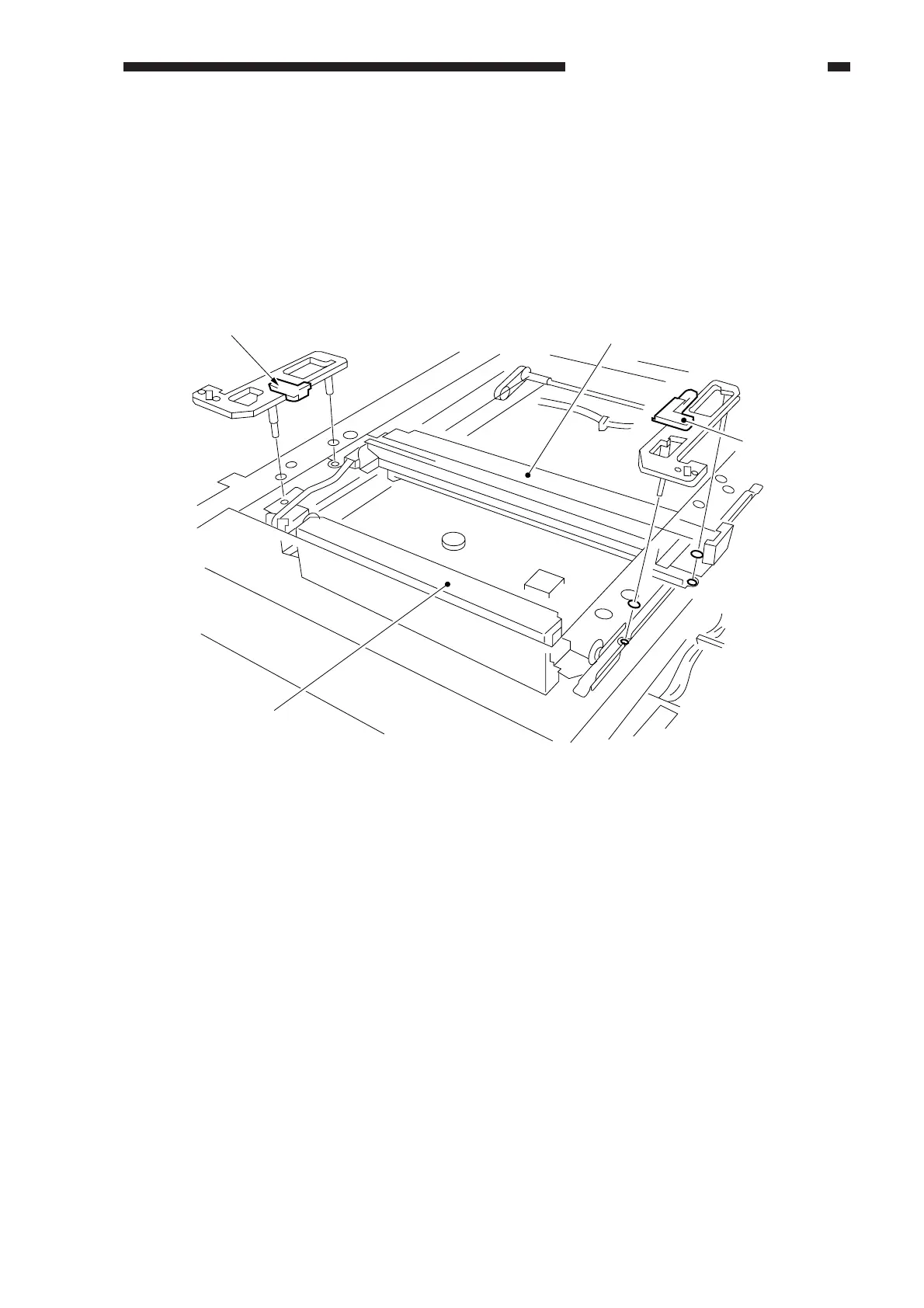
5. Adjusting the Mirror Position (optical length between No. 1 mirror and No. 2/No.
3 mirror)
1) Prepare the mirror positioning tool.
2) Move the No. 1 mirror mount forward, and match the hole in the upper front plate and the hole
in the slide section of the No. 1/No. 2 mirror mount. (The same applies to the rear side plate.)
3) Fit the mirror positioning tool to the No. 1 mirror mount and the No. 2 mirror mount (both front
and rear).
Figure 3-516
4) Tighten the set screws of the pulley.
5) Secure the scanner cable metal fixing in place to the No. 1 mirror mount.
6) Detach the tool.
(for rear)
(for No. 1 mirror)
No. 2/No. 3 mirror mount
(for front)



 To Next Page