Printer parts
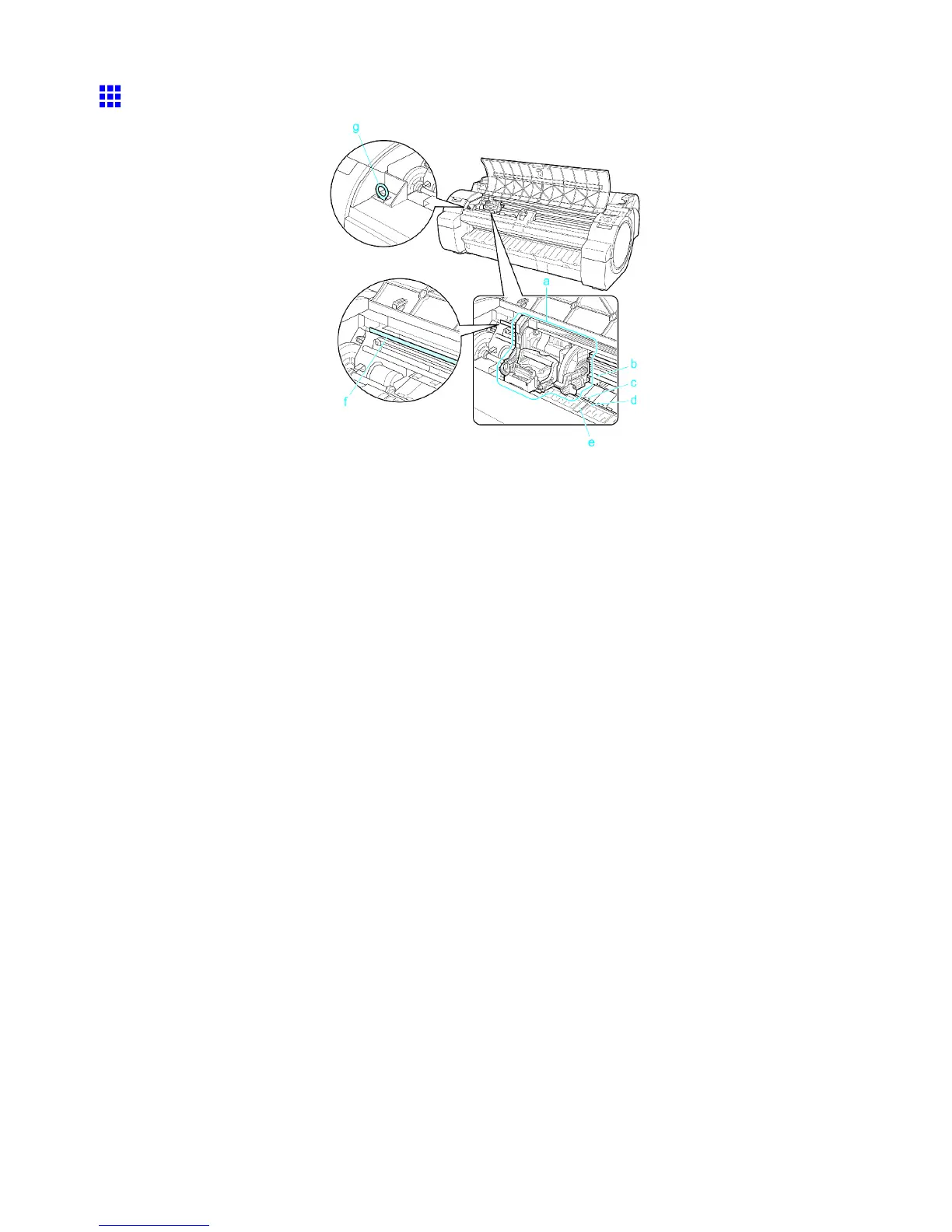
T op Cover (Inside)
a. Carriage
Moves the Printhead . The carriage serves a key role in printing. ( → P .17)
b. Carriage Shaft
The Carriage slides along this shaft.
c. Paper Retainer
Important in supplying the paper . This retainer holds paper as it is fed.
d. Platen
The Printhead moves across the platen to print. V acuum holes on the platen hold paper in place.
e. Borderless Printing Ink Grooves
For catching ink outside the edges of paper during borderless printing.
f. Linear Scale
The linear scale serves a key role in detecting the Carriage position. Be careful not to touch this
part when cleaning inside the T op Cover or clearing paper jams.
g. Cleaning Brush
When cleaning inside the printer under the T op Cover , use this brush to sweep away paper dust on
the Platen .
16 Printer Parts


 To Next Page
 Loading...












