Maintenance Cartridge
Replace the Maintenance Cartridge
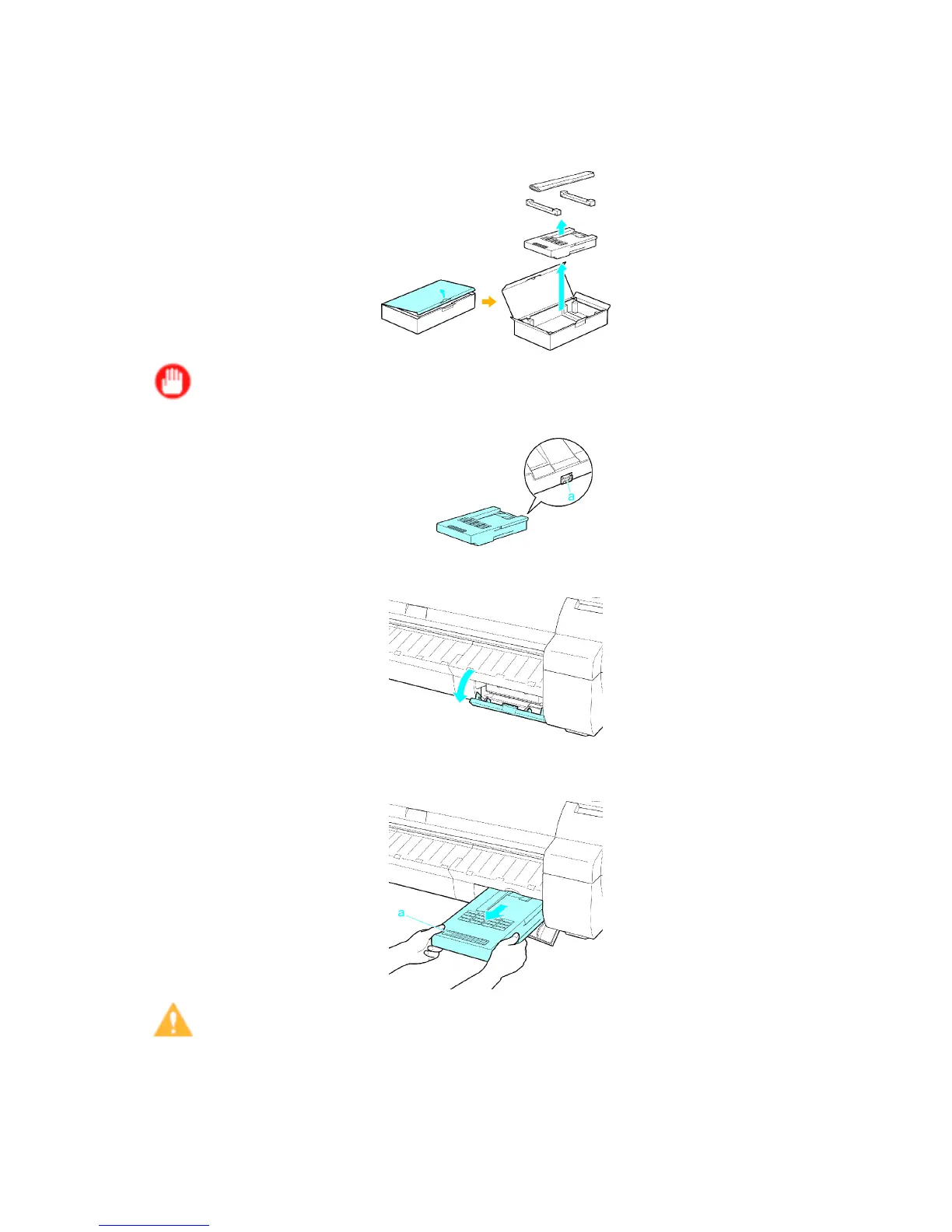
1. Open the box, remove the plastic bag and packaging material, and take out the Maintenance
Cartridge .
Important
• Never touch the metal contacts (a). This may damage the Maintenance Cartridge .
2. At this point, open the Maintenance Cartridge Cover .
3. Hold the used Maintenance Cartridge by the grip (a) with one hand and put your other hand
under the Maintenance Cartridge to hold it rmly on the bottom, keeping it level as you pull it out.
Caution
• Used maintenance cartridges are heavy . Always grasp the cartridge rmly and keep the cartridge
level during removal and storage. If you drop a used Maintenance Cartridge or store it at an angle,
ink may leak and cause stains.
Maintenance 641


 To Next Page
 Loading...












