Installing the CAPT Software
3-10
Setting Up the Printing Environment
3
NOTE
Even after the installation, you can change the Firewall settings using "CAPT
Windows Firewall Utility" in the supplied CD-ROM. For more details, see "Windows
Firewall," on p. 7-8.
12
The message <Installation cannot be stopped once it starts.
Do you want to continue?> appears. Click [Yes].
NOTE
•
If you are using Windows 2000 and the [Digital Signature Not Found] dialog box
appears, click [Yes].
•
If you are using Windows XP/Server 2003 and the [Hardware Installation] dialog
box appears, click [Continue Anyway].
•
If you are using Windows Vista and the [Windows Security] dialog box appears,
click [Install this driver software anyway].
13
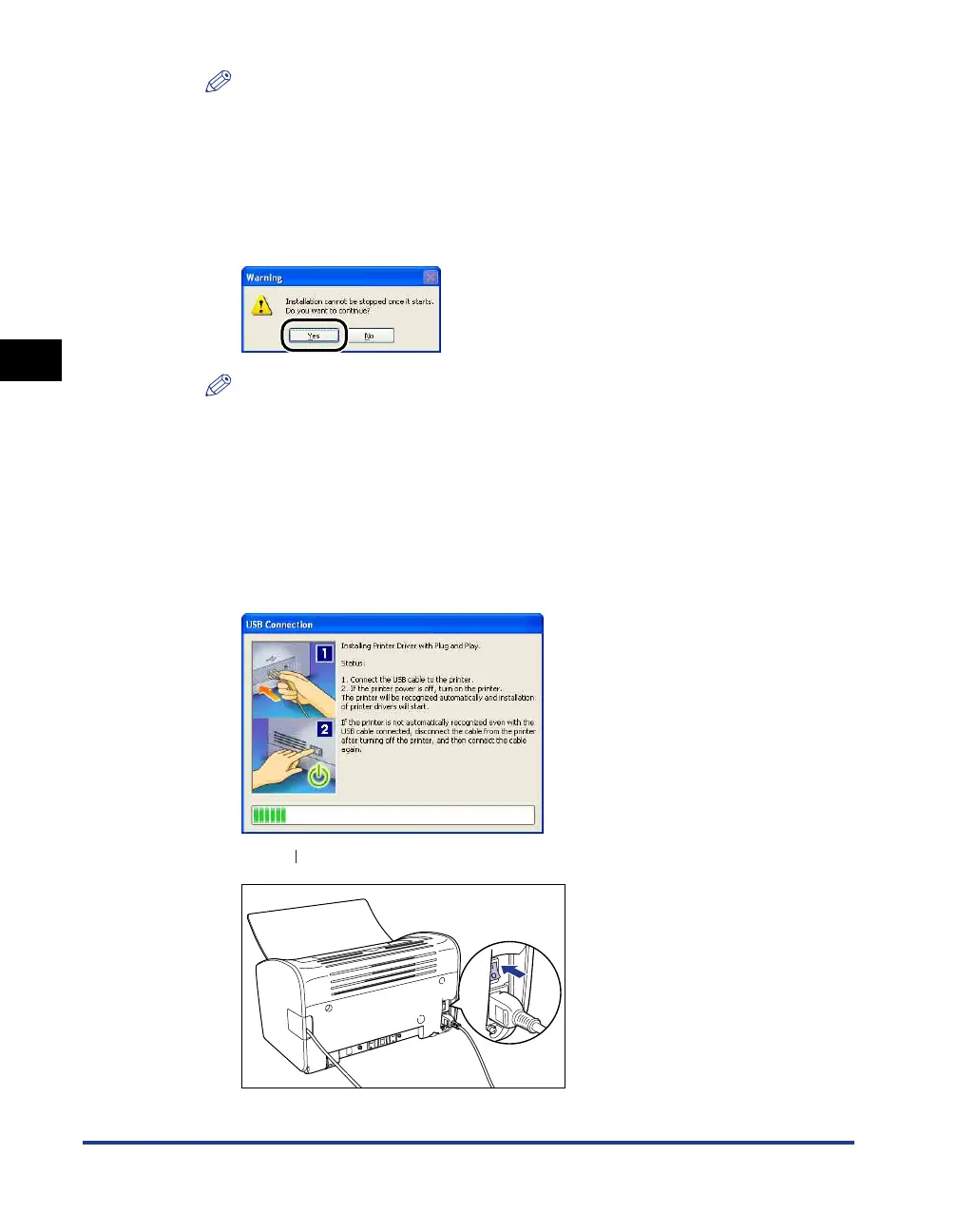
When the following screen is displayed, turn the printer ON.
Press " " of the power switch to turn the printer ON.
Installation of the USB class driver and the printer driver starts automatically.











 To Next Page