[Print Range]
Specify the range (pages) to print.
[All] Select to print all pages.
[Specify Pages] Select to specify the print range. This setting is unavailable for JPEG les.
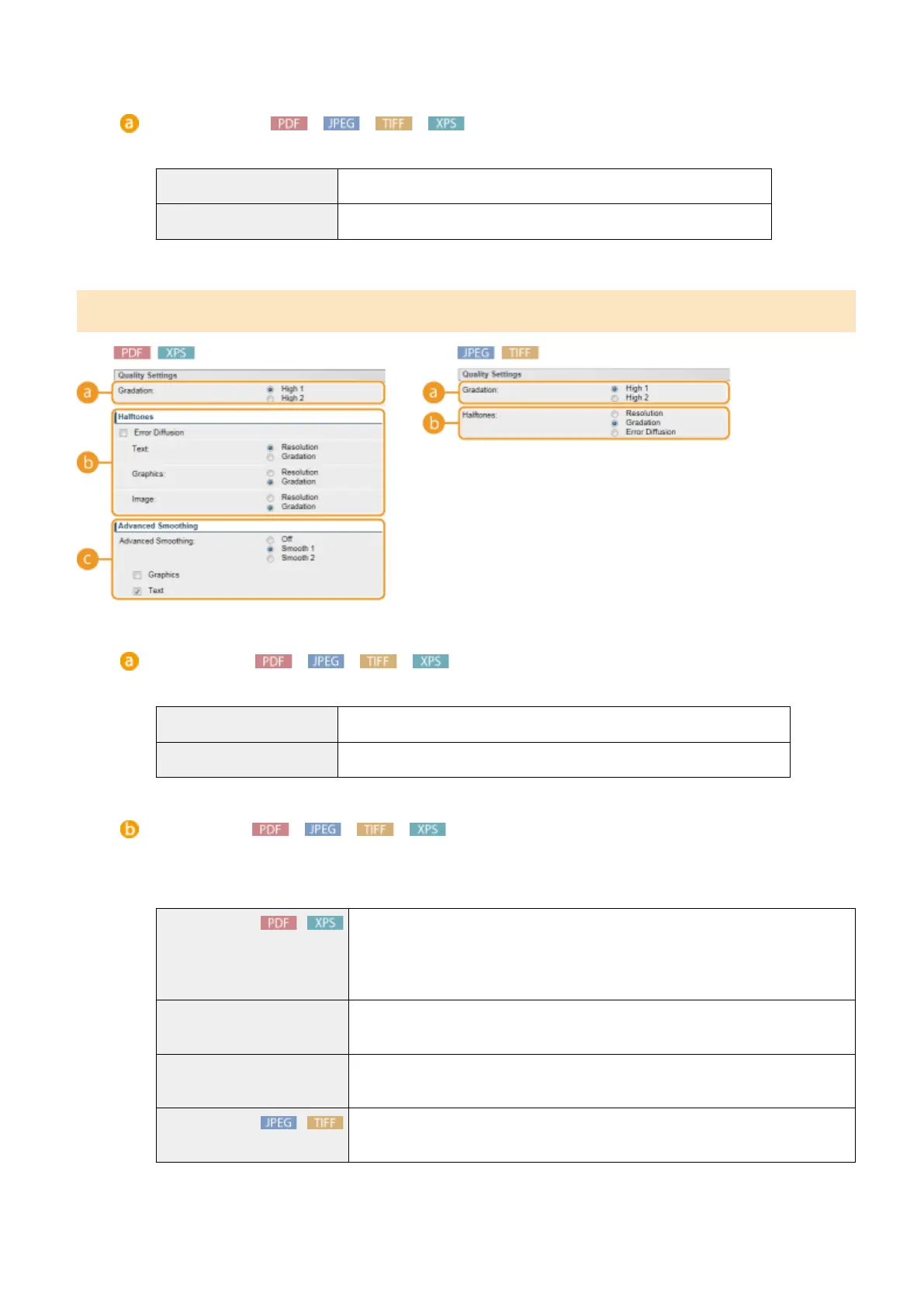
[Quality Settings]
[Gradation]
Set the gradation for print data processing.
[High 1]
This print mode is suitable for printing photos or the like at average quality.
[High 2] Specify this setting to print photos or the like at high quality.
[Halftones]
You can select the printing method to reproduce halftones (the intermediate range between the lighter and
darker areas of an image). For PDF les and XPS les, you can set [Resolution] or [Gradation] for each of
image types contained in one document: [Text], [Graphics], and [Image].
[Error Diffusion]
With this check box selected, you can perform ner printing than with [Resolution].
This print mode is suitable for sharply printing edges of ne granularity data such as
characters or thin lines. This is applied to all image data types, so you cannot select
[Resolution] or [Gradation].
[Resolution] Prints text with clear edges to produce a ne print. This is suitable for printing text
and thin lines.
[Gradation] Prints gradations and outlines with a smooth nish. This is suitable for printing
gures and graphs that use gradations.
[Error Diffusion] You can perform ner printing than with [Resolution]. This print mode is suitable for
sharply printing edges of ne granularity data such as characters or thin lines.
Printing a Document
150



 To Next Page