Correcting Color Mismatch and Hues
0YSF-08Y
When color mismatch occurs or when images are printed in colors that are different from the ones in the original,
execution of calibration allows you to correct the problem. Processing for this correction requires a sucient amount
of toner, so it is recommended that beforehand you check the remaining amount of toner and you replace the toner
cartridge(s) as necessary.
Checking the Amount Remaining in the Toner Cartridge(P. 567)
Correcting Print Color Mismatch(P. 579)
Correcting Hues(P. 580)
Correcting Color Mismatch and Hues at a Time(P. 580)
● Frequent calibration may affect the lifetime of toner cartridges.
● If the lifetime of toner cartridge(s) has been reached, calibration may not end correctly. In this case, replace
the toner cartridge(s) and try again calibration.
How to Replace Toner Cartridges(P. 569)
● Normally, calibration is automatically performed in accordance with the usage condition of the machine or
changes in the environmental conditions.
● You can make a setting so that calibration is automatically performed immediately after the machine is
turned ON or you can set the calibration frequency.
First Calibration(P. 431)
Calibration Freq.(P. 434)
Correcting Print Color Mismatch
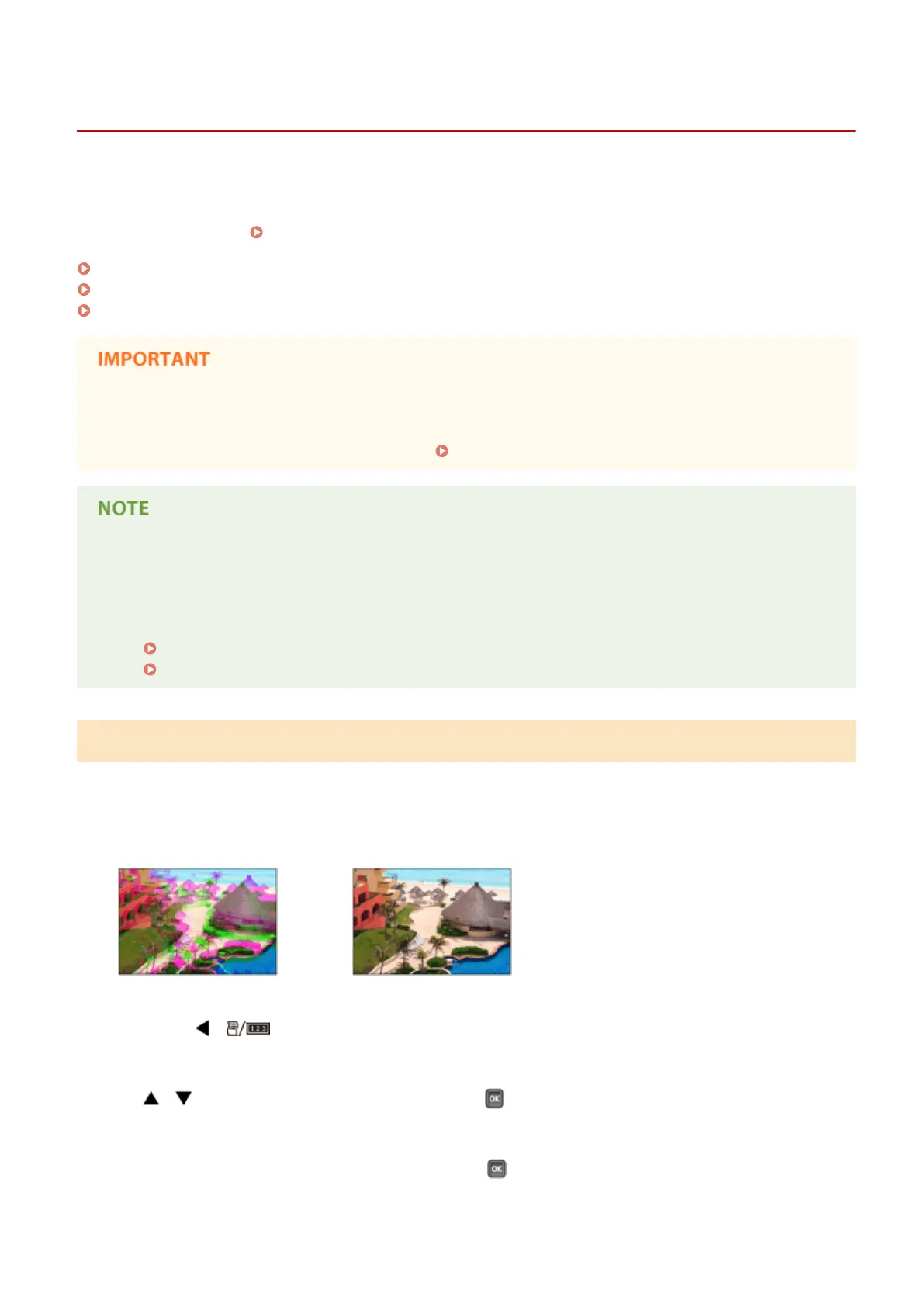
Print color mismatch refers to a shift in the positions of colors that may occur when printing one image with multiple
toner cartridges. Color mismatch can cause printouts to appear blurry. When color mismatch occurs, use the following
procedure to correct the problem.
When color mismatch occurs When color mismatch does not occur
1
Press ( ).
2
/ to select <Calibration>, and press .
3
Select <Color Mismatch Corr.>, and press .
Maintenance
579



 To Next Page