Generating Key Pairs
0YSF-04W
A key pair can be generated with the machine when it is required for encrypted communication via Transport Layer
Security (TLS). You can use TLS when accessing the machine via the Remote UI or performing IPP Print. Up to eight key
pairs, including the preinstalled pairs, can be registered. Self-signed certicates are used with key pairs generated in
"Network Communication". With a "Key and Certicate Signing Request (CSR)", you can apply for a CA-issued digital
certicate for the key pair generated by the machine.
Generate Network Communication Key(P. 320)
Generate Key and Certicate Signing Request (CSR)(P. 323)
Generate Network Communication Key
1
Start the Remote UI and log on in Management Mode. Starting Remote UI(P. 336)
2
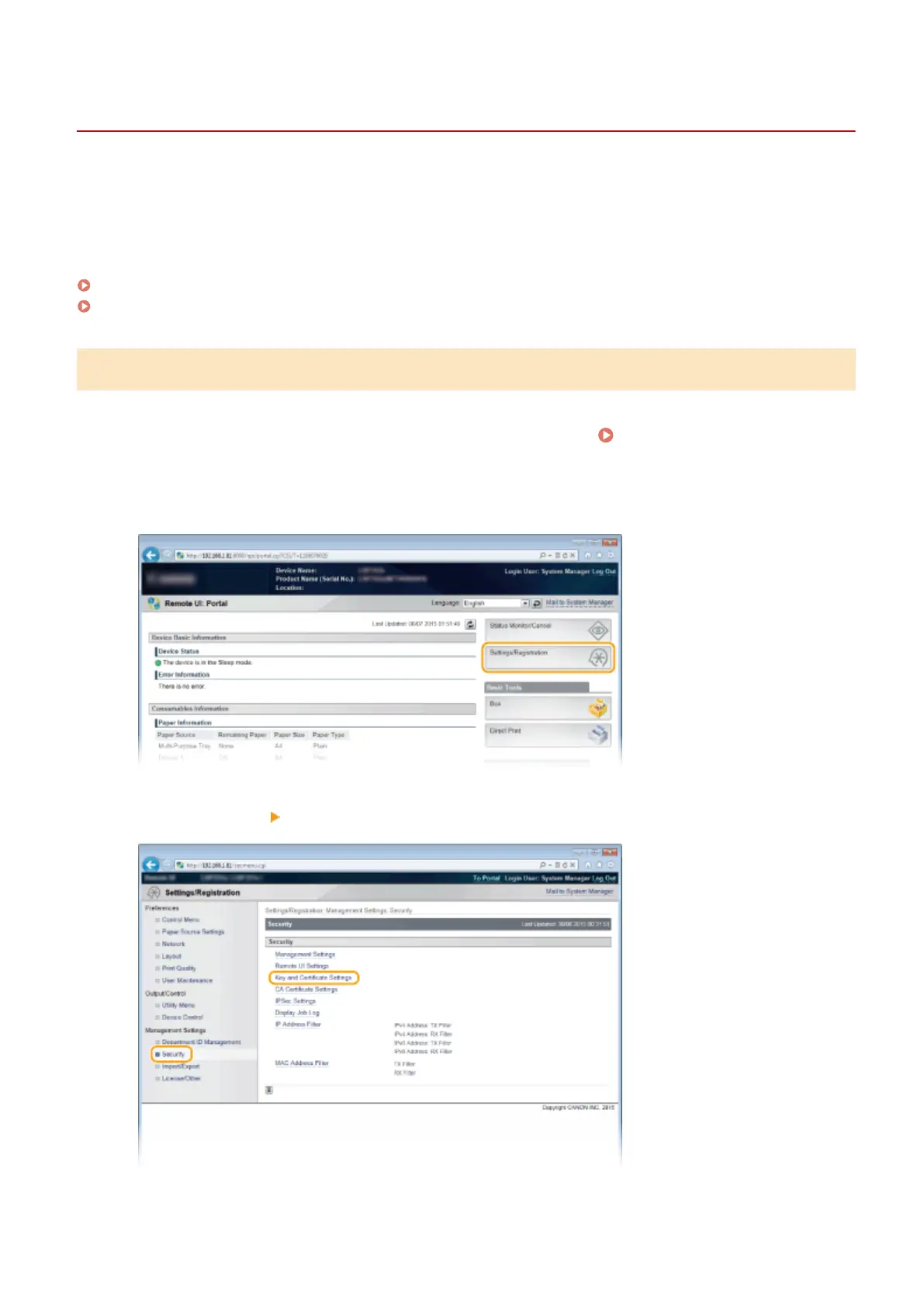
Click [Settings/Registration].
3
Click [Security] [Key and Certicate Settings].
Security
320



 To Next Page