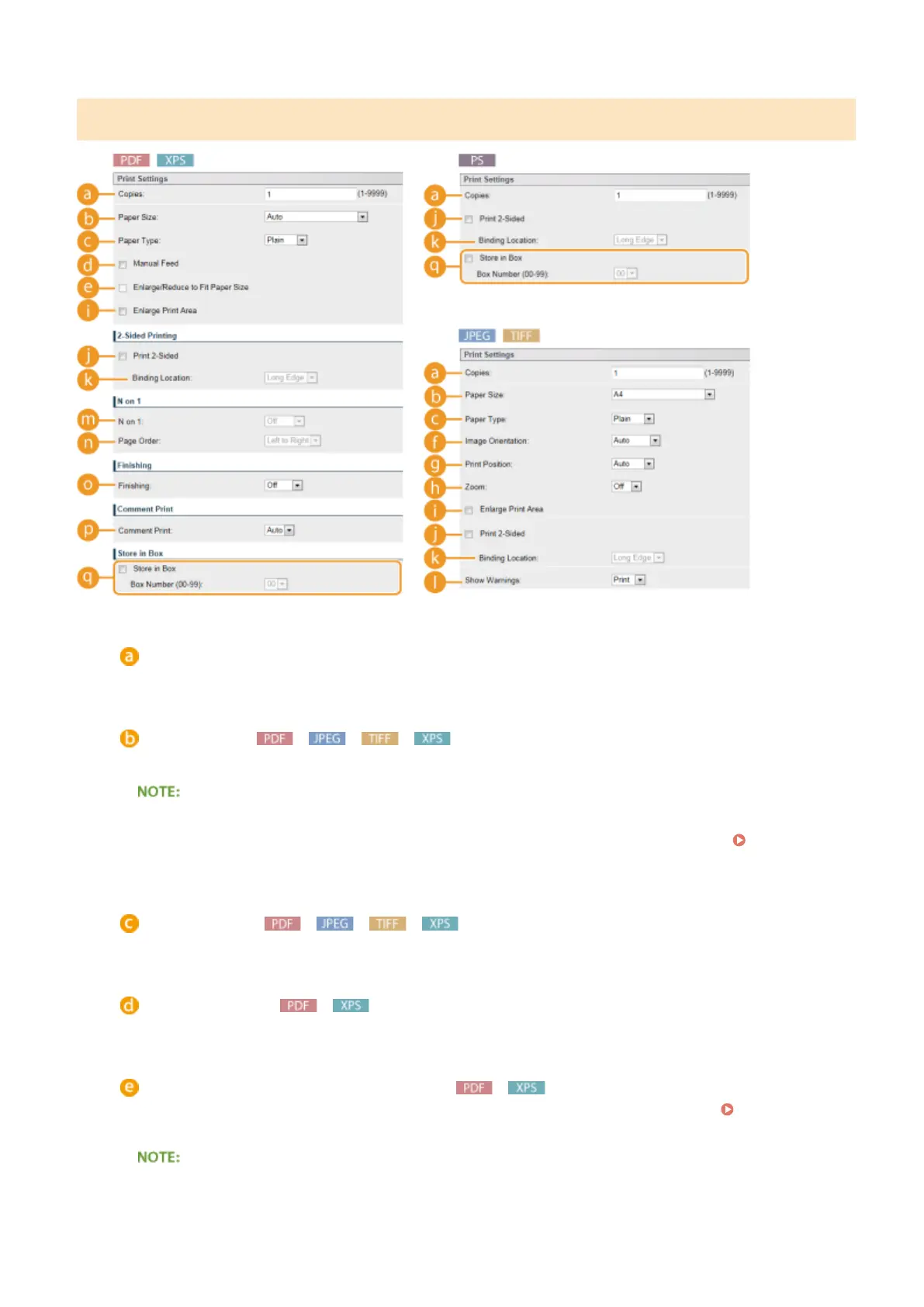
[Print Settings]
[Copies]
Specify the number of copies.
[Paper Size]
Specify the size of the paper to print on.
● When you want to print a PDF le or XPS le, specify [Auto] to automatically select the optimum paper size.
If no optimum size is found, the paper size set in <Standard Paper Size> is selected ( Standard Paper
Size(P. 502) ).
[Paper Type]
Specify the type of the paper to print on.
[Manual Feed]
If you select the check box, a document is printed only on the paper loaded in the multi-purpose tray.
[Enlarge/Reduce to Fit Paper Size]
If you select the check box, printouts are enlarged or reduced printouts according to the Printable
Area(P. 623) of the paper. The printouts are enlarged or reduced with the original aspect ratio kept.
● If [Paper Size] is set to [Auto], this item is unavailable.
Printing a Document
156



 To Next Page