Remote UI Screens
0YSF-052
This section describes the typical screens of the Remote UI.
Portal Page (Main Page)(P. 339)
[Status Monitor/Cancel] Page(P. 340)
[Settings/Registration] Page(P. 341)
[Box] Page(P. 342)
[Direct Print] Page(P. 343)
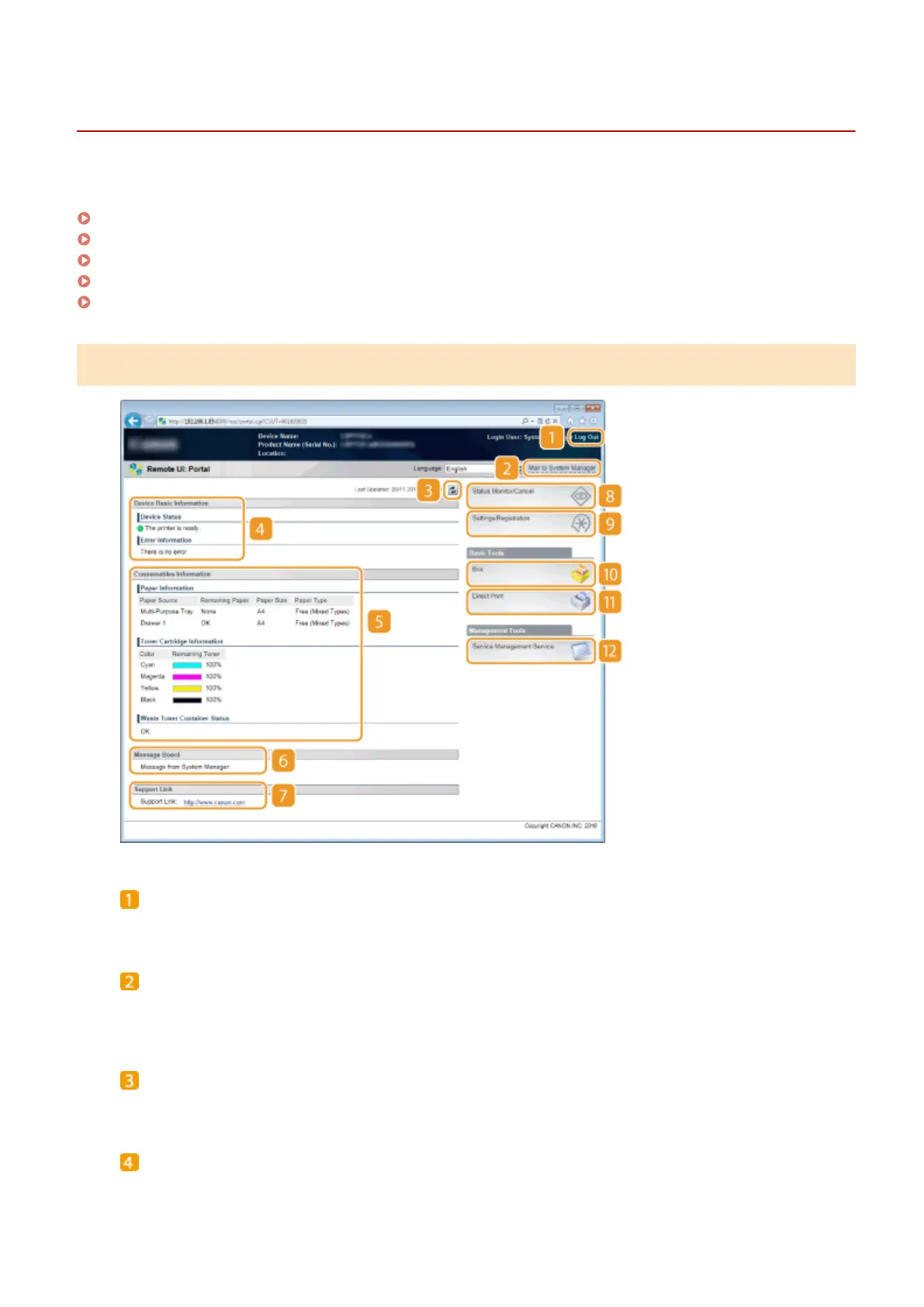
Portal Page (Main Page)
[Log Out]
Logs off from the Remote UI. The Login page will be displayed.
[Mail to System Manager]
Displays a window for creating an e-mail to the system manager specied in [Management Settings] under
[Security].
Refresh Icon
Refreshes the currently displayed page.
Device Basic Information
Displays the current status of the machine and error information. If an error has occurred, the link to the
Error Information page will be displayed.
Using Remote UI
339



 To Next Page