Setting the System Manager Password
0YSF-041
Changing the settings congured in the machine from the Remote UI requires administrative privileges. Follow the
procedure shown below to change the System Manager password. The System Manager password settings
information is critical to the security of the machine, so make sure that only Administrators know the System Manager
password.
● The factory default setting of the System Manager password is "7654321." Note that it is not preferable to
use this value as it is, from the viewpoint of security. It is recommended that you change the value by using
the following procedure.
1
Start the Remote UI and log on in Management Mode. Starting Remote UI(P. 336)
2
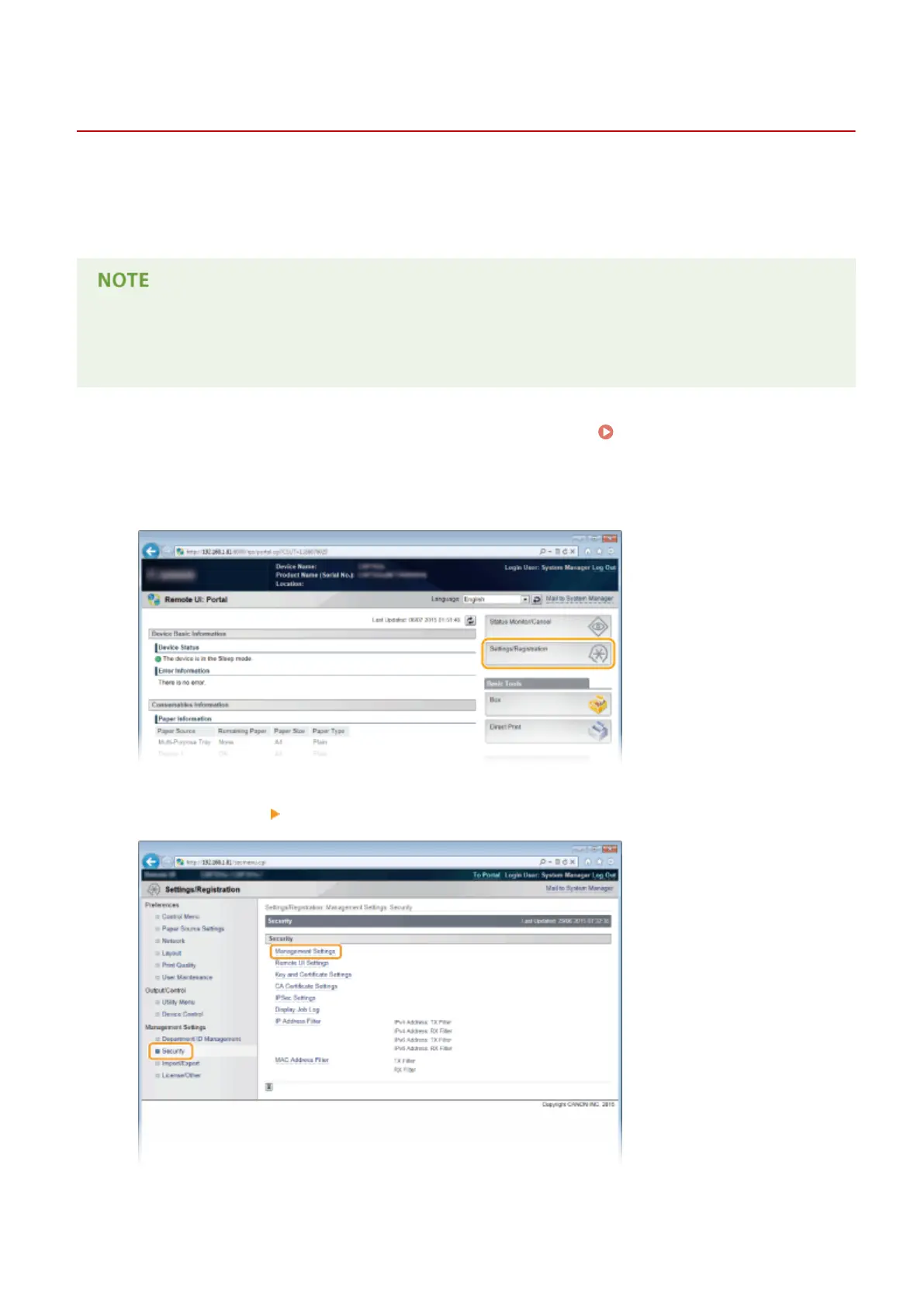
Click [Settings/Registration].
3
Click [Security] [Management Settings].
Security
256



 To Next Page