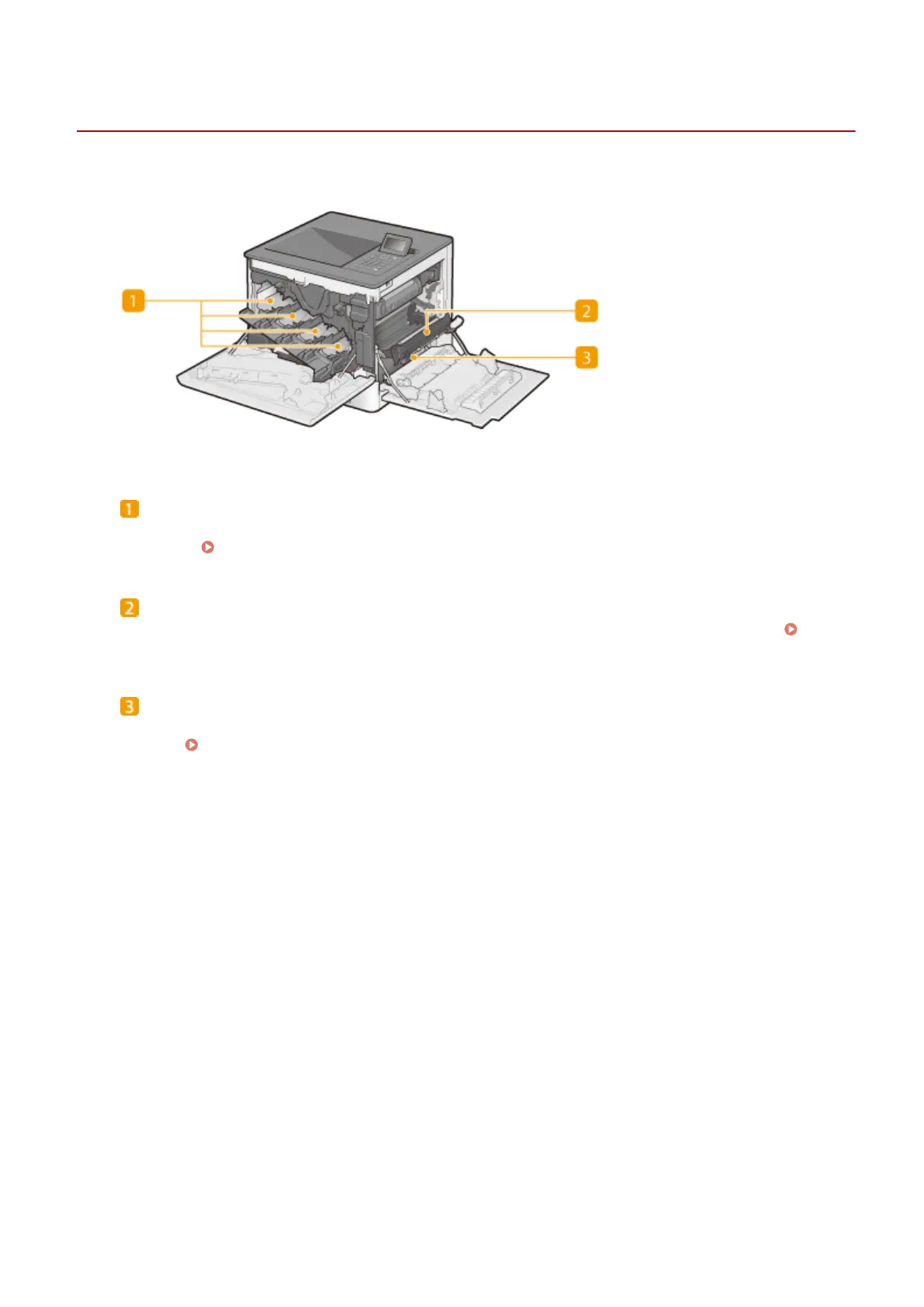
Interior
0YSF-00A
Toner cartridge slots
Load the toner cartridges in these slots: Y (yellow) in the leftmost slot, followed by M (magenta), C (cyan), and
K (black). How to Replace Toner Cartridges(P. 569)
Delivery unit
If there is a paper jam inside the machine, raise the transport guide to remove the jammed paper.
Clearing Jams(P. 511)
Transport guide
If paper has jammed inside the machine, lift up the delivery unit and open this guide to remove the jammed
paper. Clearing Jams(P. 511)
Basic Operations
21



 To Next Page