● You can continue printing when this message is displayed, but the print quality may deteriorate.
● Receiving e-mail and fax documents will be disabled. Printing Received E-mail (E-Mail Print)
(P. 160)
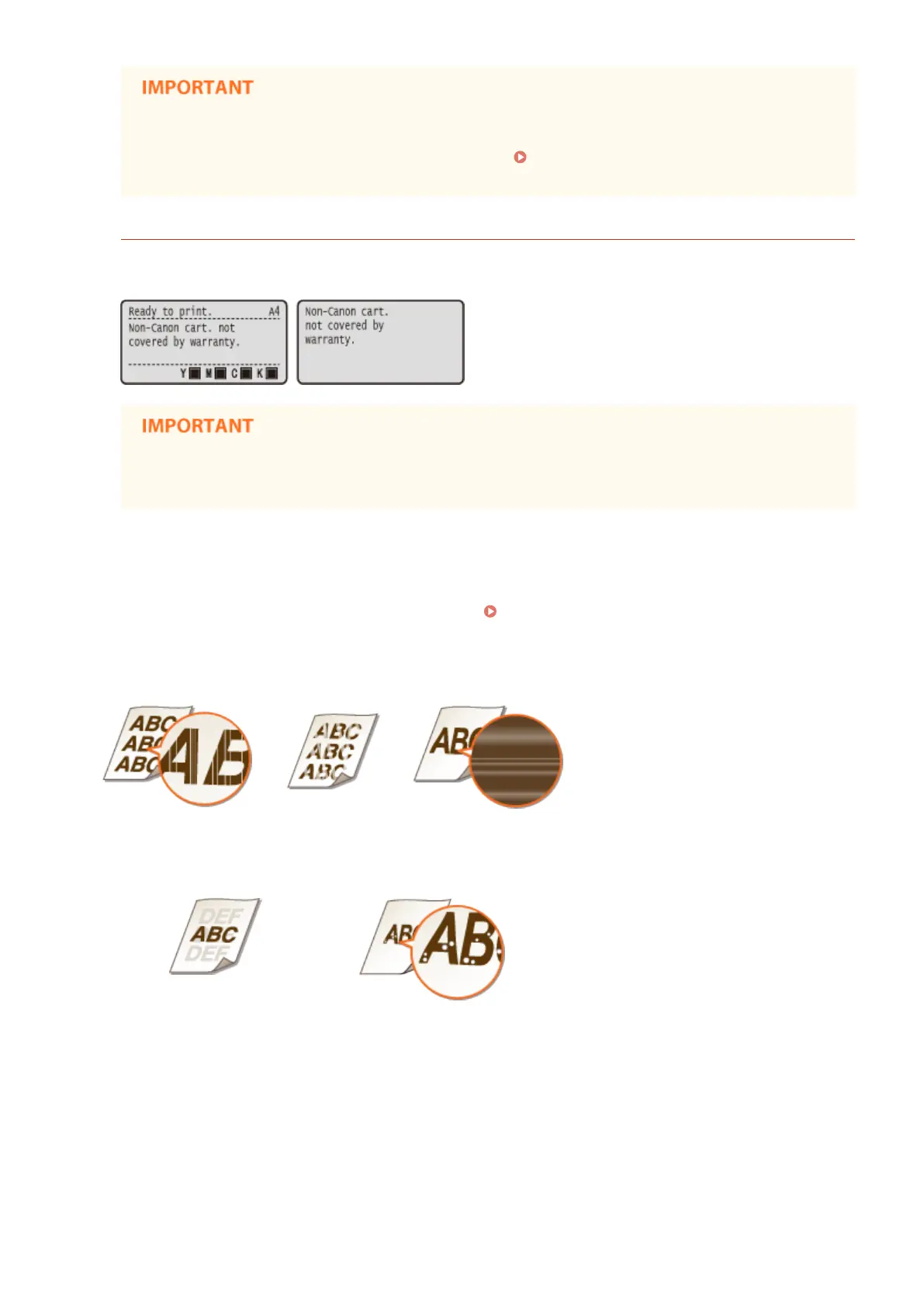
<Non-Canon cart. not covered by warranty.>
This message noties you that the machine may not print in optimum quality. It is recommended that you
replace this cartridge with a new one.
● You can continue printing when this message is displayed, but the print quality may deteriorate.
Doing so may result in damage to the machine.
◼
If Printouts are Poor in Quality
If your printouts begin to show any of the following features, one of your toner cartridges is consumed. Replace the
nearly empty toner cartridge even if no message is displayed.
How to Replace Toner Cartridges(P. 569)
Streaks appear
Partially faded
Uneven density
Afterimages appear in blank areas
White spots appear
◼ Checking the Amount Remaining in the Toner Cartridge
You can check the amount remaining in the toner cartridge on the main screen. It is recommended that you check the
amount before you start to print a large job.
Maintenance
567



 To Next Page