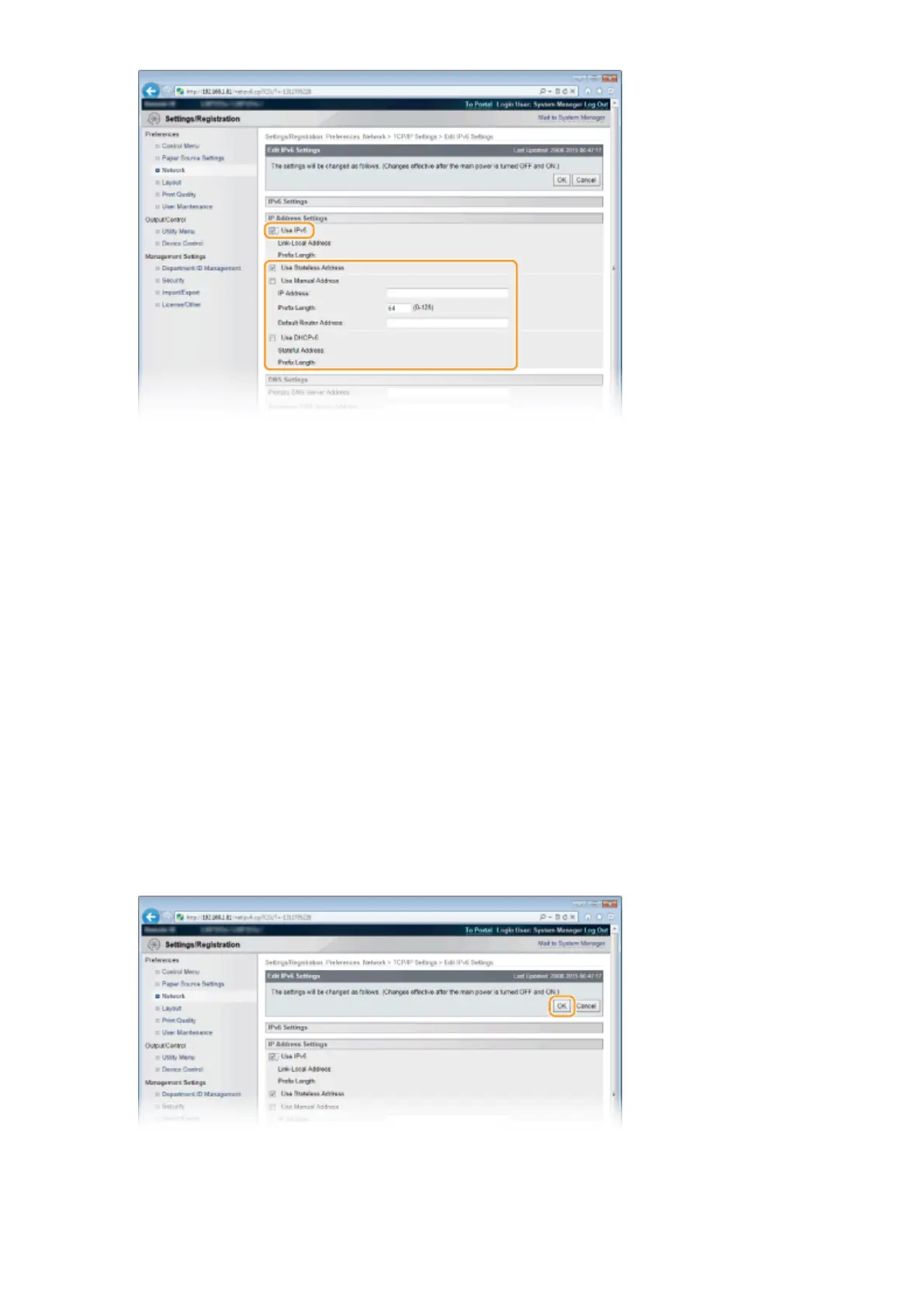
[Use IPv6]
Select the check box to enable IPv6 on the machine. When not using IPv6, clear the check box.
[Use Stateless Address]
Select the check box when using a stateless address. When not using a stateless address, clear the check box.
[Use Manual Address]
When you want to manually enter an IPv6 address, select the check box and enter the IP address, prex
length, and default router address in the corresponding text boxes.
[IP Address]
Enter an IPv6 address. You cannot enter an address that starts with "ff" (or multicast address), the address of
"0000::0000" (all zeros), or an address that starts with "0:0:0:0:0:ffff" or "0:0:0:0:0:0."
[Prex Length]
Enter a number that indicates how many bits are available for the network address.
[Default Router Address]
Specify the IPv6 address of the default router as necessary. You cannot enter an address that starts with "ff"
(or multicast address), the address of "0000::0000" (all zeros), or an address that starts with "0:0:0:0:0:ffff" or
"0:0:0:0:0:0."
[Use DHCPv6]
Select the check box when using a stateful address. When not using DHCPv6, clear the check box.
6
Click [OK].
7
Perform a hard reset.
● Click [Device Control], select [Hard Reset], and then click [Execute].
Network
197



 To Next Page