5
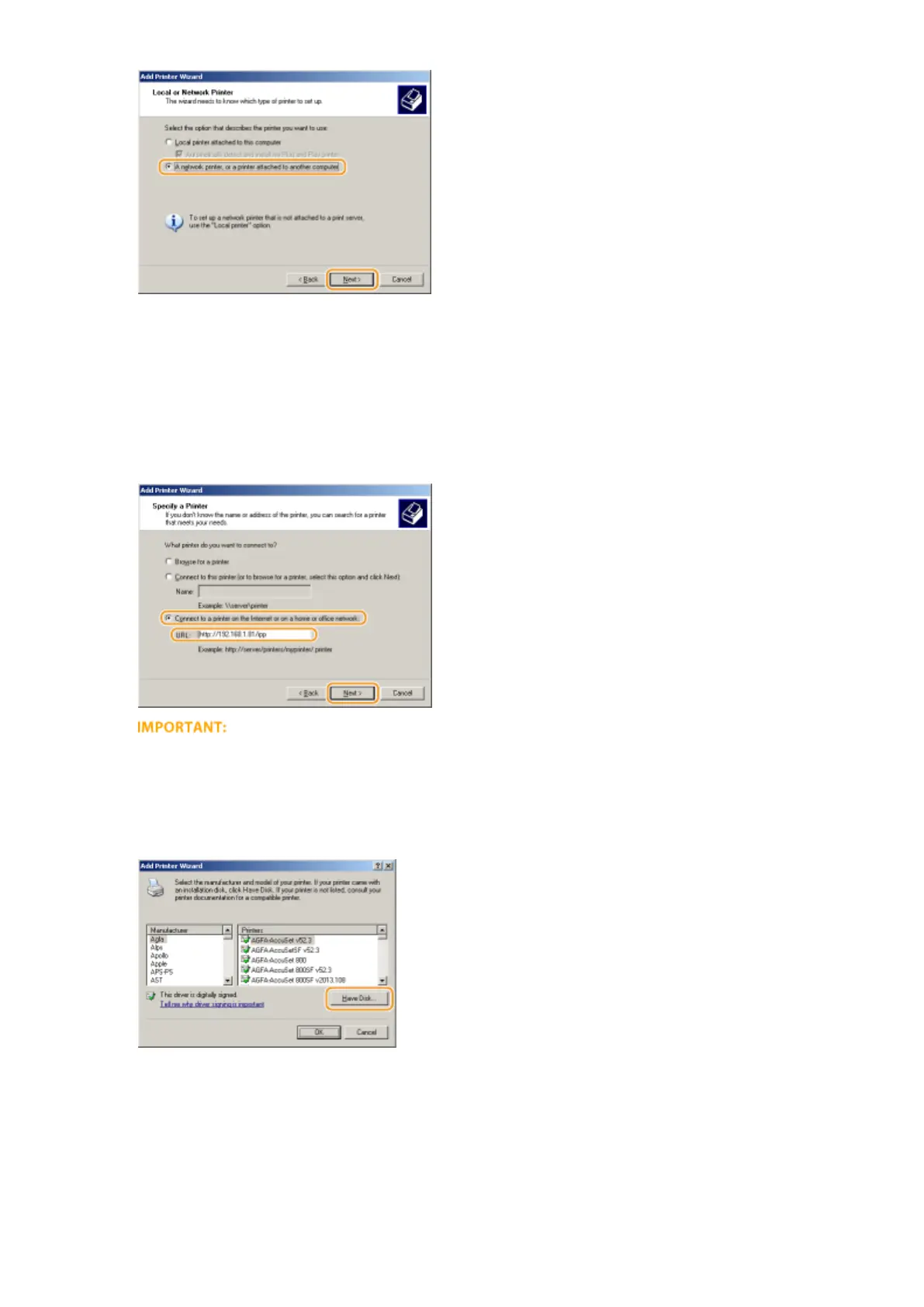
Select [Connect to a printer on the Internet or on a home or oce network:], enter
the connection destination, and click [Next].
● To use IPP, enter "http://<IP address of the machine>/ipp" for the connection destination.
Example: http://192.168.1.81/ipp
● To use IPPS, enter "https://<IP address of the machine>/ipp" for the connection destination.
Example: https://192.168.1.81/ipp
● When you are using a DNS server, enter "<host name of the machine>.<domain name>" instead of "IP
address of the machine" (example: https://my_printer.example.com/ipp).
6
Click [Have Disk].
7
Click [Browse].
Network
213



 To Next Page