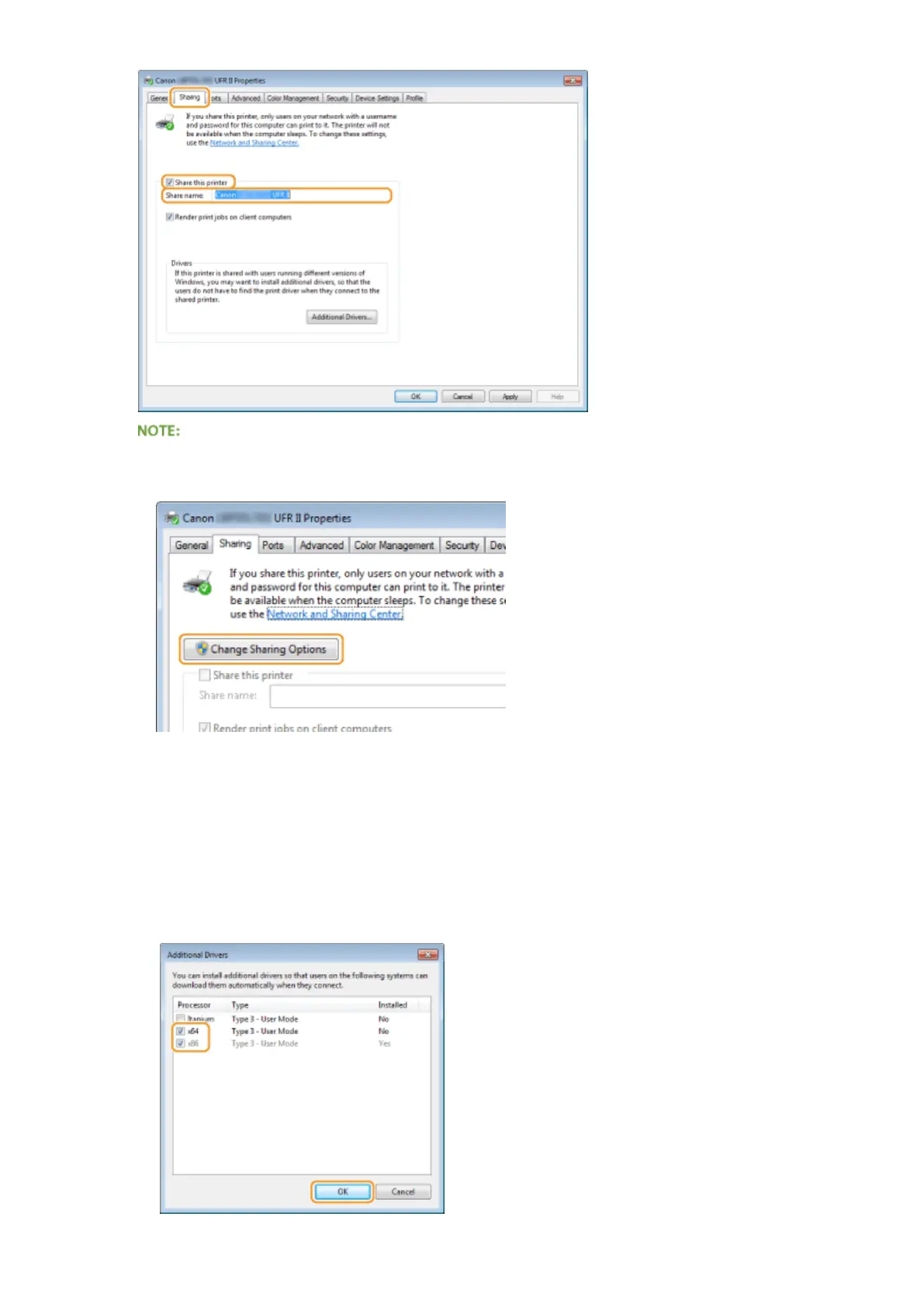
When [Change Sharing Options] is displayed
● Click [Change Sharing Options].
4
Install additional drivers as necessary.
● This operation is required if you want to install printer drivers in other computers running a different bit
architecture via the print server.
1
Click [Additional Drivers].
2
Select the check box for the bit architecture that other computers are running, and click [OK].
Network
216



 To Next Page