4
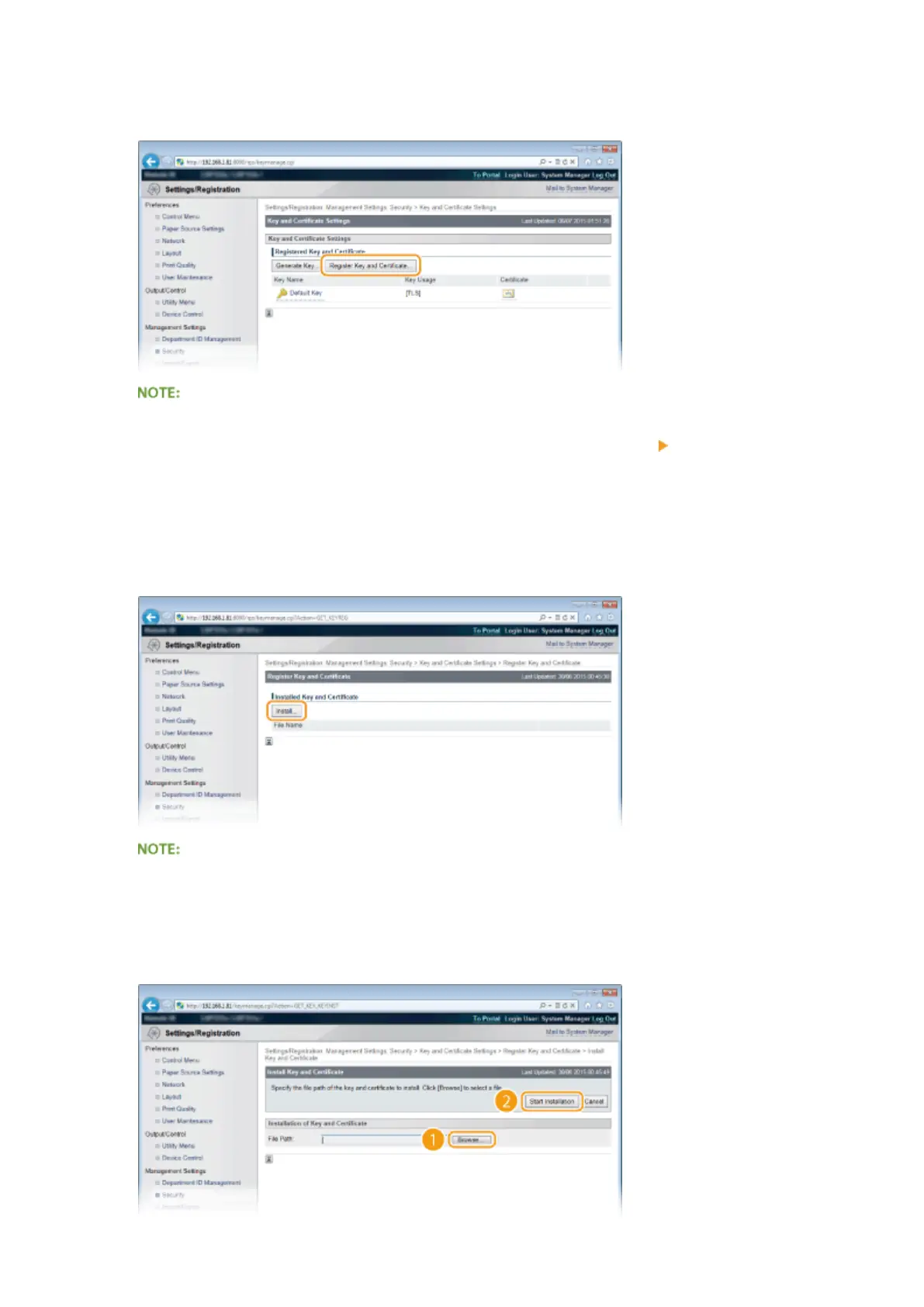
Click [Register Key and Certicate] or [Register CA Certicate].
Deleting a registered key pair or CA certicate
● Click [Delete] on the right of the key pair or CA certicate you want to delete
click [OK].
● A key pair cannot be deleted if it is currently used for some purpose, such as when "[TLS]" or "[IEEE
802.1X]" is displayed under [Key Usage]. In this case, disable the function or replace the key pair before
deleting it. The preinstalled CA certicate cannot be deleted.
5
Click [Install].
Deleting a key pair or CA certicate
● Click [Delete] on the right of the le you want to delete, and then click [OK].
6
Click [Browse], specify the le to install, and click [Start Installation].
Security
330



 To Next Page