<Offset X>
Shifts the print position horizontally.
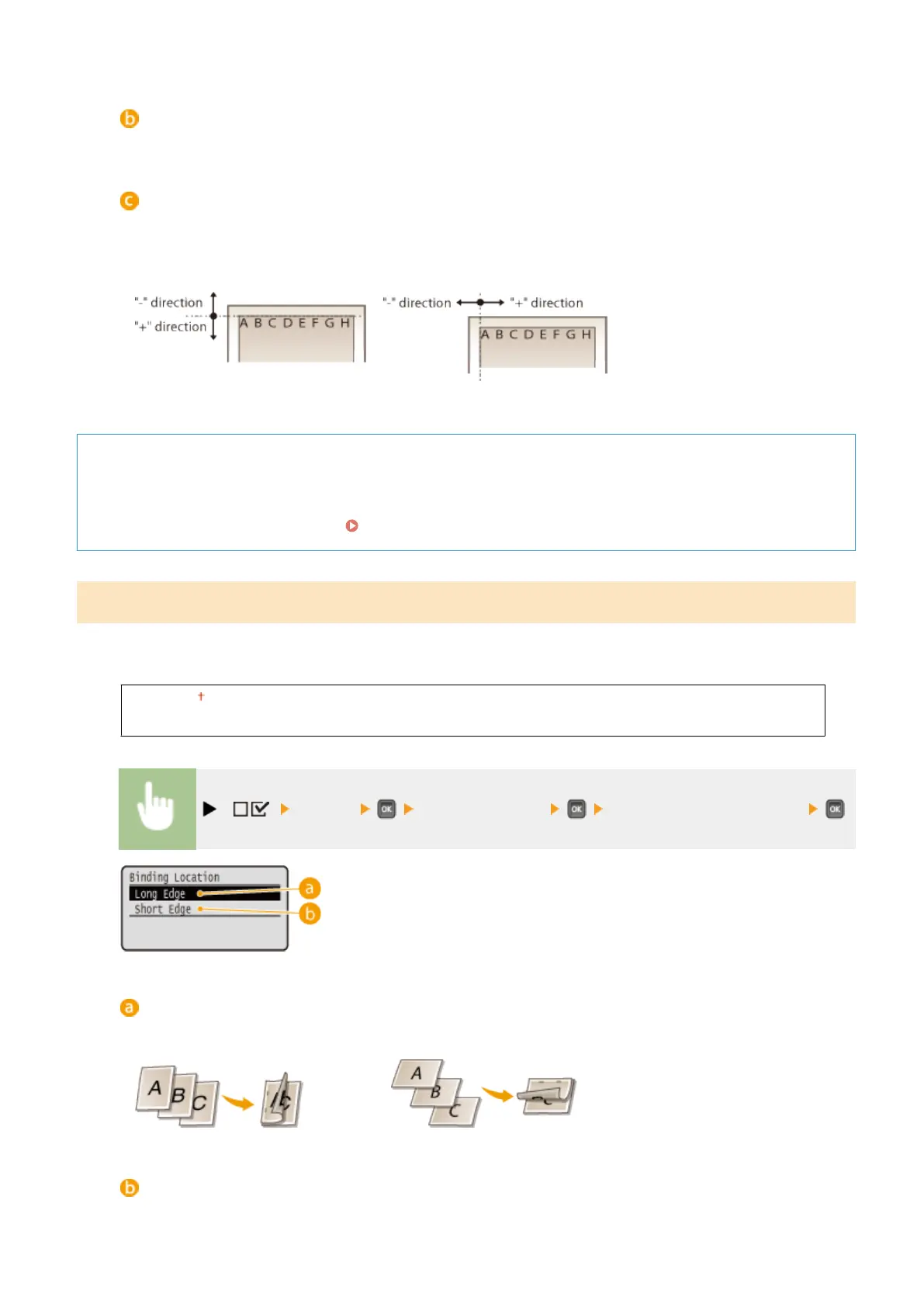
Offset values
For <Offset Y>, set a plus (+) value to shift the print position downward. For <Offset X>, set a plus (+) value to
shift the print position rightward. Set a minus (-) value to shift the print position in the opposite direction.
<Offset Y> <Offset X>
Specifying ne settings for the print position
You can select <Adj. Print Position> under <User Maintenance> to nely specify the print position for each paper
source. The range of available offset values is from -5.0 to +5.0 mm in the vertical direction and from -2.25 to
+2.25 mm in the horizontal direction. Adjusting Print Position(P. 582)
Binding Location
Select whether to bind the long edge or short edge of the printouts with a binding tool such as a stapler. In this case,
specify settings for <Gutter> to adjust the binding margin, as well.
Long Edge
Short Edge
( ) <Layout> <Binding Location> <Long Edge> or <Short Edge>
<Long Edge>
Select to bind the printouts along the long edge.
<Short Edge>
Select to bind the printouts along the short edge.
Setting Menu List
399



 To Next Page