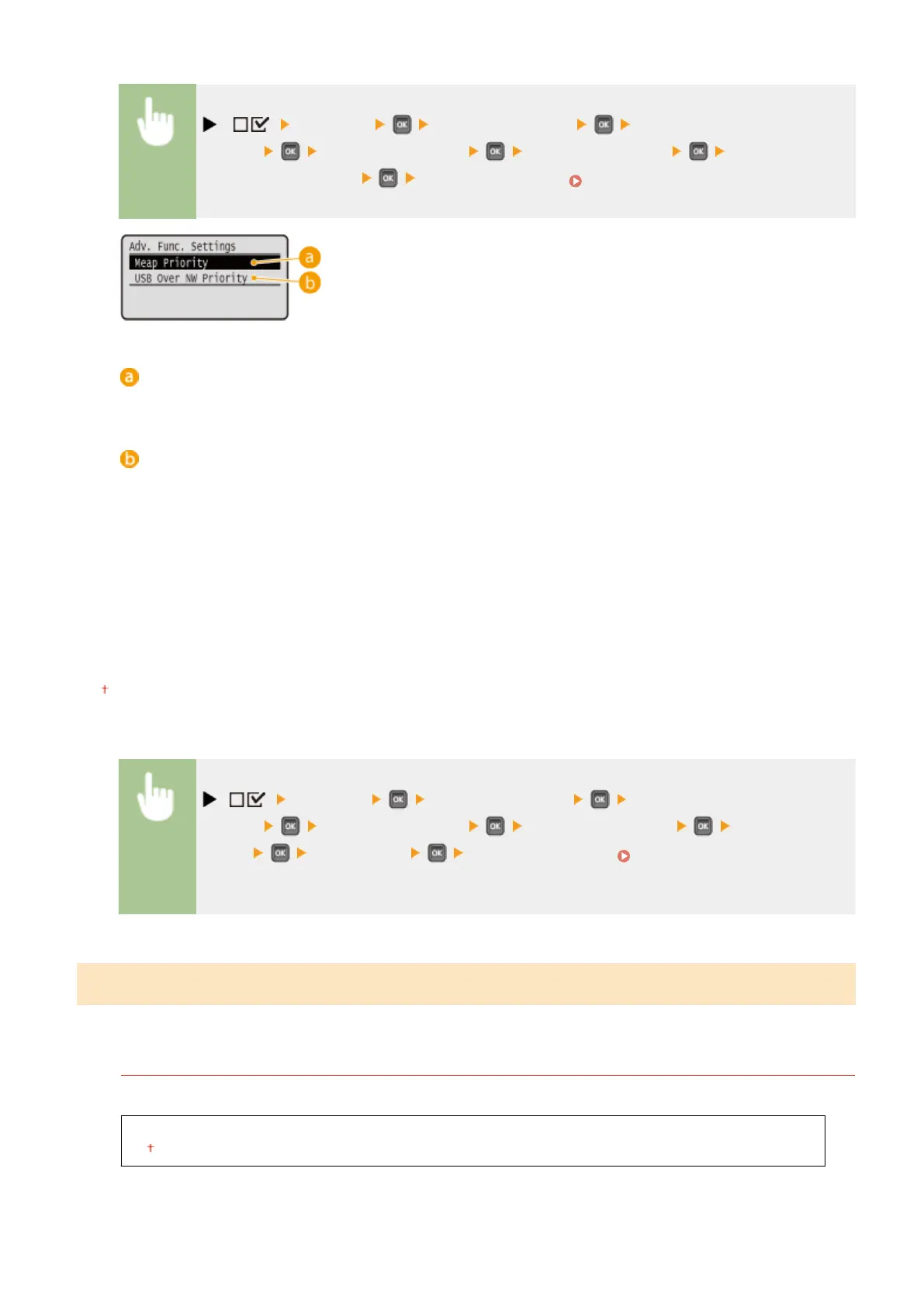
( ) <Interface> <Interface Selection> Check the
message <USB Adv. Functions> <Adv. Func. Settings> <Meap Priority> or
<USB Over NW Priority> Perform a hard reset ( Performing a Hard Reset(P. 498) )
<Meap Priority>
Specify this to give priority to MEAP applications.
<USB Over NW Priority>
Specify this to give priority to USB over NW. This function enables you to use, from your computer, a USB
device connected to the machine's USB port.
USB Storage Device
Specify settings for the device driver for using a USB memory device.
MEAP Driver
Enable or disable the MEAP specic device driver when a USB memory device is attached to the machine.
When you want to perform the direct print function (USB Direct Print) from a USB memory device without
using a computer, select <Off>.
Off
On
( ) <Interface> <Interface Selection> Check the
message <USB Adv. Functions> <USB Storage Device> <MEAP
Driver> <Off> or <On> Perform a hard reset ( Performing a Hard
Reset(P. 498) )
Timeout
Specify how the machine should behave if receiving print data is interrupted.
Timeout
Select whether to cancel printing if print data receiving is interrupted for a specied period of time.
Off
On
Setting Menu List
418



 To Next Page