ICC Prole Settings
Set the prole to be used when performing color matching and specify which element to be given priority over others.
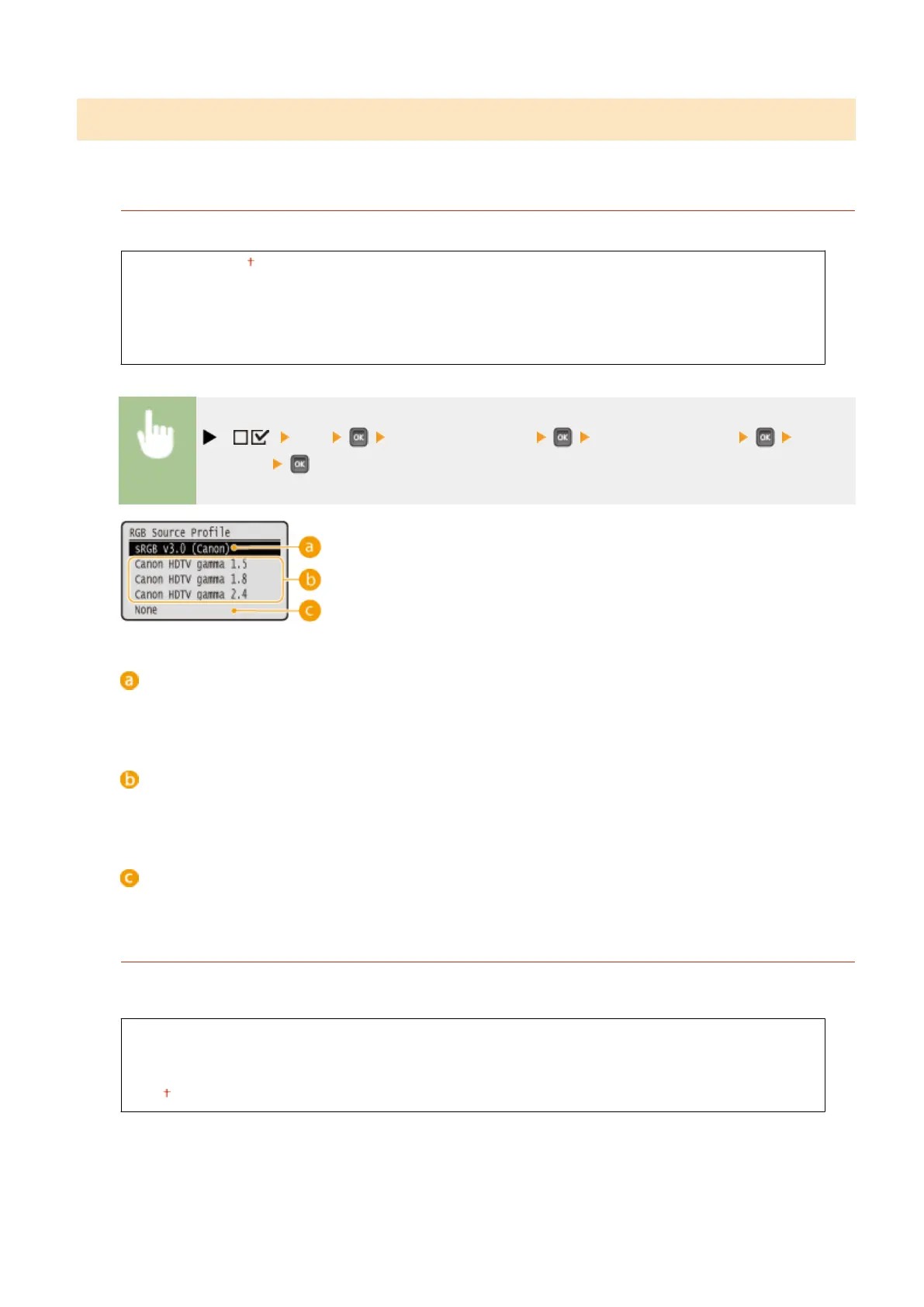
RGB Source Prole
Select a suitable prole for RGB data that matches the monitor that you are using.
sRGB v3.0 (Canon)
Canon HDTV gamma 1.5
Canon HDTV gamma 1.8
Canon HDTV gamma 2.4
None
( ) <PS> <ICC Prole Settings> <RGB Source Prole> Select
the prole
<sRGB v3.0 (Canon)>
An RGB prole is used that is similar to an average prole of most Windows PC monitors. When using a
monitor that supports sRGB, you can print colors close to the colors displayed on the monitor.
<Canon HDTV gamma 1.5> to <Canon HDTV gamma 2.4>
When you want a brightness adjustment after making comparison between the printed colors and the colors
displayed on the monitor, make a necessary setting here. The higher the value, the darker the printed colors.
<None>
Performs color separation from RGB data to CMYK without applying any RGB source prole.
CMYK Sim. Prole
You can select a simulation target when printing CMYK data. The machine converts CMYK data to a device-
dependent CMYK color model in accordance with the selected simulation target.
Euro Standard v1.00
JapanColor(Canon)
U.S. Web Coated v1.0
None
Setting Menu List
479



 To Next Page