3
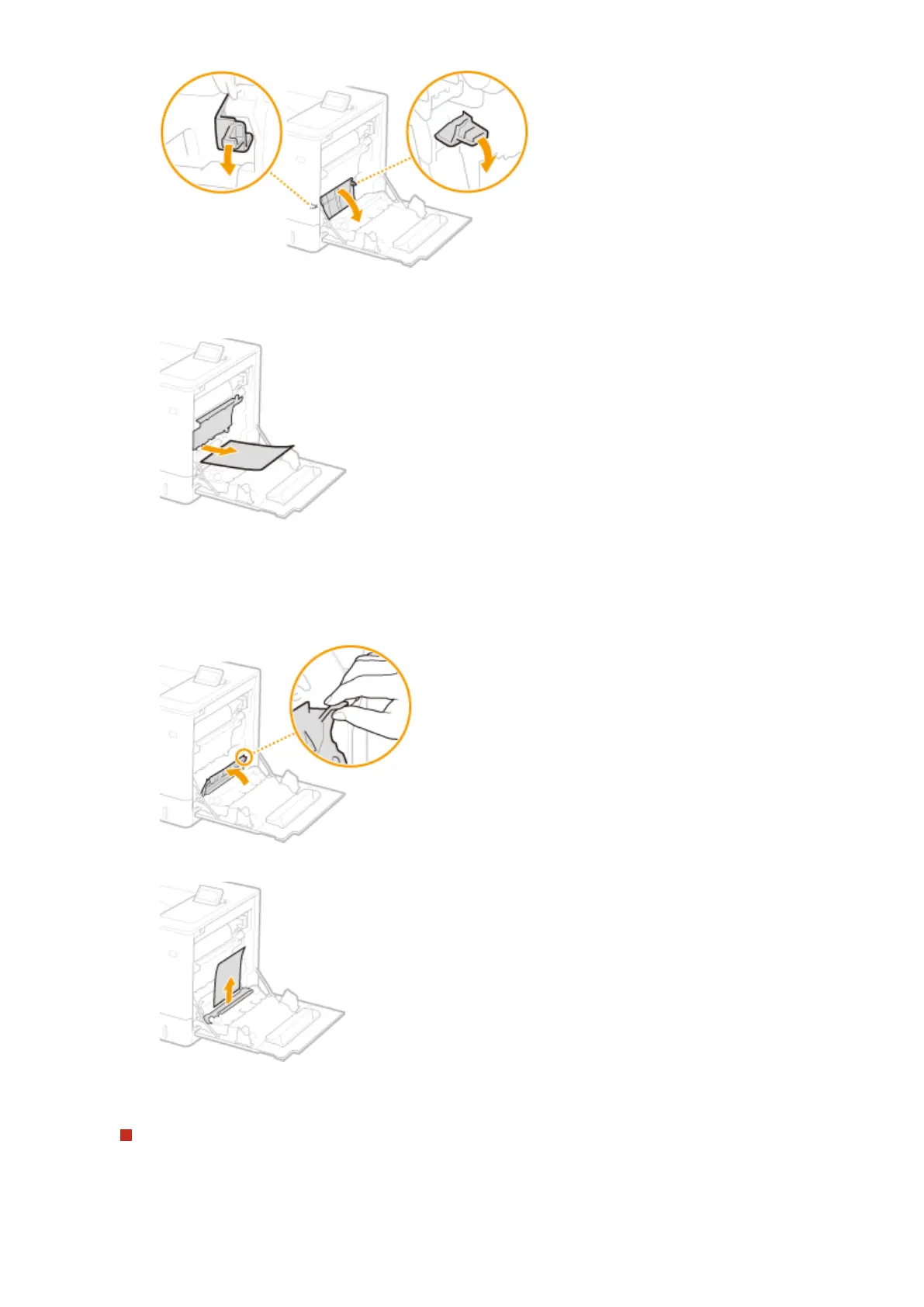
Gently pull out the paper.
● Pull out the paper while holding it as horizontally as possible to prevent unxed toner from falling.
3
Remove the jammed paper inside the duplex unit.
1
Open the cover.
2
Gently pull out the paper.
3
Close the cover.
Paper Jams in the Fixing Unit
1
Turn the delivery unit downward.
Troubleshooting
514



 To Next Page