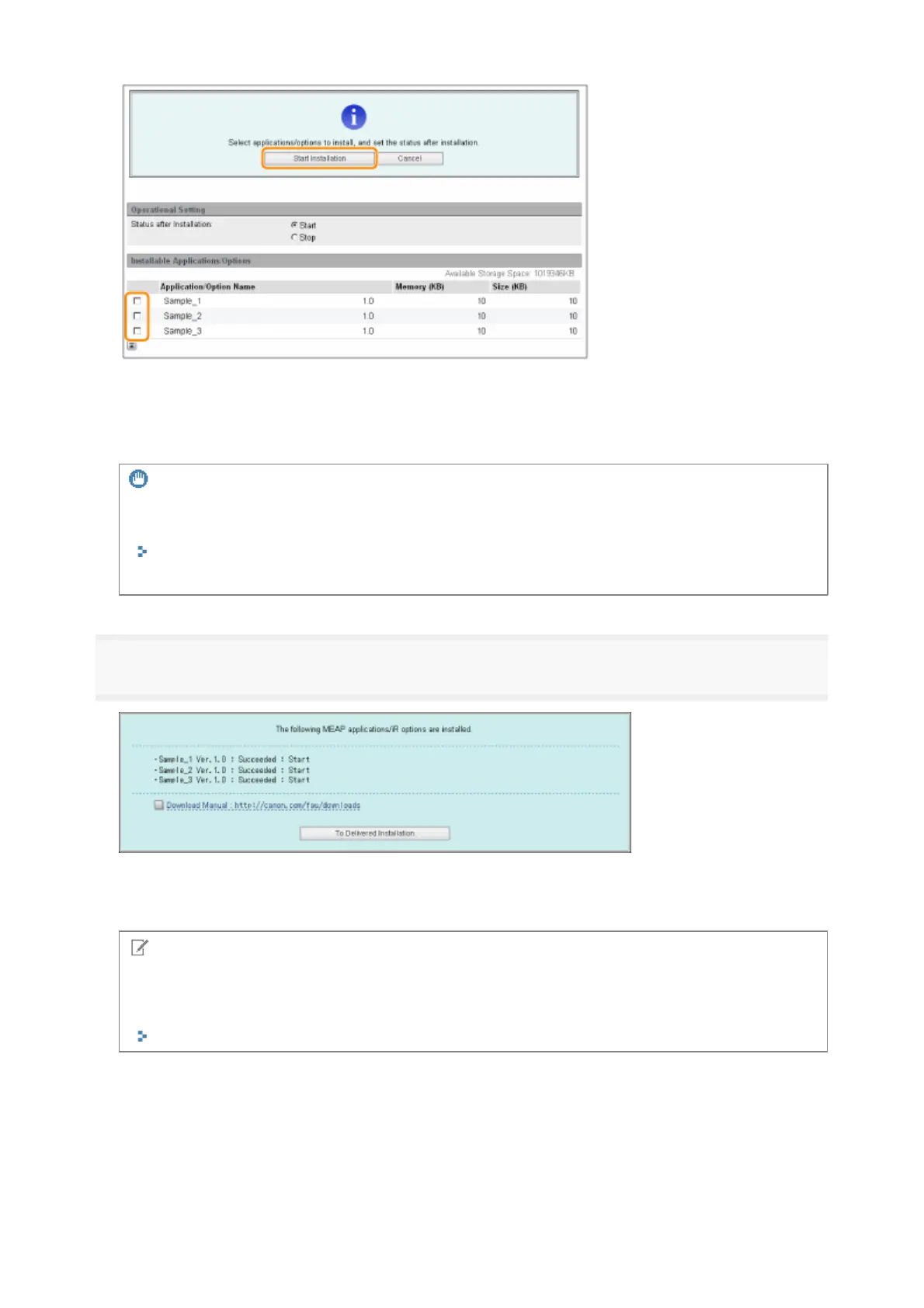
Status after Installation:
6
Check the Installation Result page.
When the installation of the system options is completed, the message <Restart the device.> appears.
Restart the printer to enable the function.
To return to the Delivered Installation screen, click [To Delivered Installation].
Start
Starts the installed MEAP applications
Stop
Stops the installed MEA
applications
IMPORTANT
If [Stop] is selected when installing MEAP applications
You need to start the application before using the MEAP application.
"Function Guide for MEAP Application Management"
If the agreement screen is displayed, read the agreement. If you abide with the agreement, click [Accept].
NOTE
The manual for system options/MEAP applications
You can download the manual for the installed system options/MEAP applications by accessing the URL
for the manual download site displayed on the Installation Result screen.
"Downloading the Manuals and Related Software"
5



 To Next Page