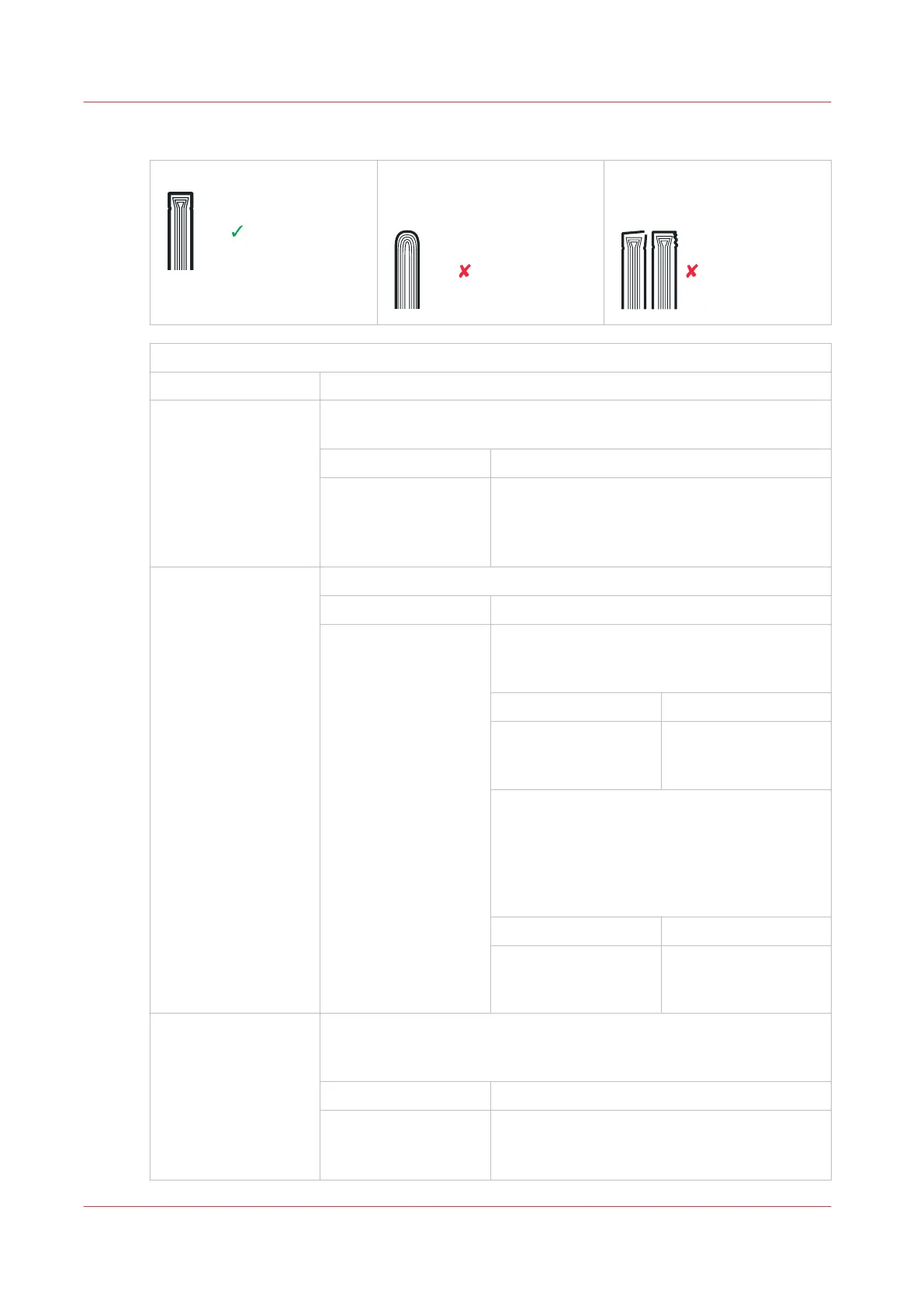
Spine form problems
Correct spine form Incorrect spine form.
The square spine is part
formed or not formed.
Incorrect spine form.
The spine is over-formed and
the book is damaged.
Is the spine form different at each end of the spine?
Yes No
¦
¦
¦
¦
¦
¦
¦
V
The spine is incorrect along the full length. Is the folder cover closed
fully?
Yes No
¦
¦
¦
V
Lock the folder cover (see
Close the Folder
Cover
on page 45).
¦
¦
¦
¦
¦
¦
¦
¦
¦
¦
¦
¦
¦
¦
¦
¦
¦
¦
¦
¦
¦
V
Is the SET THICKNESS or the SHEET THICKNESS correct?
Yes No
¦
¦
¦
¦
¦
¦
¦
¦
¦
¦
¦
¦
¦
¦
¦
¦
¦
¦
V
Measure the SET THICKNESS or the SHEET
THICKNESS and enter the value in the touch
screen. Does the problem persist?
Yes No
¦
¦
V
No further action is re-
quired.
Check the THRESHOLD setting. If the SET
THICKNESS is less than the THRESHOLD, a
square spine is not formed (see
The BASIC
Window
on page 33). Adjust THRESHOLD if
needed.
Does the problem persist?
Yes No
¦
¦
V
No further action is re-
quired.
¦
¦
¦
¦
¦
¦
¦
V
Adjust the PRESSURE setting. Increase the PRESSURE to give more
spine form and decrease the PRESSURE to give less spine form. Does
the problem persist?
Yes No
¦
¦
V
No further action is required.
4
Book Quality
66
Chapter 6 - Error Conditions, Problems and Solutions



 To Next Page