Step Action
2
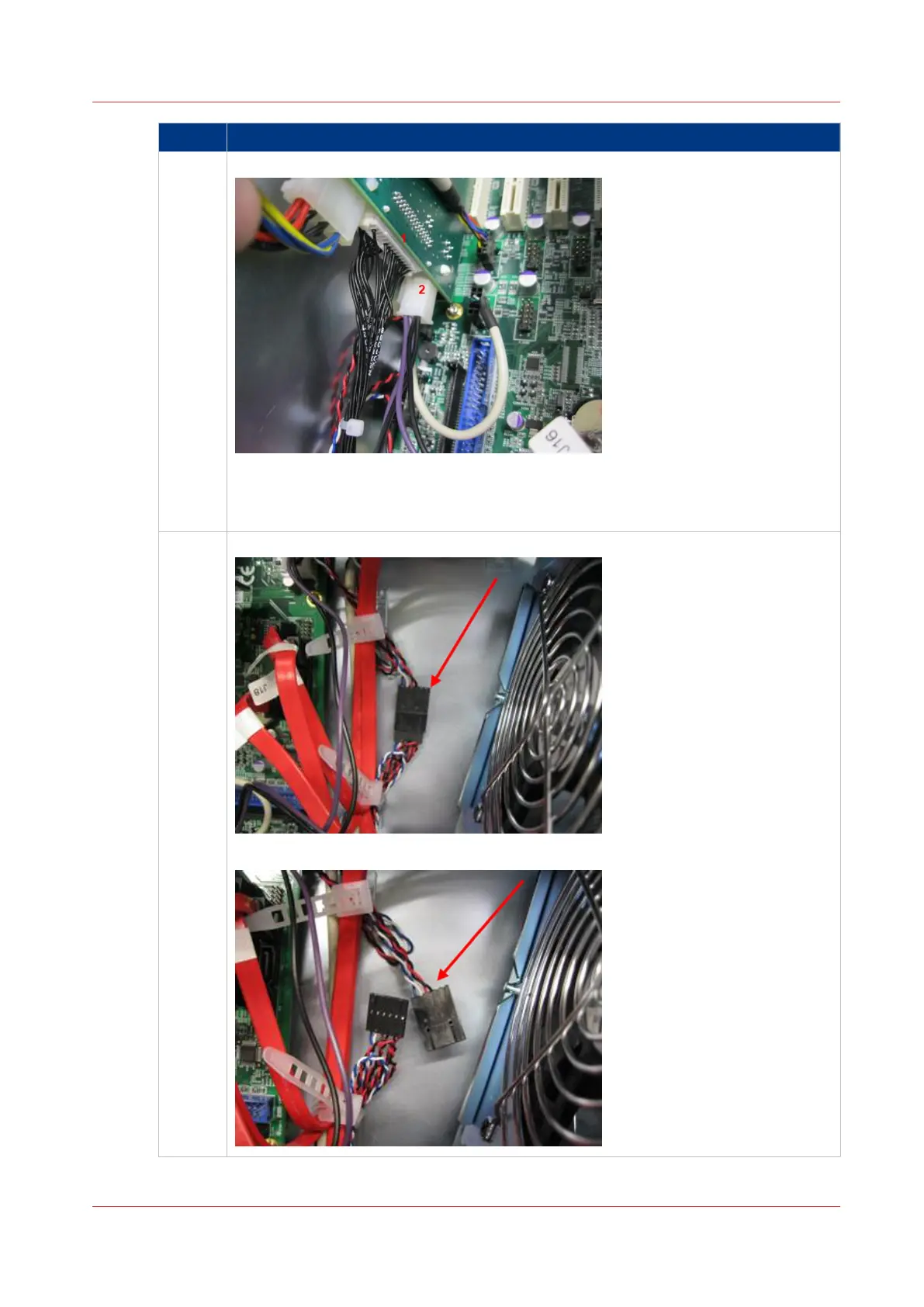
Connect the harness to the AUX control board
•
[25] Connect harness to AUX board
1. Connect harness 22W1 to the AUX board.
2. Connect standby power supply connector to the AUX board.
3
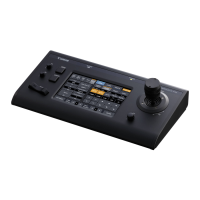
Disconnect the On/Off motherboard cable
•
[26] Disconnect On/Off Motherboard cable
4
Connect Harness 22W01
Chapter 7 - Service procedures 79
PRISMAsync V3.2


 To Next Page