Admin Viewer/VB Viewer
145
Context Menu
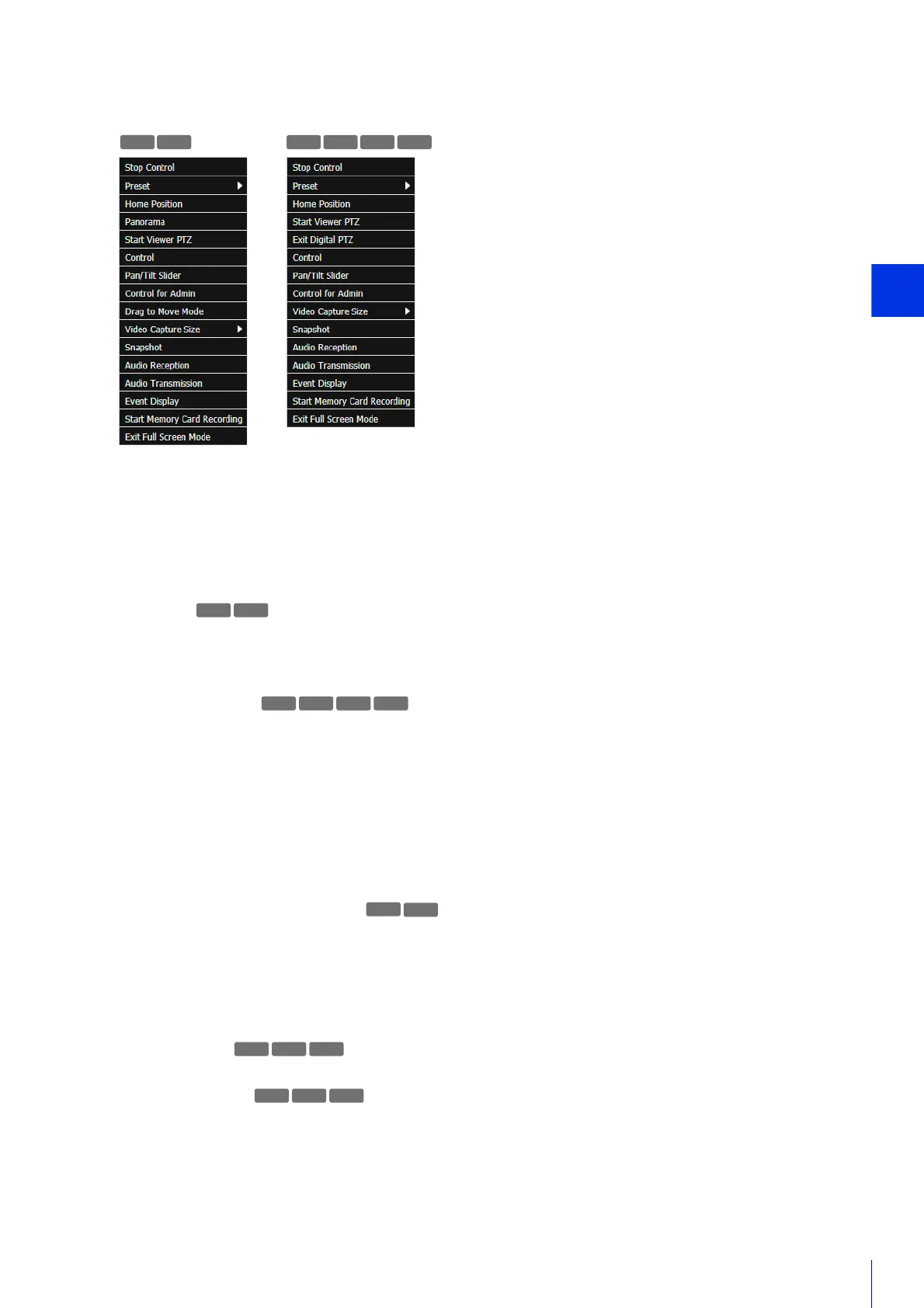
While in full screen mode, right-click the mouse to open a menu necessary for camera control.
[Start/Stop Control]
Obtain and release the camera control privileges.
[Preset]
Select a preset.
[Home Position]
Move the camera angle to the home position.
[Panorama]
Displays the panorama display panel.
[Start/Exit Viewer PTZ]
Displays the viewer PTZ panel.
[Start/Exit Digital PTZ]
Display the Digital PTZ panel.
[Control]
Display a panel containing the zoom slider, [Backlight Compensation] button and [Obtain/Release Camera Control
Privileges] button.
[Pan/Tilt Slider]
Display the pan and tilt sliders.
[Control for Admin]
Displays the Control for Admin panel.
[Drag to Move Mode/Area Zoom Mode]
Switch between Area Zoom and Drag to Move functions for dragging in the video display area.
[Video Capture Size]
Switches the video capture size.
[Snapshot]
Take a snapshot.
[Audio Reception]
Displays the Audio Reception panel.
[Audio Transmission]
Displays the Audio Transmission panel.
[Event Display]
Display the Event Display panel.
[Start/Stop Memory Card Recording]
Start and stop video recording to a memory card.
R10
M741 M740
R11 R10
M640 M741 M740
R11
M641 M741
M641 M741



 To Next Page