Admin Viewer/VB Viewer
179
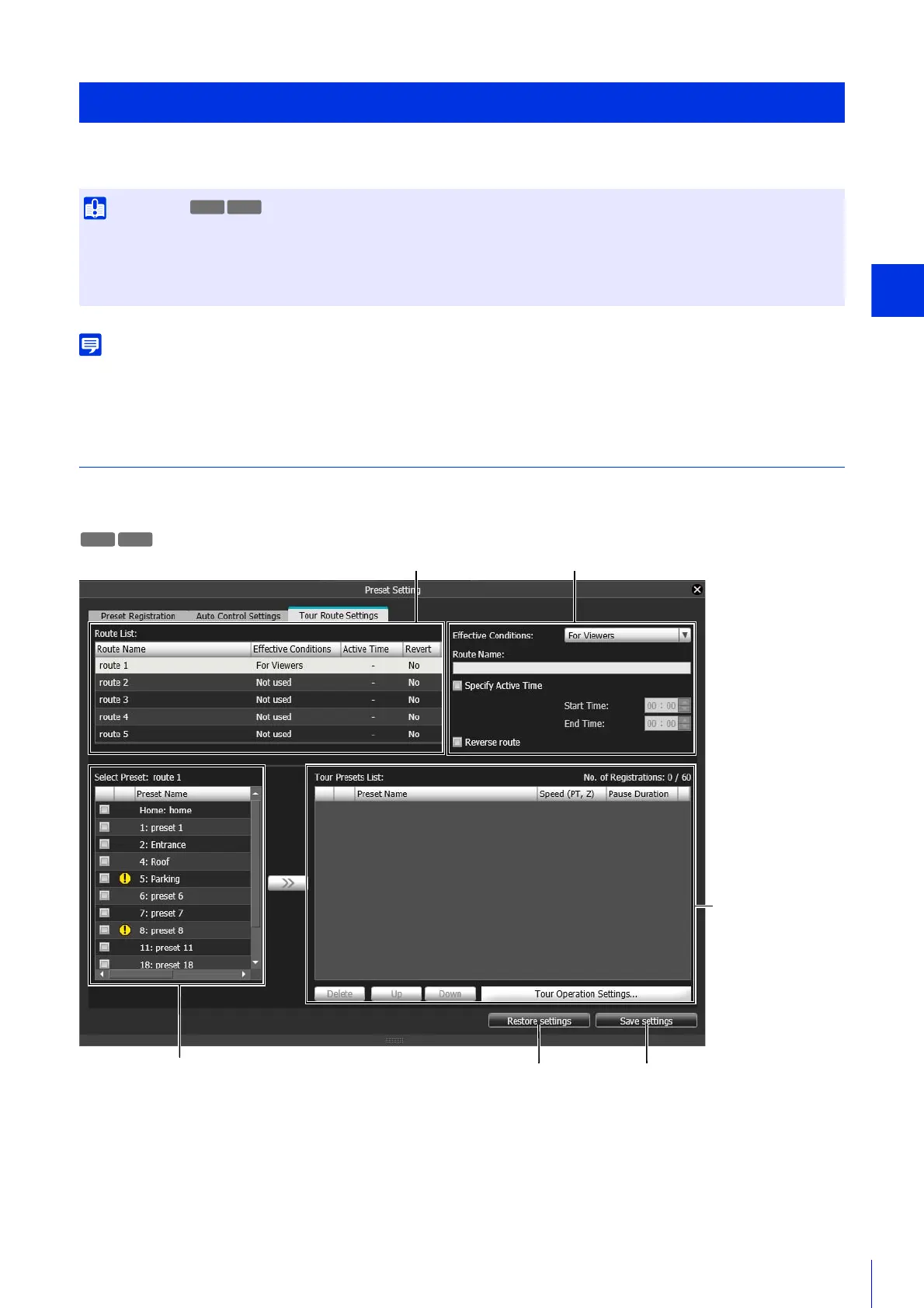
You can have the camera automatically tour multiple registered presets to allow monitoring.
Preset tour is not performed while the camera is being controlled, such as with the Admin Viewer or the Admin Tools.
Preset tour is not performed when control privileges are obtained by RM-Lite.
[Tour Route Settings] Tab
Since the number of tour routes you can register, the numbers of preset that can be toured per route and the tour conditions
vary depending on the camera model, screen configurations differ as follows.
Configure the Preset Tour Route
• Since use of preset tour could lead to overuse of the camera, possibly resulting in camera malfunction, it should only be used when
necessary. The amount of camera move in unit time can be reduced by increasing the duration the camera pauses at each point along
the tour.
• Intelligent Function cannot be used while using preset tour.
R11 R10



 To Next Page