240
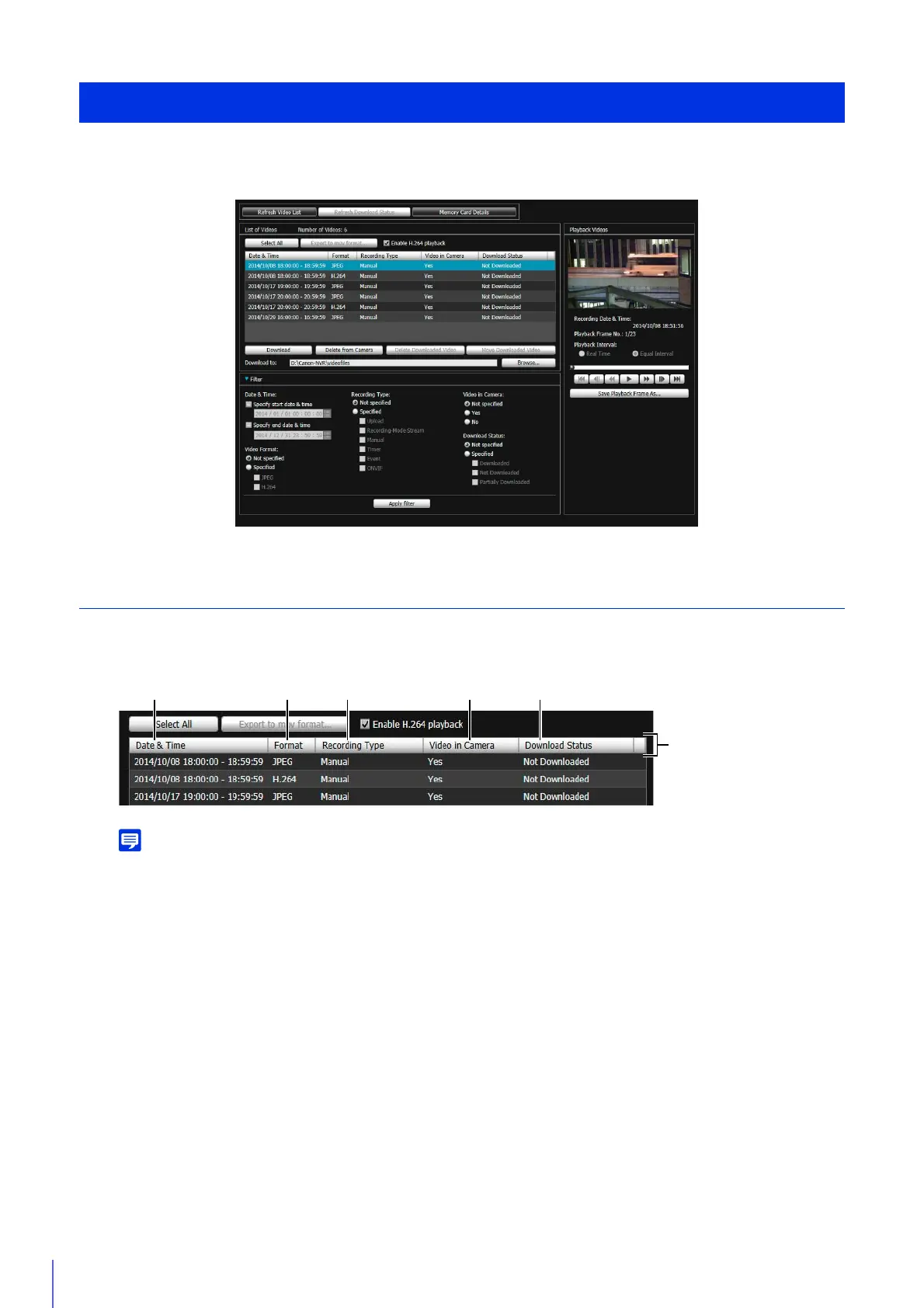
This is a utility for browsing and managing video recorded on a memory card inserted in the camera. You can display a list
of recorded video, and play back, delete and download video.
Use the Video List
Video List Display Information
If you click the header of each item, you can change the sort order (ascending or descending) for that item.
(1) [Date & Time]
Displays the date and time of a video recording.
(2) [Format]
Displays the format of a recorded video ([JPEG] or [H.264]).
(3) [Recording Type]
Displays the types of recorded video.
• [Upload]: Video failed to upload from the camera
• [Manual]: Manually recorded video
• [Timer]: Video recorded using the timer
• [Event]: Video recording triggered by an event
• [Recording-Mode Stream]: Video that has failed video distribution when using RM recording-mode stream
• [ONVIF]: Video recorded with ONVIF
(4) [Video in Camera]
Displays whether or not any video remains on a memory card.
When video has been deleted from a memory card after downloading it, this indicator displays [No].
Recorded Video Utility
(1) (2) (3) (4) (5)
Header



 To Next Page