66
[IPv6 Address (Manual)]
Enter a fixed IPv6 address if you set the address manually.
[Prefix Length]
Enter a prefix length if [Disable] is specified in [Auto (RA)].
[IPv6 Default Gateway Address]
Enter a default gateway address if [Disable] is specified in [Auto (RA)]. Be sure to set this when connecting the camera to a
different subnet from that of the Viewer.
[IPv6 Address (Auto)]
If [Enable] is specified in [IPv6] and [Enable] is specified in [Auto (RA)] and [Auto (DHCPv6)], then the automatically
acquired address will be shown.
In an environment where IPv6 cannot be used, and IPv6/Auto is set to [Enable], then only the link-local address will be displayed in the
[IPv6 Address (Auto)] field.
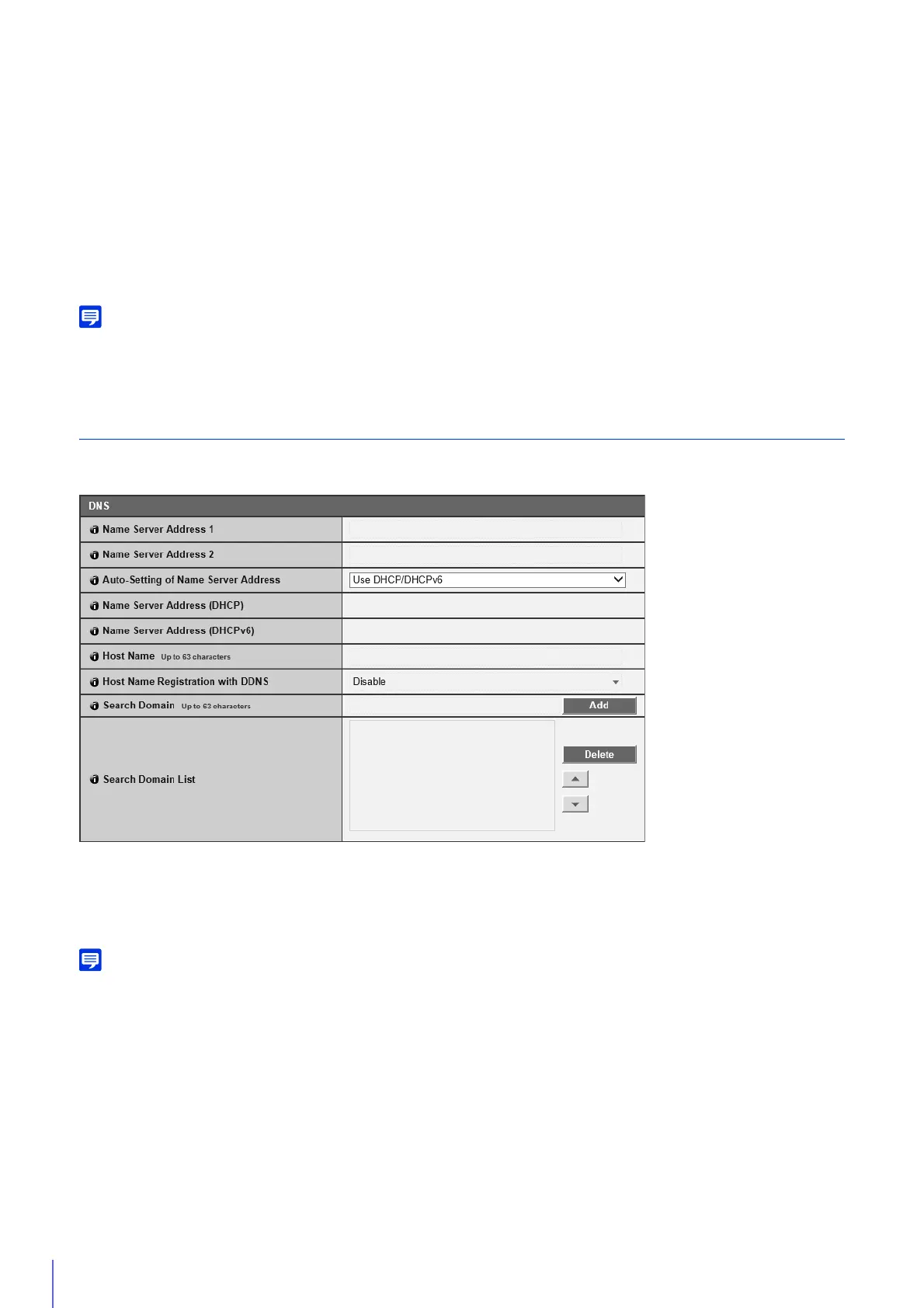
DNS
Set the DNS server address. The DNS server address can be set manually or automatically assigned by a DHCP/DHCPv6
server.
[Name Server Address 1], [Name Server Address 2]
Enter the name server address you want to register. To register only one address, keep the [Name Server Address 2] field
blank.
You must set at least one if you manually set the IPv4 address or IPv6 address.
If [Name Server Address 1] is unavailable, [Name Server Address 2] will be accessed. However, [Name Server Address 2] must be set in
advance.
[Auto-Setting of Name Server Address]
Select the server to use for automatically setting the name server address.
To set [Use DHCP], select [Auto (DHCP)] in [IPv4 Address Setting Method] (P. 64).
To set [Use DHCPv6], select [Enable] in [IPv6], then select [Enable] in [Auto (DHCPv6)] (P. 65).
[Name Server Address (DHCP)]
Select [Use DHCP] or [Use DHCP/DHCPv6] in [Auto-Setting of Name Server Address] to display the name server address
acquired from the DHCP server.
[Name Server Address (DHCPv6)]
Select [Use DHCPv6] or [Use DHCP/DHCPv6] in [Auto-Setting of Name Server Address] to display the name server
address acquired from the DHCPv6 server.



 To Next Page