56
If you create a camera specification file listing the information needed to connect to cameras beforehand, you can load the
file with the Camera Angle Setting Tool and connect to cameras that appear in the camera list simply by specifying them.
When you set the camera angle of multiple cameras, this eliminates the need to enter information, such as the host name
and password, of each camera individually.
Create a Camera Specification File
Create the camera specification file with an editor like the text editor and save the file as .csv format.
Information Listed in a Camera Specification File
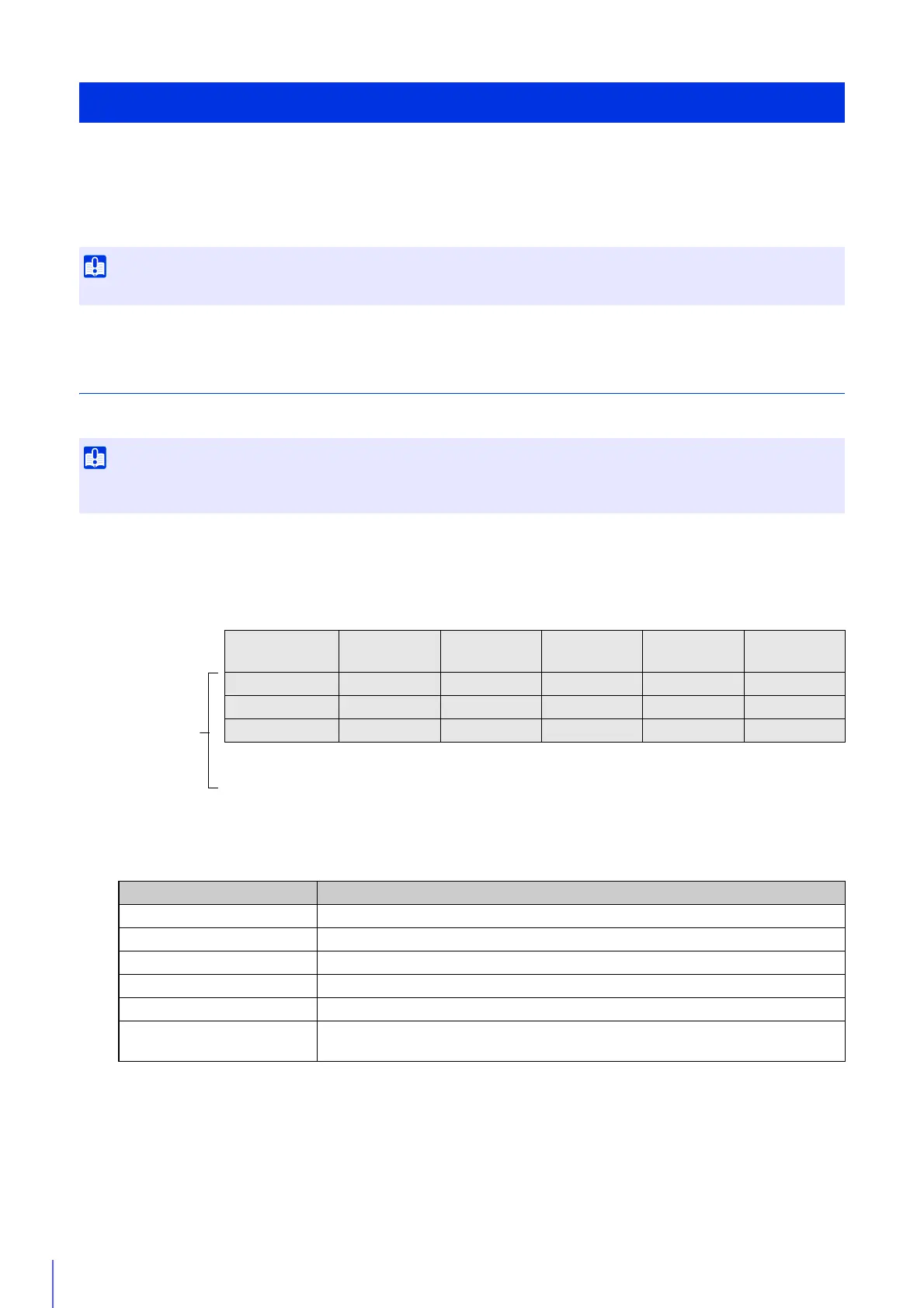
The camera specification file consists of the following format.
The first row serves as a header row listing the titles of each column.
Each row from the second row on, lists the information for one camera per row.
The information listed in each column is described below.
Use a Camera Specification File
Enter the actual administrator passwords in the camera specification file. Handle the camera specification file with sufficient care.
The maximum number of cameras that can be listed in a camera specification file is 30. An error will be generated if you try to load a file
with the Camera Angle Setting Tool listing 31 or more cameras.
Header
Row
RegisterName HostName PortNumber UserName Password ConnectType
Individual
Camera
Information
(Max. 30
Cameras)
B1F VB-M641VE 192.168.100.1 80 root camera1 0
1Fa VB-M640VE 192.168.100.2 80 root camera2 0
1Fb VB-M641V 192.168.100.3 80 root camera3 0
•
•
•
•
•
•
•
•
•
•
•
•
•
•
•
•
•
•
•
•
•
•
•
•
•
•
•
•
•
•
Header Row Title Information Listed in Column
RegisterName Enter any camera name. This will appear in the camera list when connected.
HostName Host name or IP address of the camera.
PortNumber HTTP port number for the camera (default setting is 80).
UserName Administrator user name for the camera (default setting is “root”).
Password Administrator password for the camera (default setting is “camera”).
ConnectType
Enable SSL communications: 1
Disable SSL communications: 0 (default setting is 0).



 To Next Page