Admin Viewer/VB Viewer
177
Presets registered in advance can be executed at a specified time or when events trigger the switching of Day/Night Mode.
Preset camera settings are also applied.
Configure [Auto Control Settings]
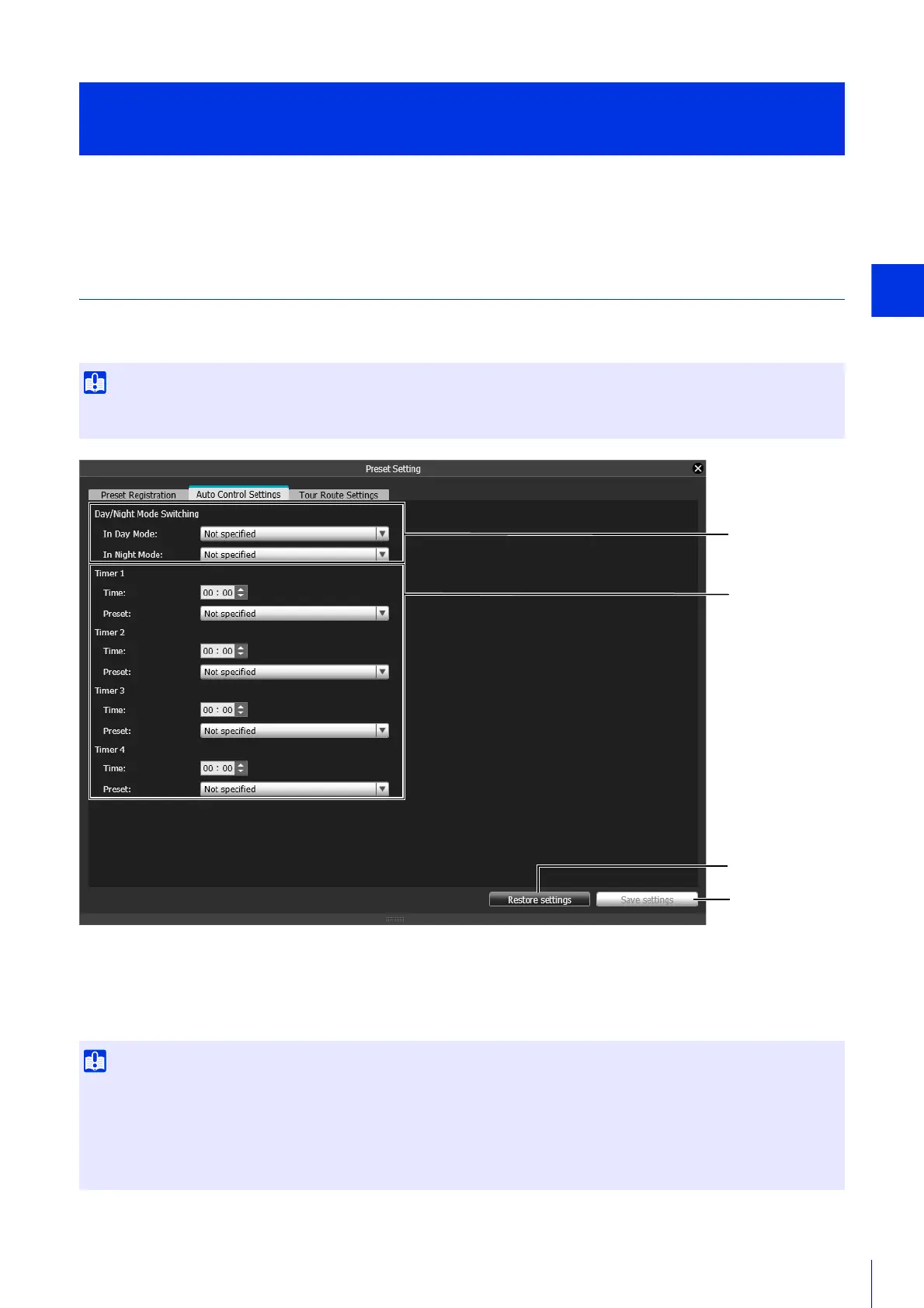
Select the [Switch Day/Night] or [Timer] preset in the [Auto Control Settings] tab, and click the [Save settings]. You can
register up to 4 timer preset auto controls.
(1) [Switch Day/Night]
Select each registered preset to be executed when switching to Day Mode or Night Mode using auto control.
(2) [Timer 1] to [Timer 4]
To use a preset at a specified time, set the time in 24-hour format and select the preset.
Automatically Move to a Preset Position at a Specified Time
(Auto Control Settings)
If both [Switch Day/Night] and [Day/Night] > [Day/Night Focus Settings] > [Focus control when switching Day/Night Mode] (P. 165) have
been set, [Focus control when switching Day/Night Mode] will be given priority.
• You cannot specify the same time multiple times in [Timer 1] to [Timer 4].
• If the [Timer] set here, and the [Timer] in in the Setting Page are set on the same time, the timer in the Setting Page will have priority.
Example)
– [Event] >[Timer] > [Start Time] is set to [2:00] in the Setting Page, select [preset2] as the [Start Time preset]
– [Timer] > [Time] is set to [2:00] in the [Auto Control Settings] tab, and Preset is set to [preset1].
Result: Preset 2 will run at 2:00.



 To Next Page