Setting Page
113
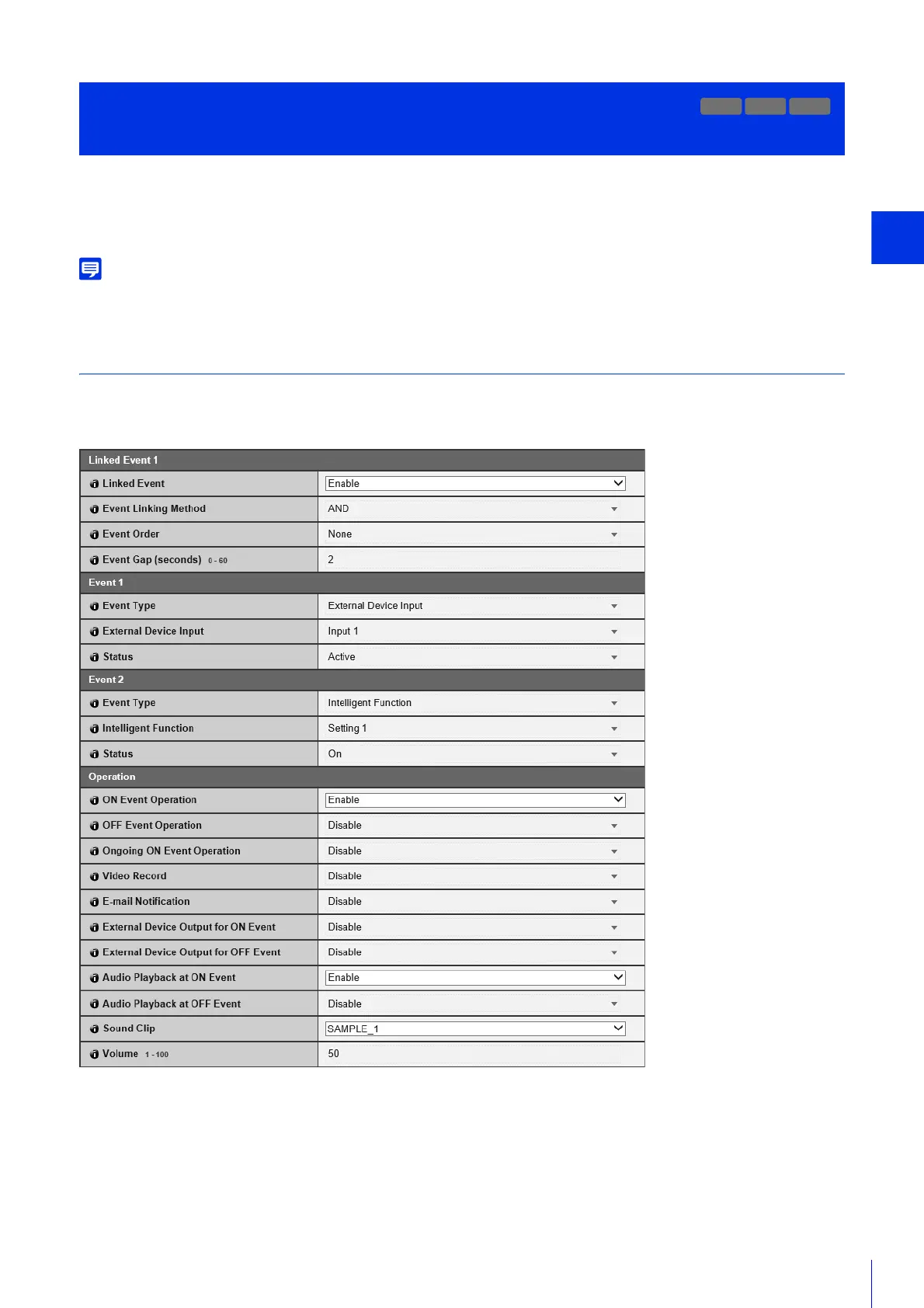
By linking two types of events, a single event is triggered. Select AND/OR for the event linking method.
You can set the operations to perform, such as recording video or sending e-mail notifications, when a linked event is
triggered.
You can check the linked event status on the Admin Viewer Event Display panel (P. 185).
Linked Event 1 to 4
You can register up to four linked events.
You can link five types of events: [Volume Detection], [Scream Detection], [External Device Input], [Timer] and [Intelligent
Function].
[Linked Events]
Select whether to use a linked event.
[Event Linking Method]
Select the event linking conditions.
[AND]: A new linked event is triggered if both event types selected with [Event 1] and [Event 2] are triggered. Set [Event
Order] and [Event Gap] for this.
[OR]: A new linked event is triggered if either event type selected with [Event 1] and [Event 2] is triggered.
Use Event Combinations
[Event] > [Linked Event]
R11
M741



 To Next Page