114
[Event Order]
You can select the order two events must be triggered when [Event Linking Method] is set to [AND].
If set to [None], the order will not be considered.
[Event Gap (seconds)]
Enter the interval between two events that must be triggered when [Event Linking Method] is set to [AND].
A new linked event is triggered if the second event triggers within the specified interval after the first event was triggered.
Event 1, 2
Specify the two events to be linked. The settings are the same for both.
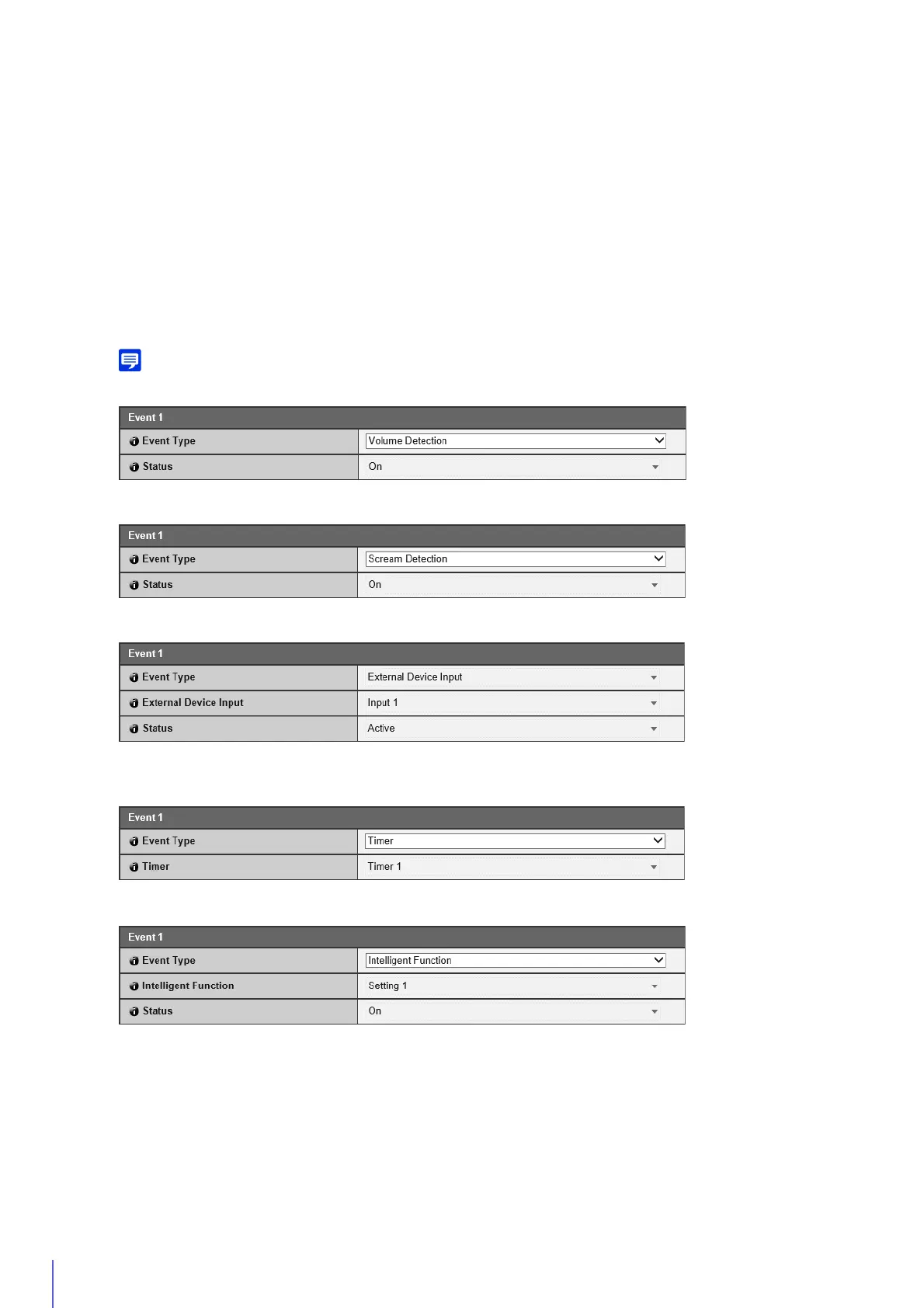
[Event Type]
Select the event type for linking.
[Intelligent Function] cannot be specified in both [Event 1] and [Event 2].
For [Volume Detection], select whether an ON event or OFF event triggers a linked event.
For [Scream Detection], select whether an ON event or OFF event triggers a linked event.
For [External Device Input], select External Device Input 1 or 2, then select an active event or inactive event to trigger
a linked event.
For [Timer], select the timer event number to use.
For [Intelligent Function], select the Intelligent Function detection setting number (P. 217) to use.
Operation
Set the operations to be performed when linked events are triggered.
[ON Event Operation]
If [Enable] is set, [Preset], [Video Record] and [E-mail Notification] will be executed according to their settings when
a linked event (ON event) is triggered.



 To Next Page