Admin Tools
217
– Presets configured within the view restrictions.
– Presets with pan, tilt and zoom setting values (no empty entries) configured in the [Preset Registration] tab. (P. 171)
You can register up to 15 detection settings.
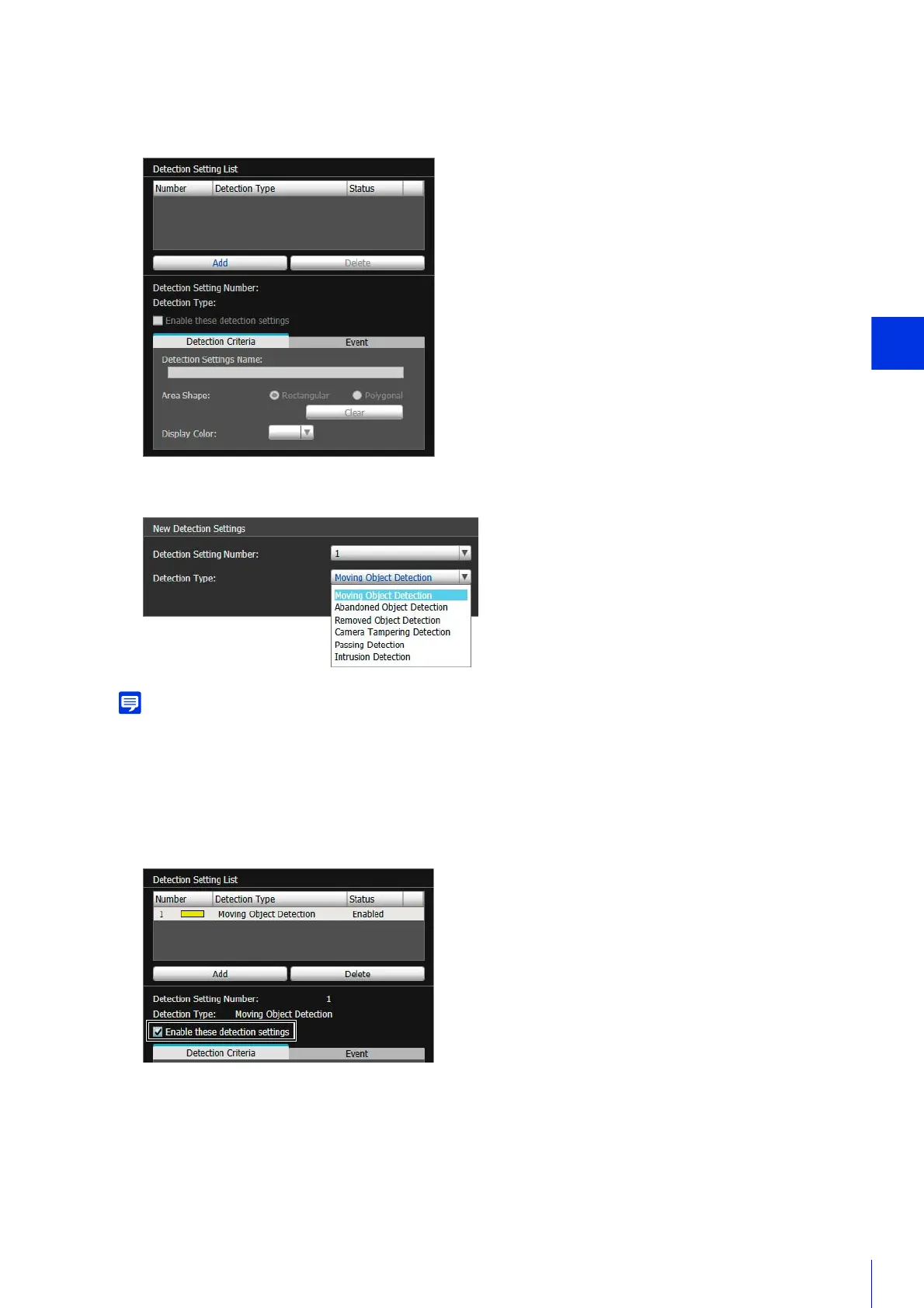
The added detection setting will appear in the [Detection Setting List] and [Detect Criteria] tab.
To disable detection settings, clear this check box.
2
Click [Add] in [Detection Setting List].
3
Select [Detection Setting Number] (1 to 15) and [Detection Type] for the detection setting to be added.
4
Click [OK].
5
Select [Enable these detection settings].



 To Next Page