Setting Page
127
[ISAKMP SA Authentication Algorithm]
Select the SA authentication algorithm for use with auto key exchange protocol IKE.
[DH Group]
Select the key generation information that will be used in the DH algorithm for key exchange via auto key exchange protocol
IKE.
[ISAKMP SA Validity Period (min)]
Enter the duration of validity for ISAKMP SA.
IPsec Set 1 to 5
IP security can be specified through auto key exchange or manual setting with up to five communicating devices.
Auto Key Exchange
If auto key exchange is used, it will take approximately 5 to 10 seconds before communication with the camera starts.
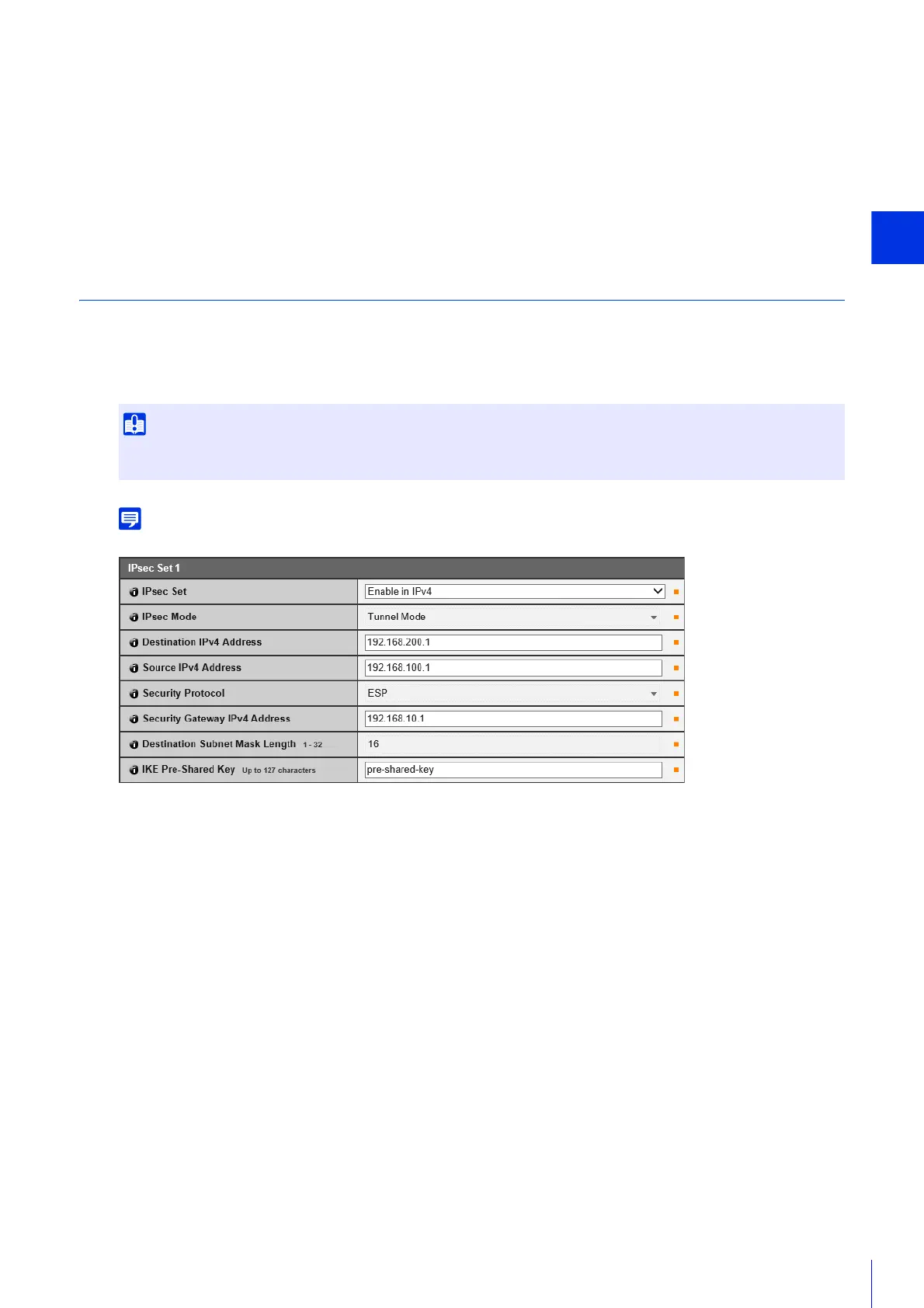
[IPsec Set]
Set whether IPv4 or IPv6 will use or will not use IPsec sets.
[IPsec Mode]
Select the IPsec mode.
[Destination IPv4 Address], [Destination IPv6 Address]
Enter the IP address of the connection destination.
[Source IPv4 Address], [Source IPv6 Address]
Enter the IP address of the source.
[Security Protocol]
Select the IPsec protocol.
If [ESP] is selected, enter only the setting items relating to ESP.
If [AH] is selected, enter only the setting items relating to AH.
If [ESP and AH] is selected, enter all setting items.
[Security Gateway IPv4 Address], [Security Gateway IPv6 Address]
Enter the IP address of the security gateway if [IPsec Mode] is set to [Tunnel Mode].
[Destination Subnet Mask Length] (IPv4), [Destination Prefix Length] (IPv6)
Enter the subnet mask (IPv4) or prefix length (IPv6) when [IPsec Mode] is set to [Tunnel Mode].
[IKE Pre-Shared Key]
Enter the pre-shared key for IKE (auto key exchange).
If the camera is rebooted during auto key exchange communication, a connection error may result after rebooting. If this occurs,
connect again.



 To Next Page