234
This explains functions common to both video detection and auto tracking.
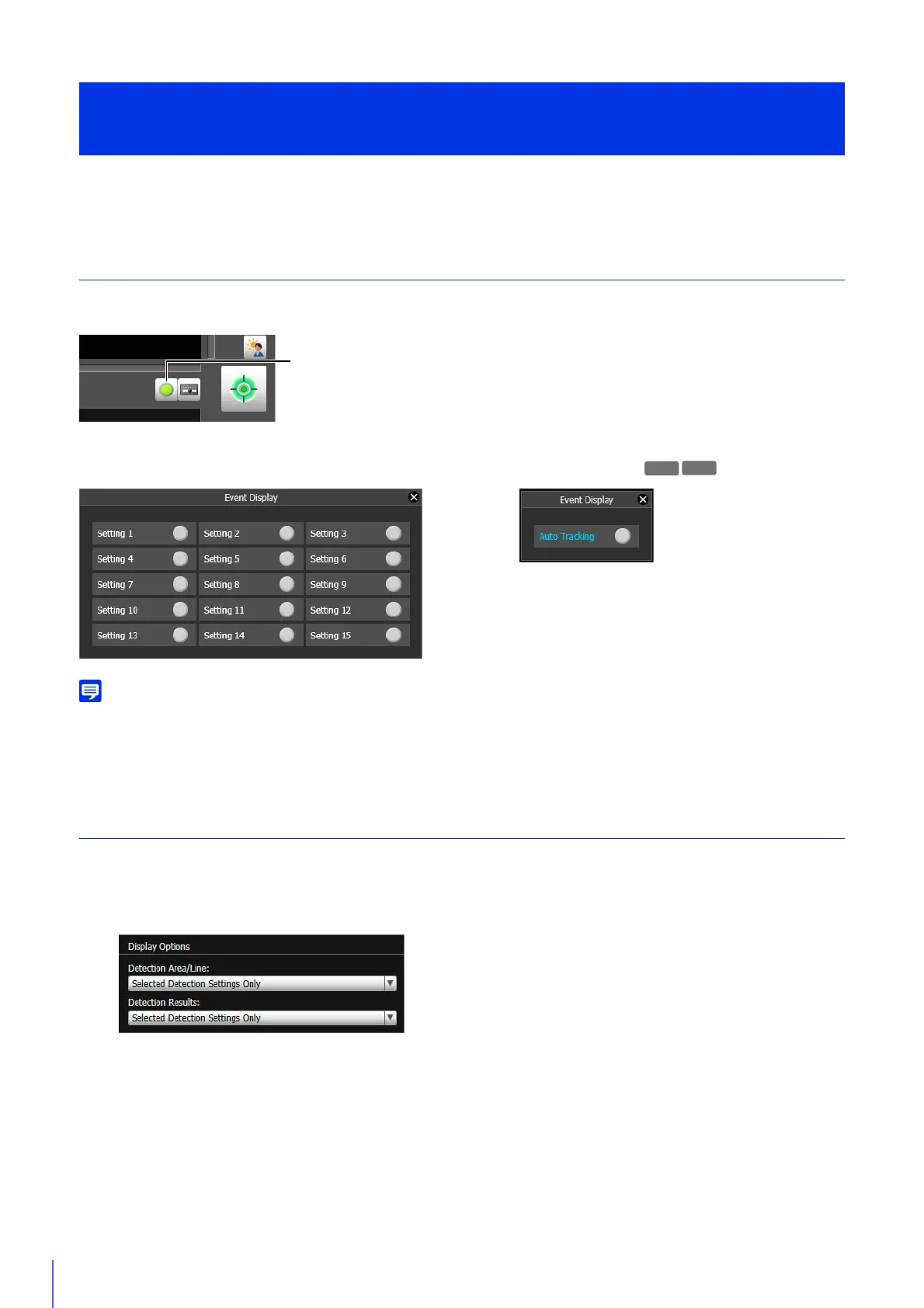
Display Event Status
Click the [Event Display] button to open the Event Display panel and confirm the detection status icon of the Intelligent
Function.
This panel displays the same information as [Intelligent Function] in the Event Display panel of the Admin Viewer (P. 184).
If the detection setting is not saved in the camera, only the detection status for the currently selected detection setting or auto tracking is
displayed.
Display Settings for Detection Areas/Detection Lines, Detection Results
(Display Options)
Configure whether or not detection areas/lines and detection results appear in the video display area.
Video Detection
You can select the following for either [Detection Area/Line] or [Detection Results].
[Selected Detection Settings Only]
Show the detection areas/lines or detection results only for those detection settings selected in [Detection Setting
List].
[All Detection Settings]
Show the detection areas/lines or detection results for all detection settings in [Detection Setting List].
Intelligent Function Setting Tool
Display Options and Shared Operations
Event Display for Detection Settings Event Display for Auto Tracking
R10



 To Next Page