Admin Tools
227
Detection Status for Intrusion Detection
All moving objects detected are shown with contour lines.
When [Decision Point] of a moving object larger than [Object Size (%)] enters a detection area and exceeds
[Duration (Sec)], its contour lines take on the same color as the detection area, indicating that “detected” mode has
been triggered.
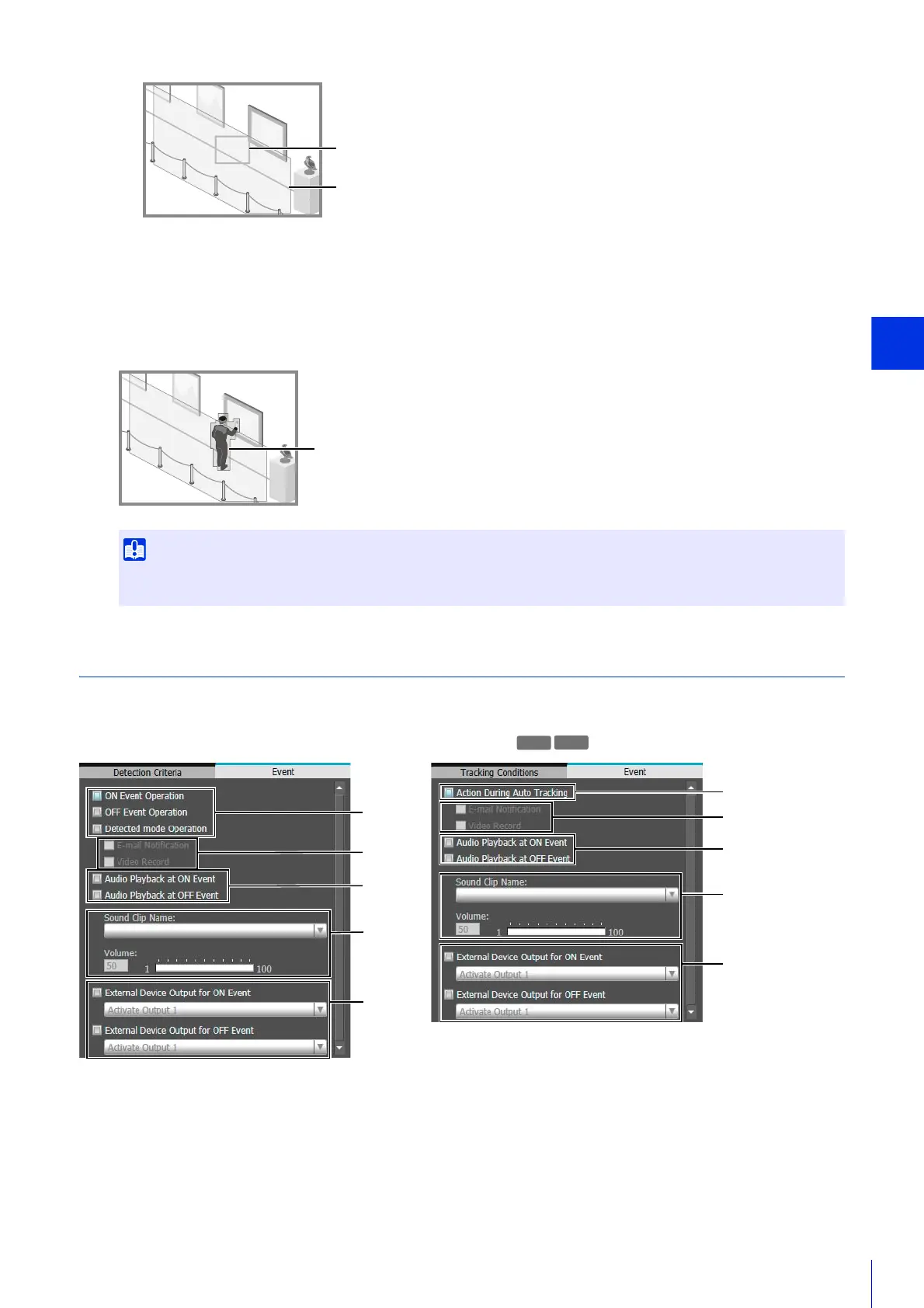
Configure Operations for Triggered Detection ([Event] Tab)
Set operations to be performed upon detection of changes in a subject.
This will also explain the [Event] tab in [Auto Tracking].
(1) Specify Operation Timing (Multiple Selections Possible)
[ON Event Operation]
When selected, the operations set in (3) are performed when “detected” mode is triggered.
[OFF Event Operation]
When selected, the operations set in (3) are performed when “detected” mode ends.
After the Triggered Detection is set, please confirm that the system continues to show contour lines of the Detected Moving
Object.
Object Size Indicator
Detection Area
Contour Lines of Detected Moving Object
Video Detection Auto Tracking
(1)
(3)
(4)
(2)
(3)
(4)
(5)
(6)
(5)
(6)



 To Next Page