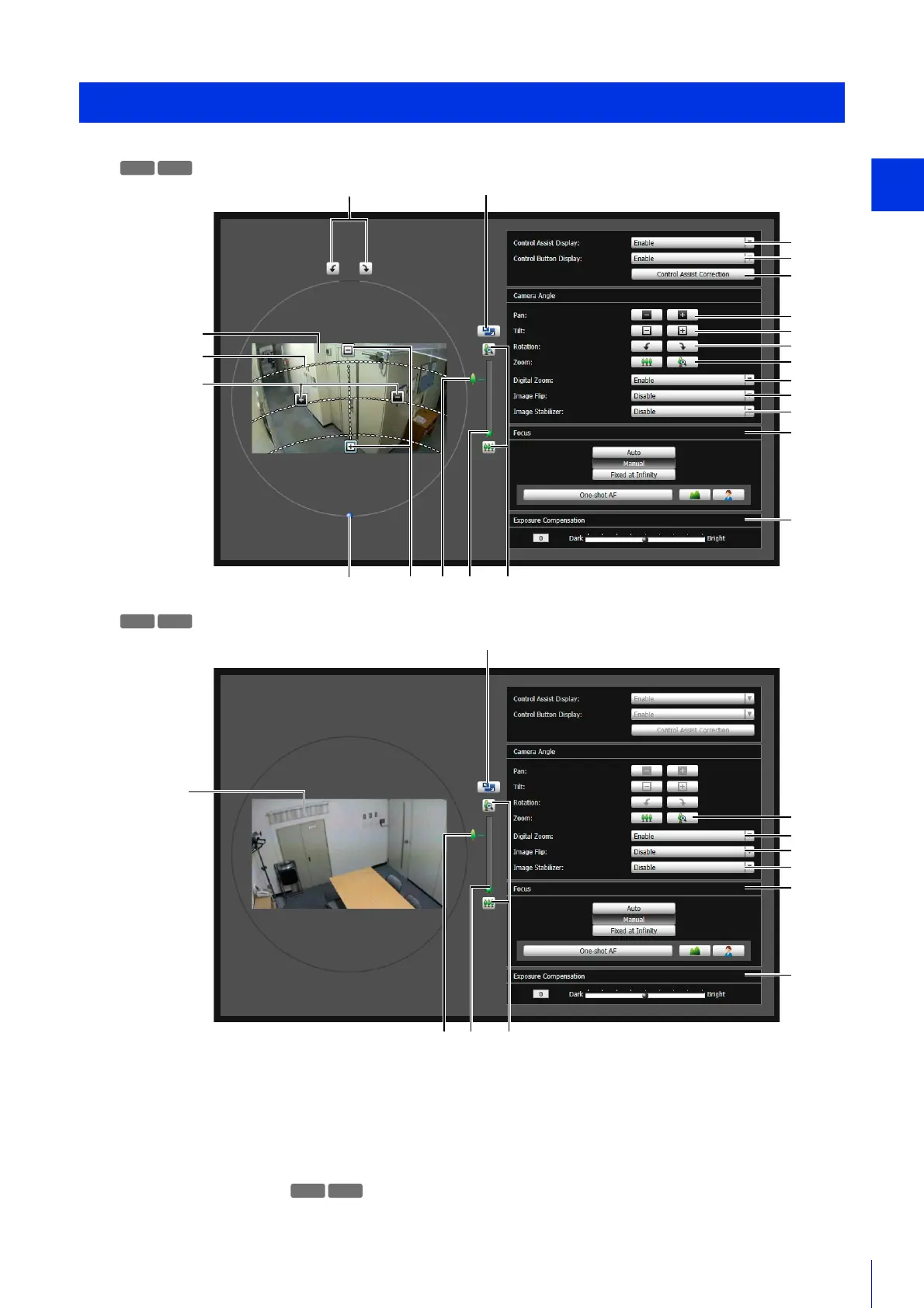
Camera Angle Setting Tool
51
(1) Video Display Area
Camera video appears here.
(2) [Switch Screen Size] Button
Switch the Camera Angle Setting Tool screen between small and large sizes.
You can select the screen size with [Display] menu > [Display screen size].
(3) Control Assist Display
Display dotted lines indicating the possible ranges for panning and tilting.
Camera Angle Setting Tool Screen
M641 M640
(11)
(12)
(13)
(4)
(14)
(15)
(16)
(17)
(18)
(5)
(6)
(8)
(2)
(6)
(1)
(3)
(4)
(5)(7) (10) (9) (8)
M741 M740
(1)
(14)
(15)
(16)
(17)
(18)
(8)
(2)
(10) (9) (8)
M641 M640



 To Next Page