244
The [Browse For Folder] dialog box appears.
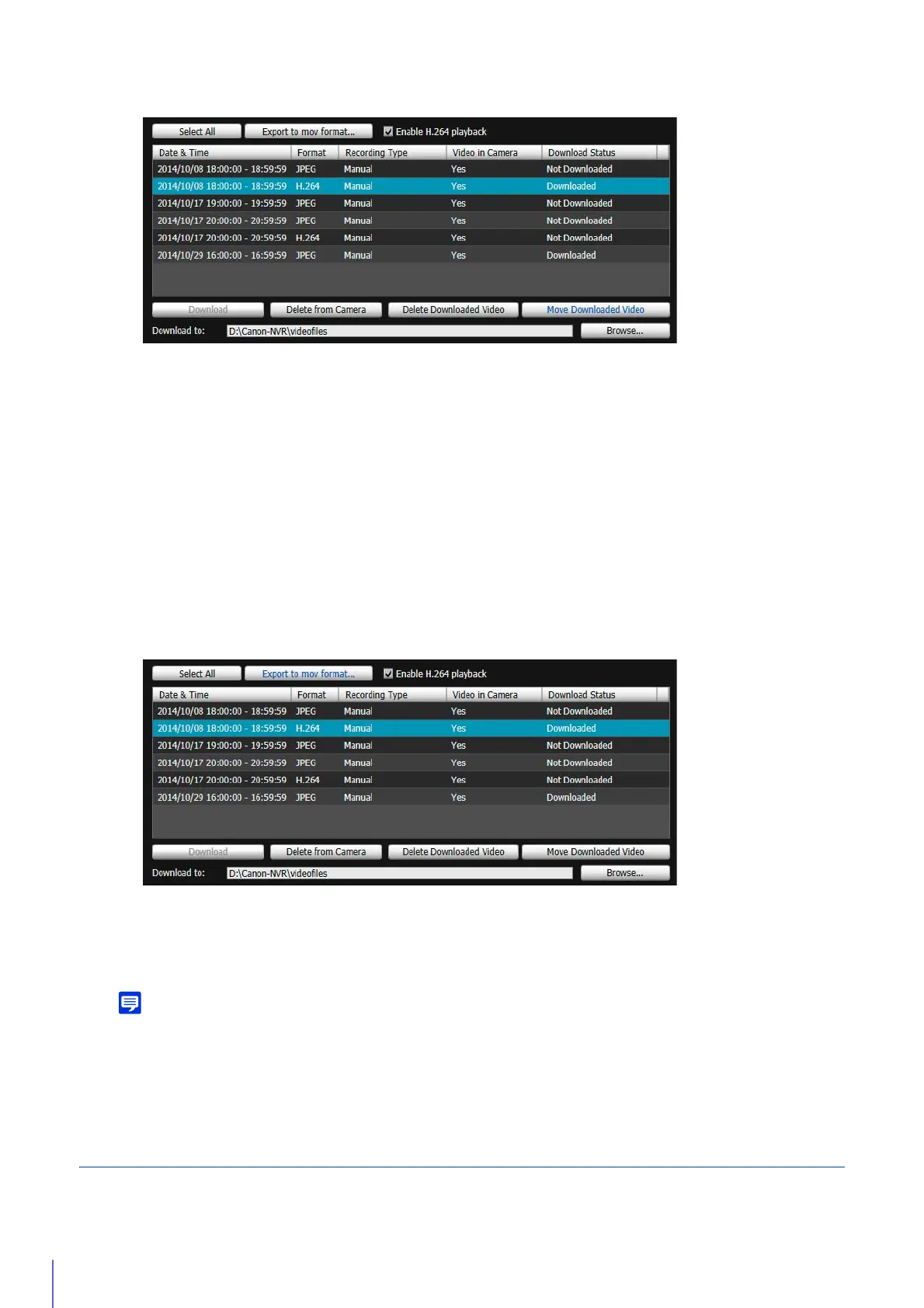
The video is moved to the specified folder.
Export Movie Files for Playback
Video downloaded to a computer can be exported in the “.mov” format that can be played back on a computer.
For H.264 video, subdivided files are merged into a single file.
Videos whose [Download Status] is labeled [Downloaded] in the video list can be exported.
The [Browse For Folder] dialog box appears.
The video is exported.
• The exported video files can be played back using QuickTime 7.7 and Windows Media Player 11/12. For the Windows Vista
operating system or earlier, use QuickTime. However, playback when using this software is not guaranteed.
• Recorded JPEG video whose video size was changed during recording and exported to a “.mov” file cannot be played back by
Windows Media Player. Use QuickTime to play it back.
Play Back Video
Video selected in the video list can be played back in the [Playback Videos] area.
The way to play back video differs depending on the video format.
2
Click [Move Downloaded Video].
3
Select a folder to move to and click [OK].
1
Select a video to export in the video list.
2
Click [Export to mov format].
3
Select a folder to export to and click [OK].



 To Next Page