158
You can use the Control for Admin panel to operate the camera, configure video quality and reception settings, register
presets and perform other tasks.
By clicking [Initial Setting Registration] in [Preset/Initial Setting] (P. 159), you can apply the settings in Control for Admin to
each of the setting items in [Camera] > [Initial Setting] (P. 79) in the Setting Page. Additionally, settings configured in [Initial
Setting] in the Setting Page will be applied to each setting item in [Control for Admin].
Control for Admin Panel
Display Control for Admin Panel
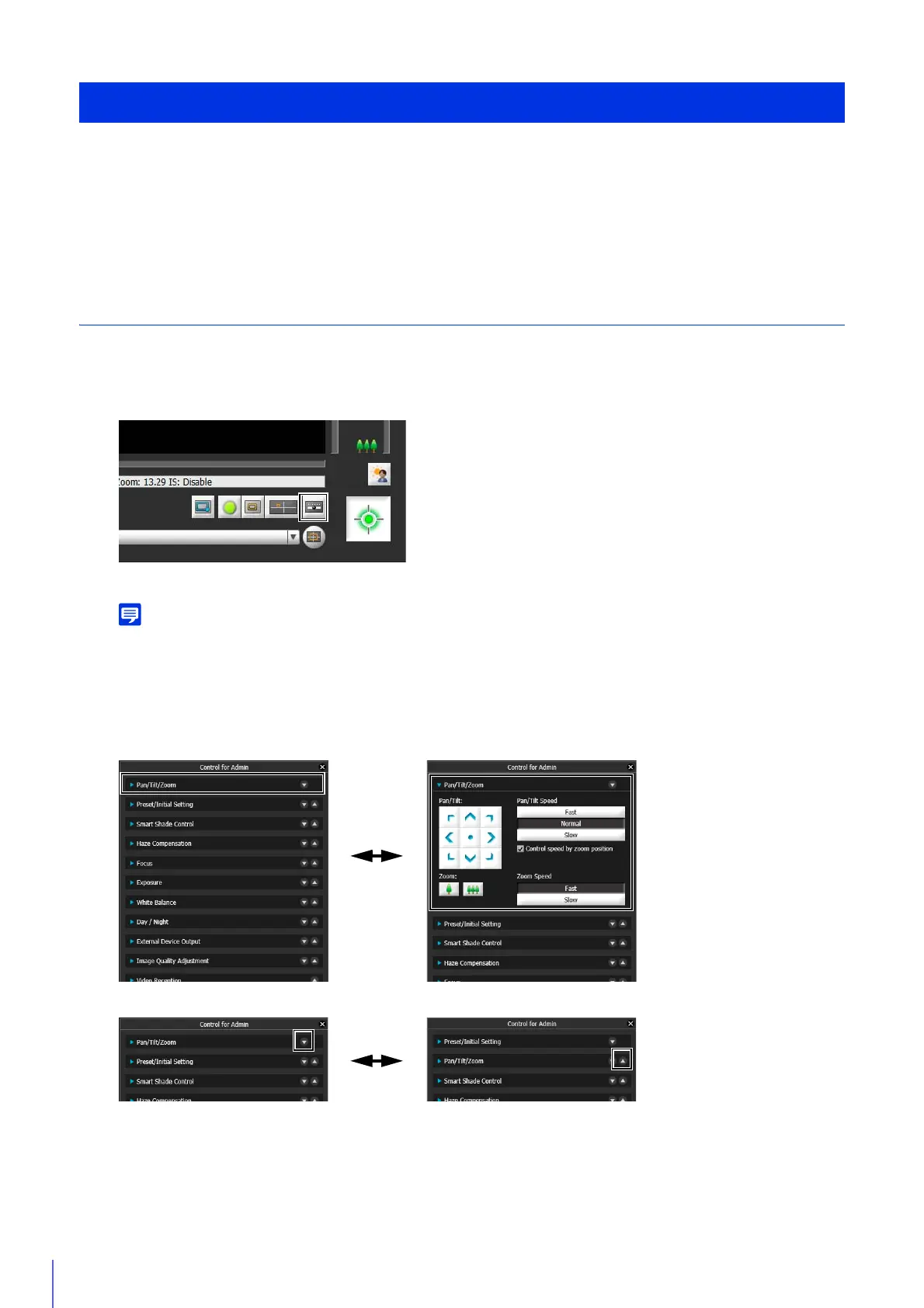
If the Control for Admin panel is closed, obtain camera control privileges and click the [Control for Admin] button.
The Control for Admin panel appears.
You can open the various control items even without obtaining camera control privileges, but you will only be able to configure
settings for the [Preset/Initial Settings] and [Video Reception] items.
Open/Close and Move Control Items
Click the title of a control item to open or close it.
You can also reorder control items using the up/down buttons.
Use Control for Admin



 To Next Page