Admin Viewer/VB Viewer
161
[Not used]
Disables Haze Compensation.
(2) Haze Compensation Strength
When Haze Compensation is set to [Manual], set a strength level.
• When [Auto] or [Manual] is selected for [Haze Compensation], the video data size increases.
• When using [Haze Compensation], contrast may be strong if the subject is not obscured by haze. If this happens, set [Haze
Compensation] to [Manual] and set a lower Haze Compensation strength.
Focus
This focuses on the subject.
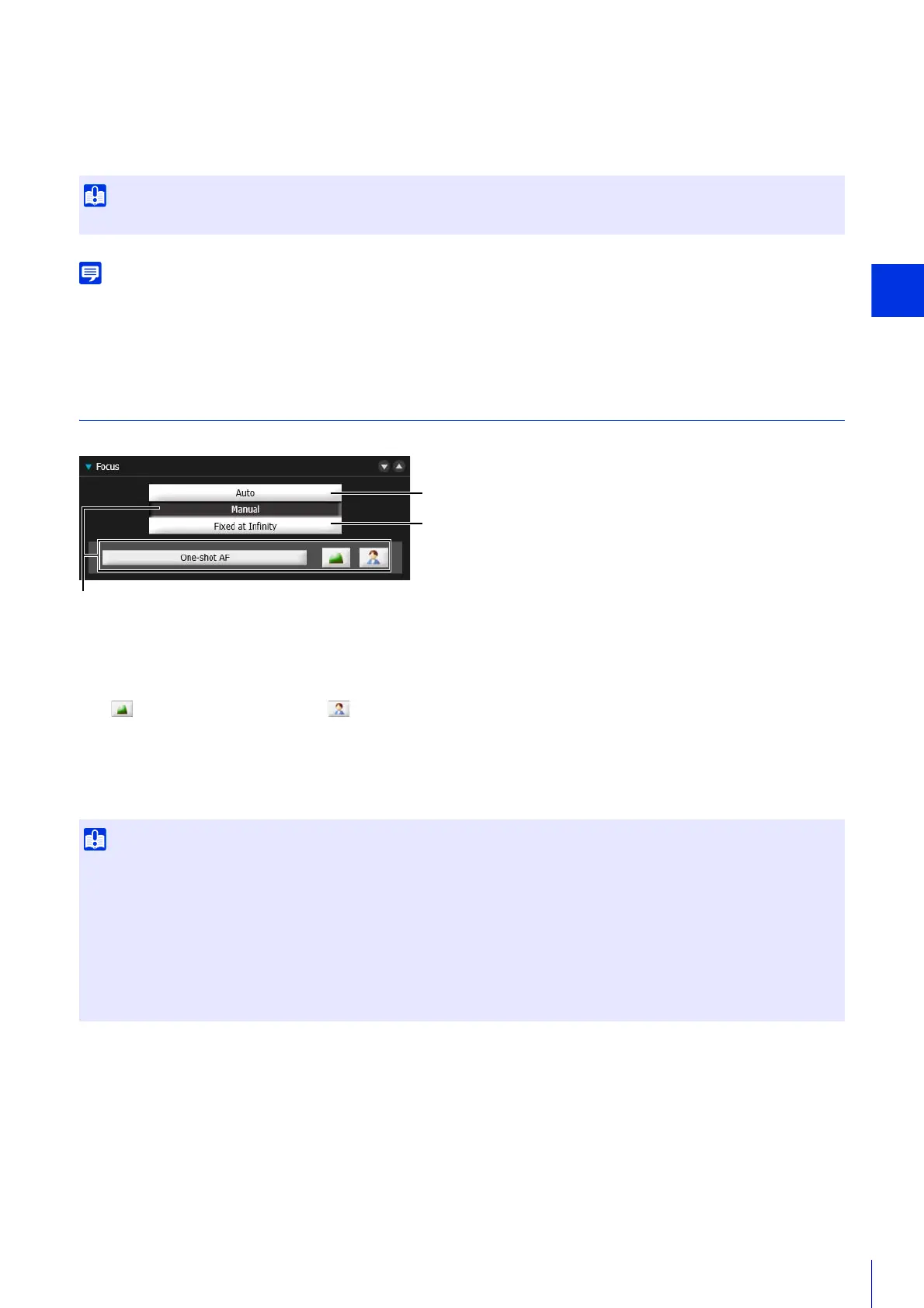
(1) [Auto]
Automatically focuses on the subject.
(2) [Manual]
If you push and hold the (Far) (Near) buttons, you can adjust the focus toward telephoto or wide-angle
respectively.
When you click [One-shot AF], the camera will focus once using autofocus and then switch to manual focus.
(3) [Fixed at Infinity]
The focus is fixed at infinity where a camera focal point is unnecessary.
Focus Ranges
The estimated focus ranges for [Auto] and [Fixed at infinity] depending on the [Day/Night] setting are shown in the
following table.
If you set [Smart Shade Control] to [Auto] or [Manual], [Haze Compensation] is set to [Disable].
• The focus set with the Admin Viewer will be applied to other users.
• Depending on the lighting used, focus may not be maintained when switching between [Day Mode] and [Night Mode]. Focus when
switching Day/Night Mode can be set in the [Day/Night Mode Focus Settings] panel in the Admin Viewer (P. 165).
• If you select [Manual] for [Exposure] (P. 162) and set the shutter speed to [1/1 sec], focus will not be maintained with [Auto] and [One-
shot AF] in [Focus]. If this occurs, use [Manual] to set the focus.
• Note that if you set the focus manually it will remain fixed.
• In conditions where an outdoor scene is captured from an indoor location through a glass window, the camera may focus on the glass
if there is dust or water on the surface. Install the camera at the shortest possible distance from the glass surface.



 To Next Page