168
Image Quality Adjustment
Adjust the quality of the video.
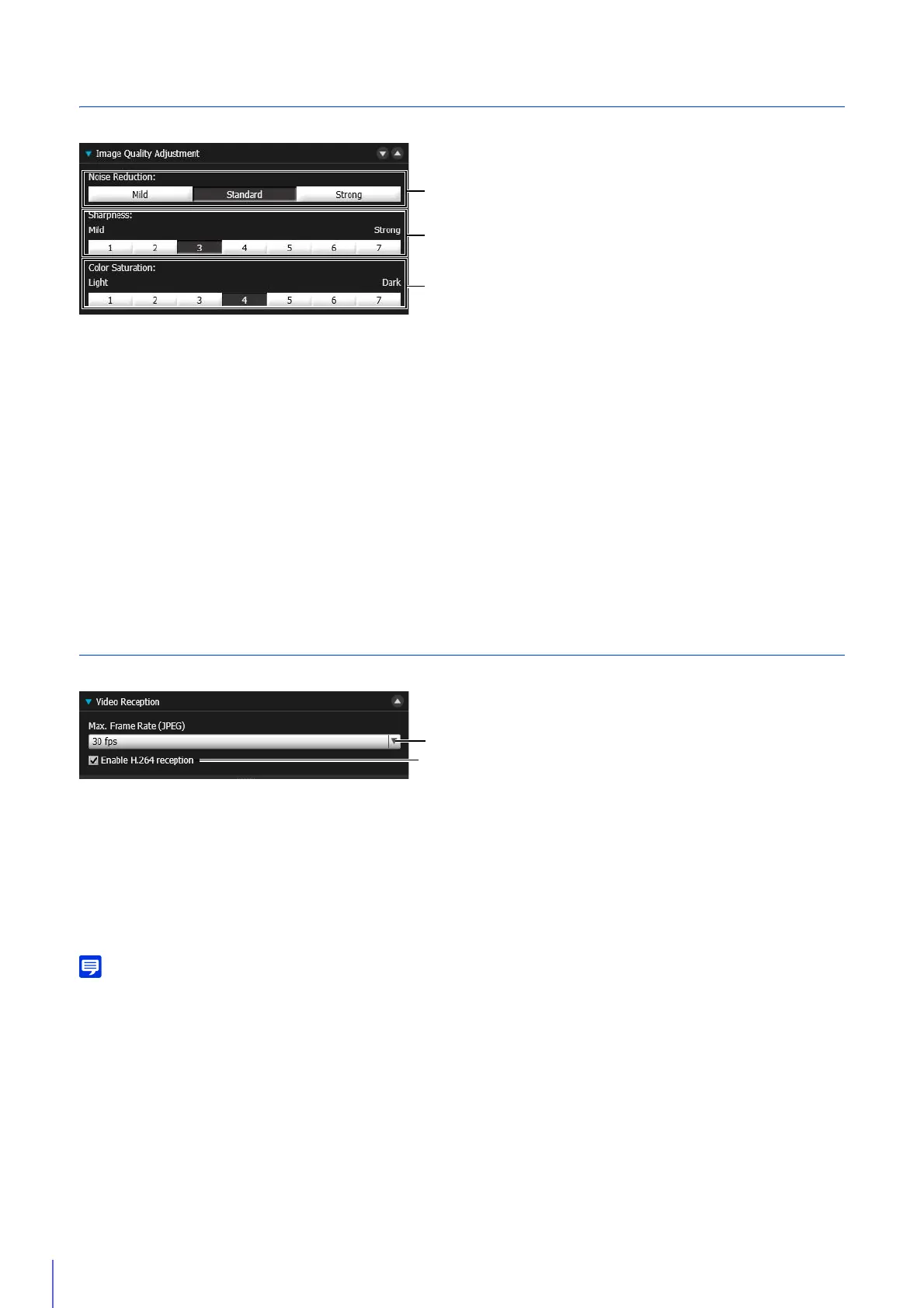
(1) [Noise Reduction]
Select a noise reduction level. This setting is generally more effective in low-light conditions.
When set to [Strong], the noise reduction effect is increased, but the afterimage of moving subjects becomes easier to
see.
When set to [Mild], the noise reduction effect is decreased and resolution is increased, but the video file size becomes
larger.
(2) [Sharpness]
Set a sharpness level.
When set toward [Strong] the video becomes sharper, and when set toward [Mild] the video becomes softer.
When set toward [Strong] the video file size becomes larger.
(3) [Color Saturation]
Set a color saturation level.
Video Reception
Video reception settings for the video display area.
(1) [Max. Frame Rate (JPEG)]
You can select the maximum frame rate for JPEG video.
The setting is not selectable when displaying H.264 video in the video display area.
(2) [Enable H.264 reception]
Select to receive H.264 video.
The Software Product License Agreement dialog box appears. Click [Yes] to accept the terms of the license
agreement. The decoder is downloaded from the camera, enabling H.264 video reception.
When you are using Internet Explorer 11 in a 64-bit operating system and the camera is registered as a trusted site and protected mode is
enabled, reception of H.264 video will be disabled.



 To Next Page