174
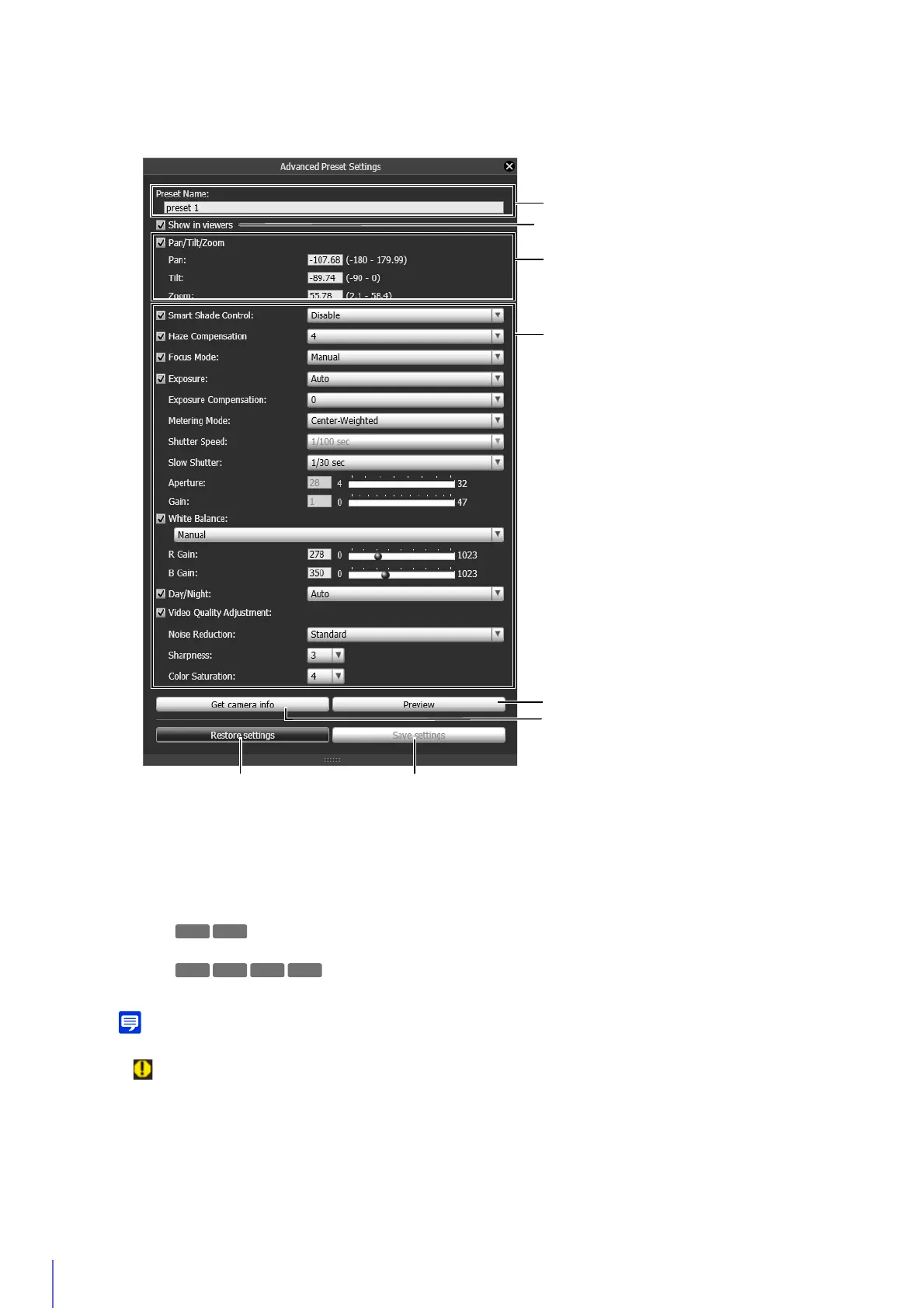
(1) [Preset Name]
Enter a preset name of 64 characters or less. Be sure to enter a name in [Preset Name].
(2) [Show in viewers]
Select this to allow the Viewers to use the preset.
(3) [Pan/Tilt/Zoom]
You can set the pan, tilt and zoom positions by entering values.
The pan, tilt, zoom positions appear.
• This check box cannot be cleared for [Home] (home position). Be sure to set this.
• (warning icon) will appear to the left of the value if you enter settings that fall outside the setting range.
(4) Camera Settings
Select the items in Control for Admin to apply to the preset. For details on each item, please refer to “Use
Control for Admin” (P. 158).
3
Set each item.
R11
M641



 To Next Page