182
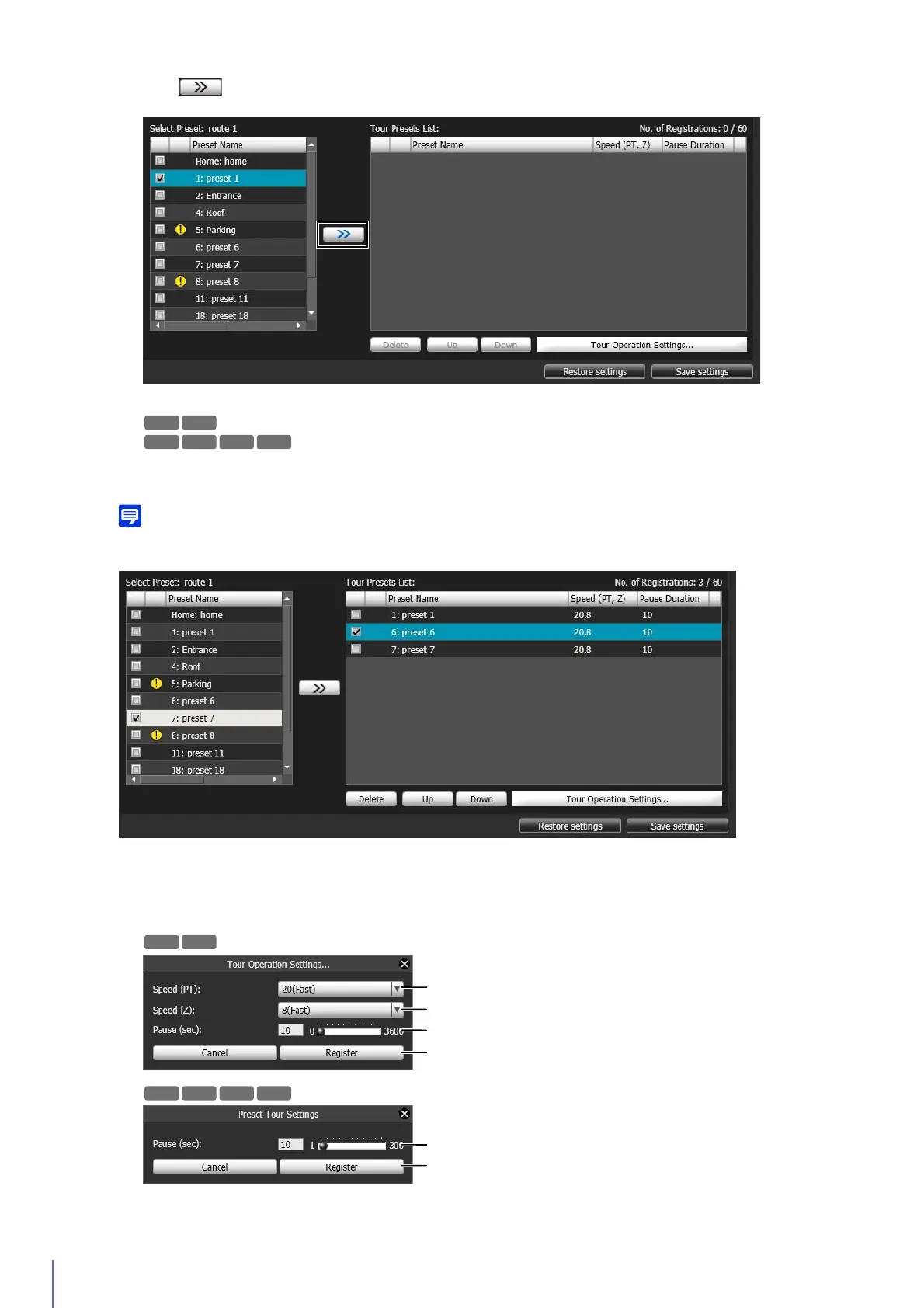
The preset is added to the [Tour Presets List].
You can add a maximum of 60 presets.
You can add a maximum of 20 presets.
Select a preset in [Tour Presets List] and click the [Up] or [Down] to change its position in the list.
If you select a preset in [Tour Presets List] and then click [Delete], the preset will be deleted.
If a preset has already been added to [Tour Presets List] and is selected when another preset is added from the [Select Preset] list,
the added preset will appear below the selected preset.
Select the preset to configure in [Tour Presets List] and click [Tour Operation Settings].
The [Tour Operation Settings] panel appears.
4
Click .
5
Configure the preset speed and pause duration.
R11
R10
R11 R10
M641 M640 M741



 To Next Page