48
Use a Camera Specification File for Connecting
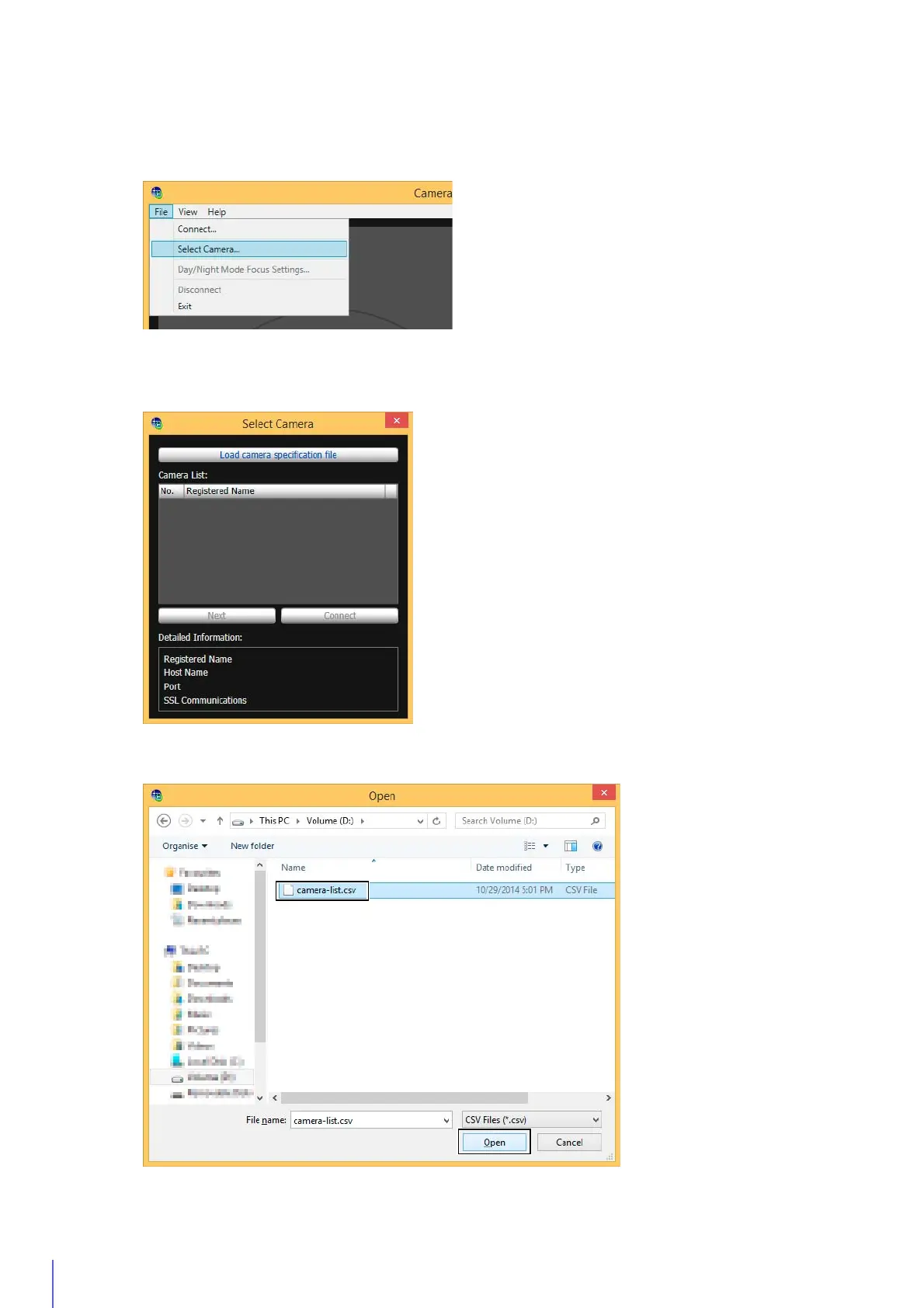
You can connect to a camera by loading camera information listed in a camera specification file (P. 56).
The [Select Camera] dialog box appears.
The camera specification file will be loaded and the camera name will appear in [Camera List].
1
Click [File] menu > [Select Camera].
2
Click [Load camera specification file].
3
Select a camera specification file and click [Open].



 To Next Page