98
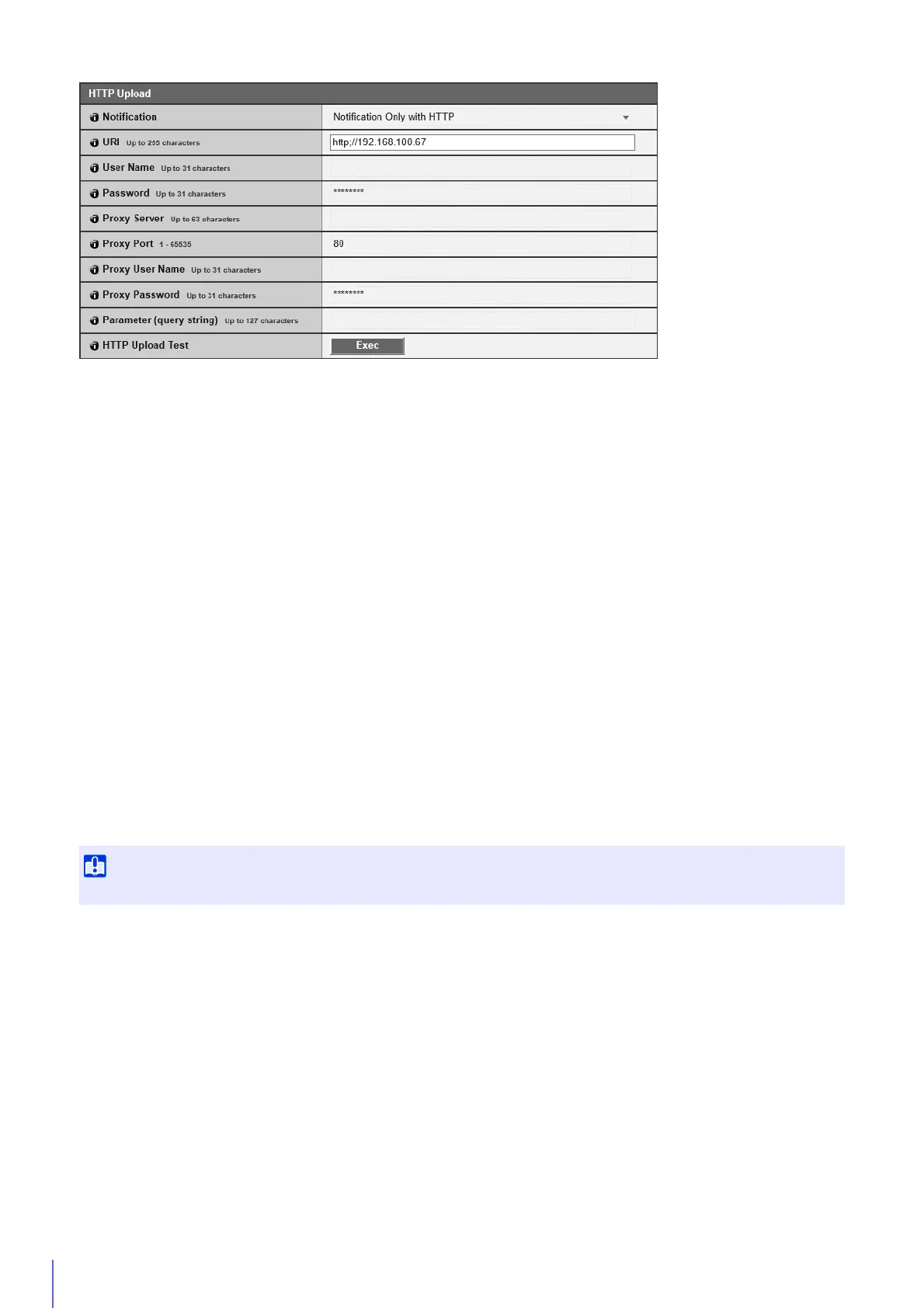
[Notification]
Select whether to only send event information notifications or notifications with attached videos when using HTTP upload.
[URI]
Enter the HTTP server URI to which to upload.
[User Name], [Password]
Enter the user name and password required for authentication.
Digest authentication is not supported.
[Proxy Server]
If using a proxy server, enter the host name or IP address of the proxy server.
[Proxy Port]
If using a proxy server, enter the port number of the proxy server.
[Proxy User Name], [Proxy Password]
Enter to use a user name and password for the proxy server.
Digest authentication is not supported.
[Parameter (query string)]
Enter the request parameters.
Parameters can be specified using the “%” character (P. 252).
[HTTP Upload Test]
Clicking [Exec] initiates an upload test based on the settings currently entered.
Only a single JPEG will be uploaded, but it is not necessary to click [Apply] at that time. After entering a password,
first click [Exec], then click [Apply].
Enter [Proxy Server], [Proxy Port], [Proxy User Name] and [Proxy Password] if connecting via a proxy server.



 To Next Page