19 CHC i83 User Manual
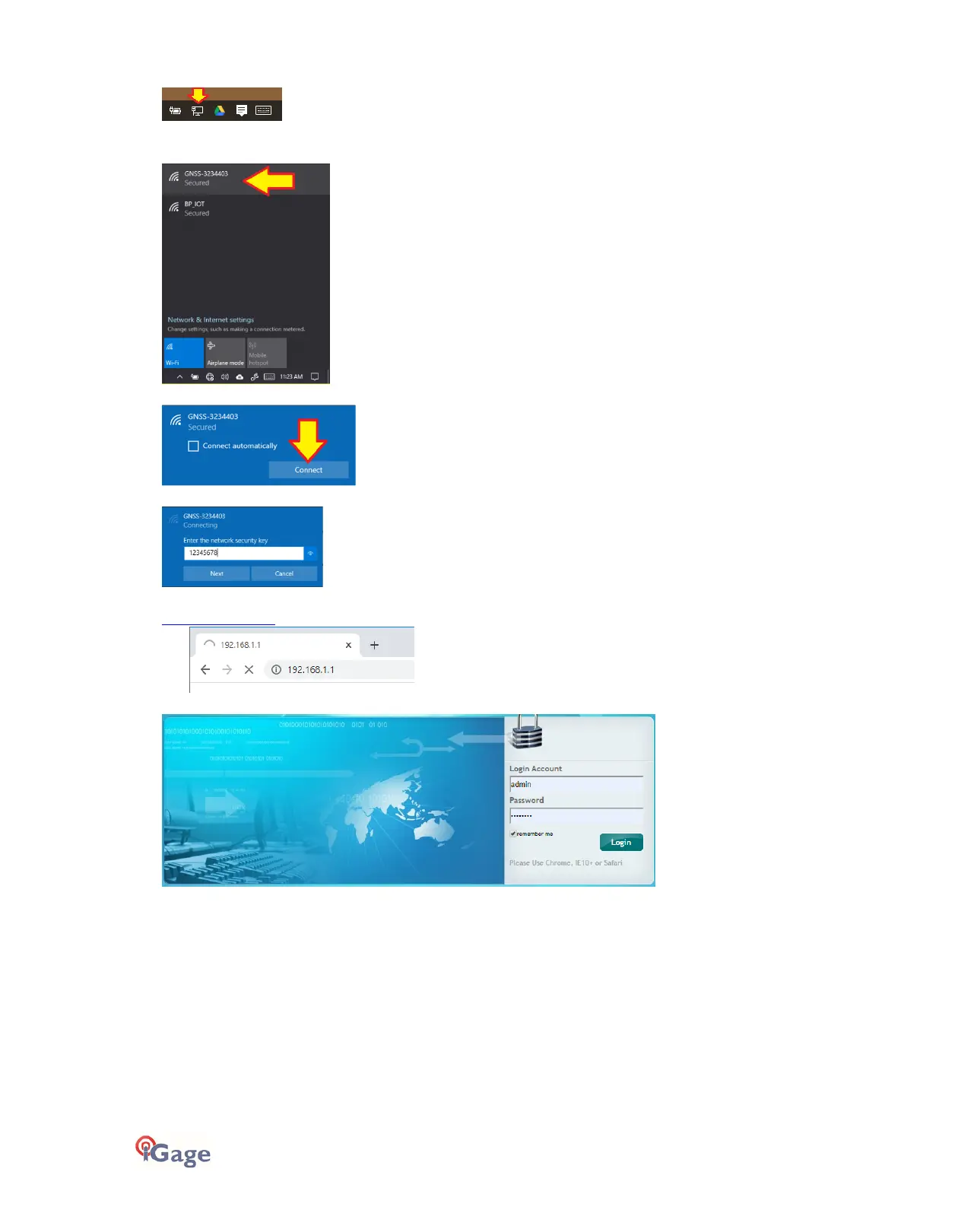
To connect the receiver to your PC with Wi-Fi:
Click on the Network icon in the System Tray
Find the receiver, it will be named ‘GNSS-xxxxxxxx‘ followed by the full serial number of your device:
Click on the receiver, then click on
Connect
:
If a password is requested, try
12345678
, then click on
Next
.
Open a browser window on your PC and type in the GPS IP address:
http://192.168.1.1
A Login screen will be shown:
The
Login Account
is
admin
and the
Password
is
password
.



 To Next Page