CHC i83 User Manual 32
1.
PID:
(Point ID) A unique short identifier for each marker (usually a 4-digit integer.) Only letters, numbers and
the underscore are allowed in the PID. This number ends up as the first four characters of the filename sent to
OPUS and can be used to correlate occupations to OPUS solutions.
2.
Description:
A longer description of the point. Note that quotes (“, ‘) are not allowed in the description.
3.
HI:
The Instrument Height which is the distance from the ground mark to the bottom of the receiver
add ‘
F
’ to enter feet.
add ‘
S
’ to enter slant height.
add ‘
SF
’ or ‘
FS
’ to enter slant feet height.
4.
Operator:
This value gets placed in exported RINEX files
5.
Agency:
This value gets placed in exported RINEX files. By convention this is usually less than 6 characters. A
current list of official contributors can be found with this online link: https://geodesy.noaa.gov/cgi-
bin/get_contrib2.prl. If you plan to contribute to NGS or international projects follow this link:
https://geodesy.noaa.gov/FGCS/BlueBook/annexc/annexc.index.shtml for information on obtaining an agency
code.
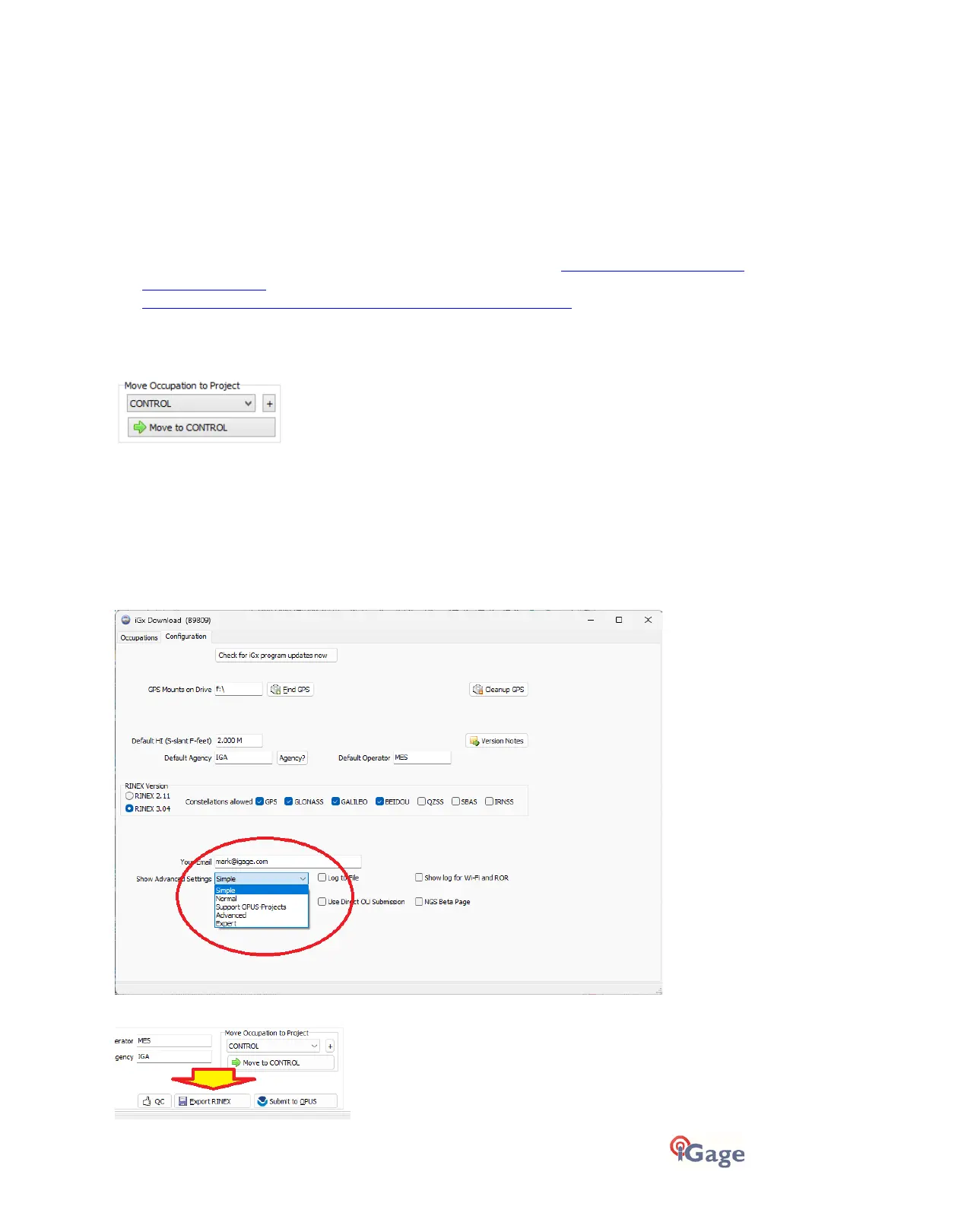
If the ‘_New’ folder gets too full, you can make a new project folder (with the “+” button) and move occupations to the
new project:
IMPORTANT! Exporting to other Programs (NOT OPUS)
The files that are sent to OPUS by the iGx_Download tool are decimated and may be stripped of all satellite information
except for GPS.
Again, Galileo, GLONASS and BeiDou may be removed, and the files are decimated to even 15-second intervals!
If you are using the occupation file in another application select the ‘Configuration’ tab, then choose 'Show Advanced
Settings = Normal’ (or Advanced).
An ‘Export RINEX’ button will now be shown on the main ‘Occupations’ tab:



 To Next Page