17 CHC i83 User Manual
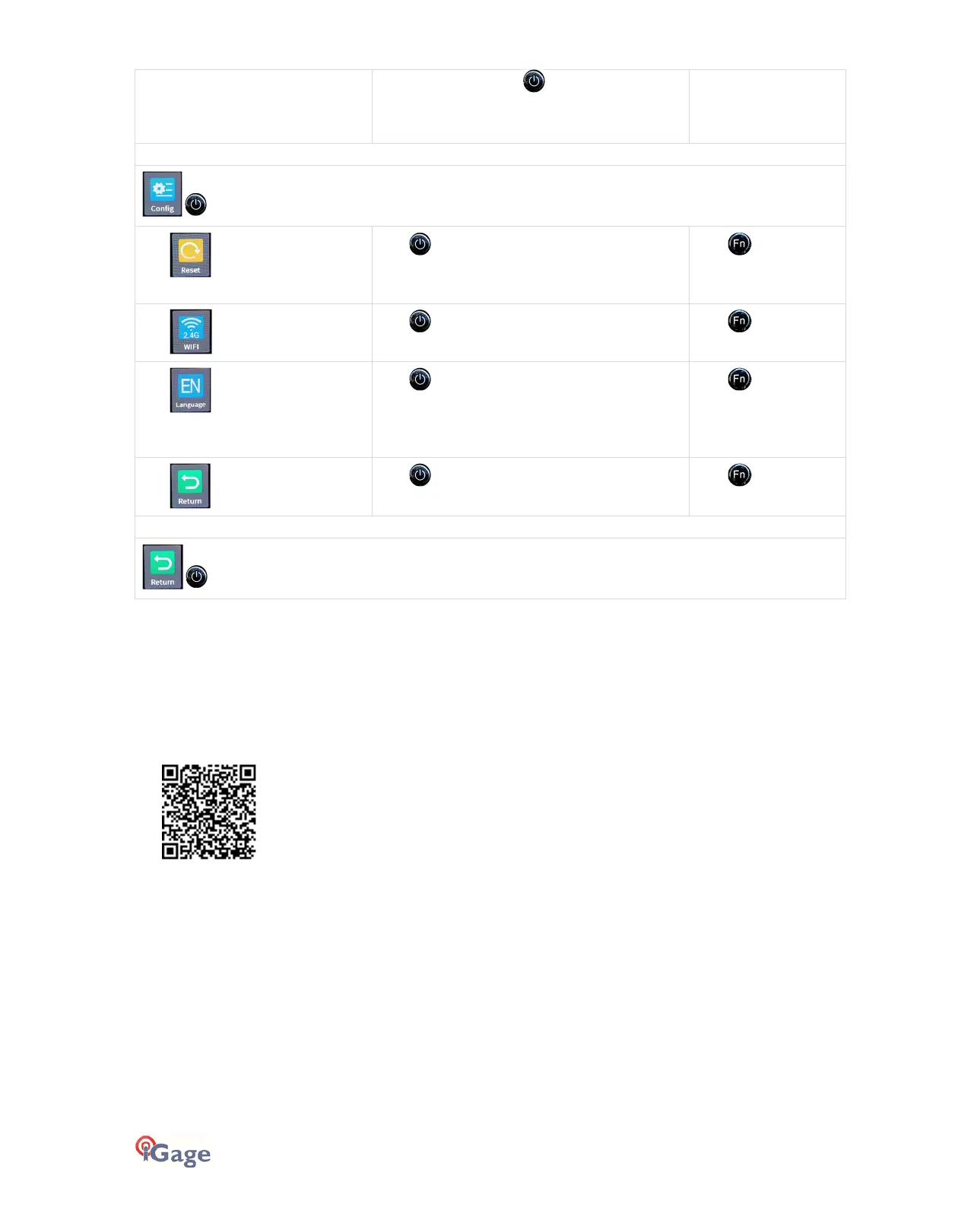
Cancel
: select and click to abandon changes.
displays
click to reset all setting to the Factory
Defaults. This takes 15-seconds, then the
receiver will reboot.
Click to move to
the Wi-Fi setting.
click to toggle between 2.4 G and 5.8 G Wi-
Fi. 2.4 G is the default value.
Click to move to
the Language setting.
click to toggle through the available
languages:
EN English, RU Russian, FR French, SP Spanish, PT
Portuguese, JP Japanese, CH Chinese
Click to move to
the Return icon.
click to return to the Main Menu.
Click to move to
the Reset menu.
returns to the Status Menu from the Main Menu.
Compatible Field Software
LandStar8
The preferred field software for the i83 receiver is LandStar8. LandStar8 runs on most Android devices, is reasonably
priced and has native support for all i83 functions. Full LandStar8 demos are available. Read this FAQ for step-by-step
instructions:
Other Field Software Tools
The following field software tools are compatible with the i83 receiver:
CHCNav LandStar7: fully compatible
GeoMax X-PAD Ultimate: fully compatible
MicroSurvey Field Genius: fully compatible
Carlson SurvCE version 5.09 through 6.08: compatible without IMU Tilt Enabled
Carlson SurvPC version 6.07 through 6.08: compatible with IMU Tilt Enabled
Note: Carlson has dropped support for all CHC receivers from all versions of SurvCE and SuvPC higher than 6.08. If you
absolutely must use SurvCE or SurvPC, please read these detailed instructions:



 To Next Page