CHC i83 User Manual 68
The update will take approximately 2-minutes to complete
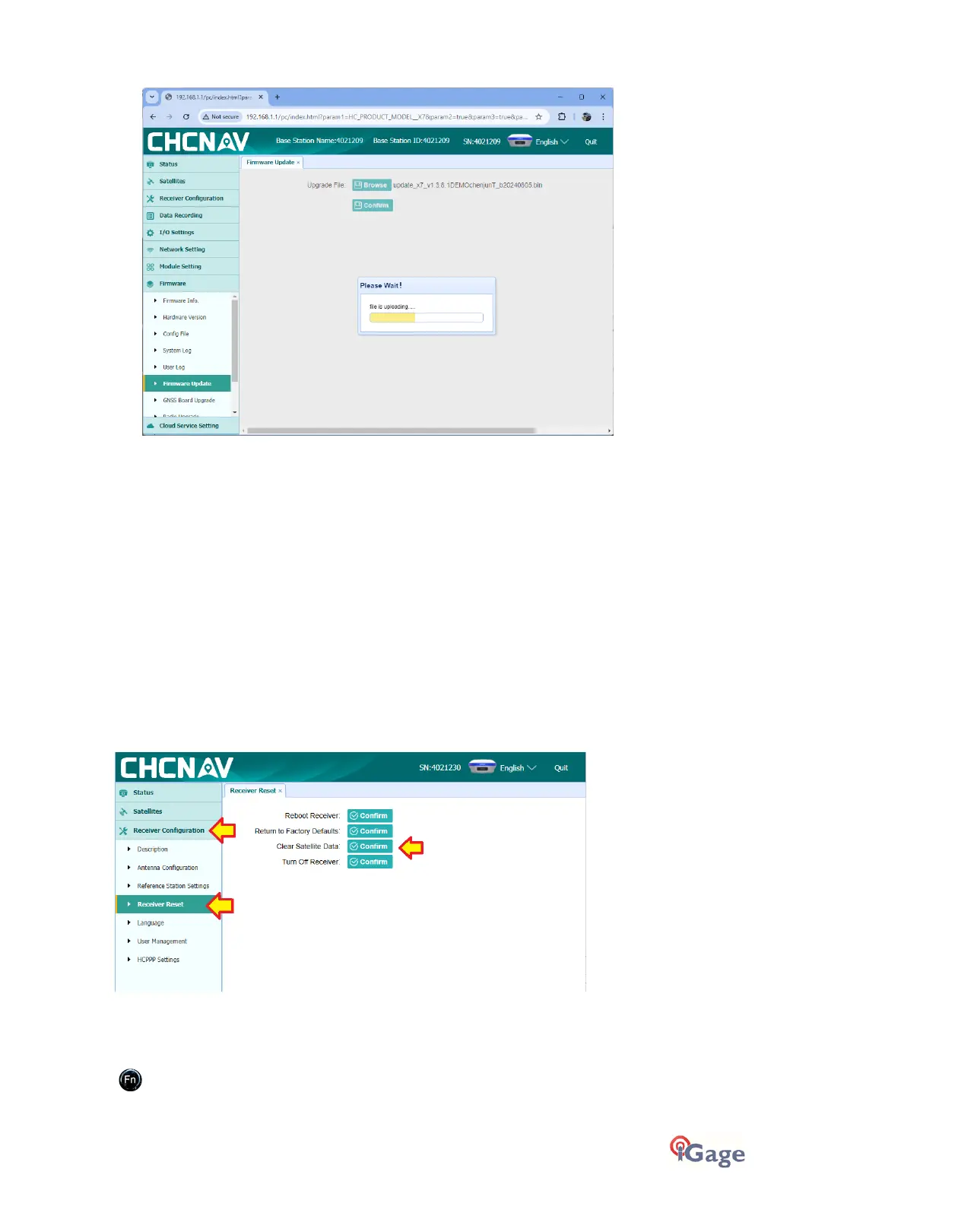
When the update is in progress the receiver window will show: Updating…
At the end of the update, the receiver window will show:
Update Success
for 10 seconds.
The receiver will then reboot.
If you have multiple firmware updates (Main, OEM, Radio) then return to step 3 and repeat as needed.
GNSS OEM Reset
It is possible to reset the receiver from the Front Panel and from the web interface. This procedure should not be
required for normal operation.
Web Interface Reset
Connect a PC, tablet or smartphone to the Wi-Fi web interface as shown in ‘Connecting to a PC or Smartphone via Wi-Fi
’
section
on page 18.
Once connected, from the Main Menu:
Click on
Receiver Configuration
:
Receiver Reset
then
Clear Satellite Data
Confirm
.
Front Panel Reset
Click to move to the Main Menu:



 To Next Page